
December 22, 2010
Question

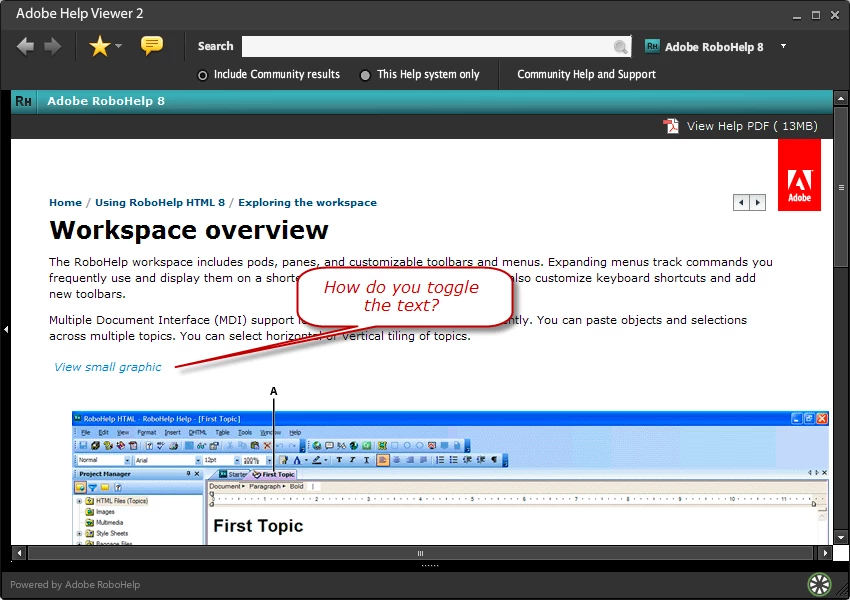
Toggle the text in a drop down hotspot

  • December 22, 2010
  • 1 reply
  • 534 views

I am using RoboHelp 8.

The Adobe help workspace overview uses a drop down hot spot (see attachment) to allow the user to switch from a small graphic to full size graphic. I understand how to add the hotpsot, but how do you change the hotspot text from View small graphic to View full size graphic?
    This topic has been closed for replies.

    1 reply

    Peter Grainge
    Community Expert
    Community Expert
    December 22, 2010

    You would have to write some javascript to do that with text.

    Take a look at Twisties on my site. You could use an image such as a right pointing and down pointing arrow or you could create images with the required text.


    See www.grainge.org for RoboHelp and Authoring tips

    @petergrainge

    Use the menu (bottom right) to mark the Best Answer or Highlight particularly useful replies. Found the answer elsewhere? Share it here.