
Exit
  • Global community
    • Language:
      • Deutsch
      • English
      • Español
      • Français
      • Português
  • 日本語コミュニティ
  • 한국 커뮤니티
0

Toggle the text in a drop down hotspot

Guest
Dec 22, 2010 Dec 22, 2010

I am using RoboHelp 8.

The Adobe help workspace overview uses a drop down hot spot (see attachment) to allow the user to switch from a small graphic to full size graphic. I understand how to add the hotpsot, but how do you change the hotspot text from View small graphic to View full size graphic?
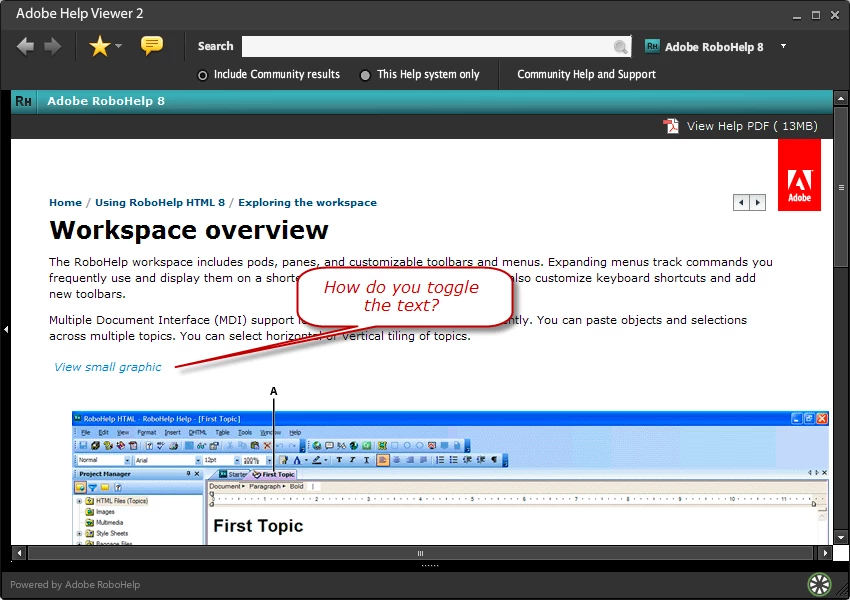
Toggle hotspot text.png

535
Translate
Report
Community guidelines
Be kind and respectful, give credit to the original source of content, and search for duplicates before posting. Learn more
community guidelines
Community Expert ,
Dec 22, 2010 Dec 22, 2010
LATEST

You would have to write some javascript to do that with text.

Take a look at Twisties on my site. You could use an image such as a right pointing and down pointing arrow or you could create images with the required text.


See www.grainge.org for RoboHelp and Authoring tips

@petergrainge

Help others by clicking Correct Answer if the question is answered. Found the answer elsewhere? Share it here. "Upvote" is for useful posts.
Translate
Report
Community guidelines
Be kind and respectful, give credit to the original source of content, and search for duplicates before posting. Learn more
community guidelines
Resources
RoboHelp Documentation
Download Adobe RoboHelp