February 16, 2012
Question

Twistie image won't display

  • February 16, 2012
  • 1 reply
  • 952 views

RH 9 / WebHelp output

I added twisties to my project a couple of weeks ago and they worked fine.

Recently I re-organized my images and the twistie graphics were not displaying so I went into the css and updated the path.

The collpage icon displays fine, but the expand will not. I even tried using the collapse icon for the open icon and it still won't display. I put the images back at the root and re-did path, and nothing changed.

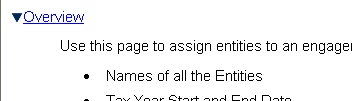
Attached pictures of the 2 outputs, and the code.

Have a release going out tomorrow so any help much appreciated.
    This topic has been closed for replies.

    1 reply

    February 16, 2012

    here's the css

    Captiv8r
    Legend
    February 16, 2012

    Hi there

    Perhaps try using the file browsing icon (folder) and re-select the image?

    Just thinking out loud.

    Cheers... Rick

    Helpful and Handy Links

    RoboHelp Wish Form/Bug Reporting Form

    Begin learning RoboHelp HTML 7, 8 or 9 within the day!

    Adobe Certified RoboHelp HTML Training

    SorcerStone Blog

    RoboHelp eBooks

    February 16, 2012

    Hello again

    I think the next approach I would suggest would be to choose a different pair of images. See if things correct then. And if so, re-select the desired images.

    If that fails, you need to examine the CSS at the code level. I know you probably think you have posted that, but what I mean is to open the CSS file in Windows Notepad and note what is shown there.

    Cheers... Rick

    Helpful and Handy Links

    RoboHelp Wish Form/Bug Reporting Form

    Begin learning RoboHelp HTML 7, 8 or 9 within the day!

    Adobe Certified RoboHelp HTML Training

    SorcerStone Blog

    RoboHelp eBooks


    I re-directed them both to a new file. Collapse works, Expand doesn't.

    Here's the css for the hotspot.