Inspiring
March 13, 2018
Question

WebHelp URL in address bar

  • March 13, 2018
  • 1 reply
  • 3412 views

In the meanwhile, I have another issue coming up which needs to be resolved urgently.

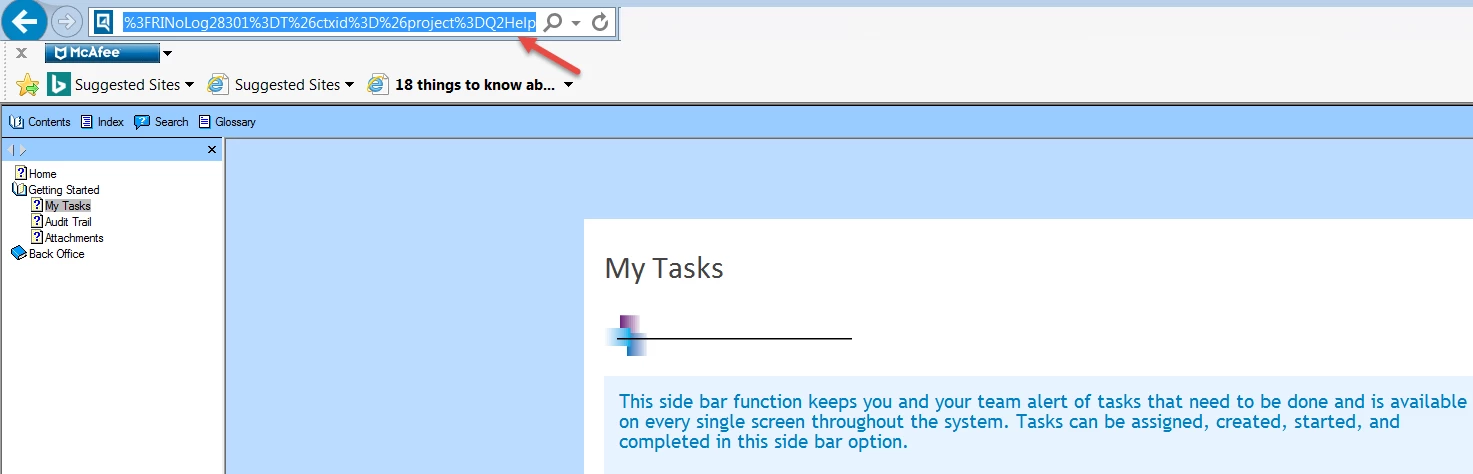
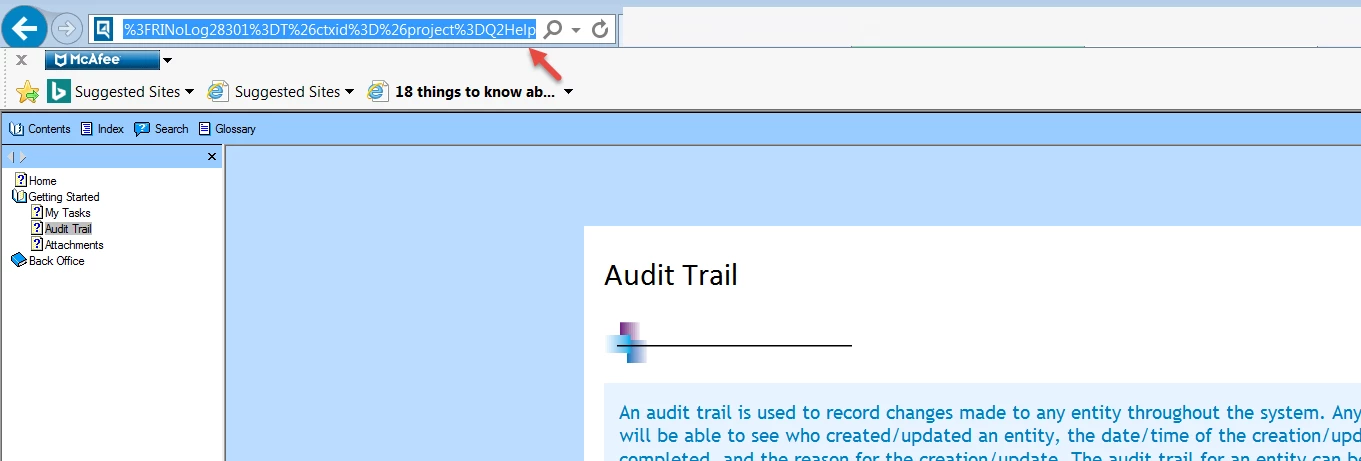
When I create the output and open the index.htm file in any browser, all the topics links are showing the same in the Address bar.

I have tried creating the output with WebHelp and WebHelp Pro both.

Showing the snapshot of the same links of two topics:
    This topic has been closed for replies.

    1 reply

    Peter Grainge
    Community Expert
    Community Expert
    March 13, 2018

    That's the way WebHelp works. See Calling WebHelp on my site.

    Unless you also have WebHelp Server installed on your server, WebHelp Pro

    will no work.

    Use the menu (bottom right) to mark the Best Answer or Highlight particularly useful replies. Found the answer elsewhere? Share it here.
    sia09Author
    Inspiring
    March 14, 2018

    Okay, Leave WebHelp Pro.

    But when we generate WebHelp, the index.htm file should show correct links in the Address bar...Why is it showing same links for all the topics??

    Peter Grainge
    Community Expert
    Community Expert
    March 19, 2018

    That link is to Rick Stone's RoboWizard site and it is now a bit misleading as, since the link was created, Rick's site has changed from using WebHelp to using a Responsive layout. As you browse the pages from the TOC there, the link will change in the same way as the RoboHelp Tour on my site, also a Responsive layout.

    The link to the RoboHelp Tour is http://www.grainge.org/pages/authoring/rh_tour/ ​but note how it changes as it opens and as your navigate the TOC.

    The script Rick refers to is simply one that copies a URL to your clipboard so that when you paste it into your browser, the help opens at the required page with the TOC and toolbar. Had the site still been WebHelp, what you would have seen was a direct link to a specific topic. Also if you had then browsed to other topics, that URL would again not have changed. In changing the help type, Rick had to change all those URLs so you cannot test that now.

    In the demo I put up, the link www.grainge.org/demos/WebHelp/index.htm#topic_three.htm will open Topic Three rather than the default page above but then note it stays showing the same URL.

    If you change from WebHelp to Responsive help, your developers would need to change the calls to any context sensitive topics so do liaise with them before doing so.


    See www.grainge.org for free RoboHelp and Authoring information.

    @petergrainge


    Before I pull the demo from my site, please confirm that you have tried the links in the previous post and seen the behaviour I described.

    By way of explanation as to why the link doesn't change, when you call webhelp you are calling a page that has three frames, one for the TOC, one for the toolbar and one for the topic. That page with three frames never changes, it is the topic within one of the frames that changes. If you used the true URL for that, you would see the topic without the TOC and toolbar. There would then be a Show link to access the tripane layout.


    See www.grainge.org for free RoboHelp and Authoring information.

    @petergrainge

    Use the menu (bottom right) to mark the Best Answer or Highlight particularly useful replies. Found the answer elsewhere? Share it here.