


Participating Frequently
February 1, 2018
質問

The search string you typed is not valid.

  • February 1, 2018
  • 返信数 2.
  • 1793 ビュー

I noticed some odd behaviour with the search recently. Any time you first search for a string containing a stop word, it doesn't return any result and instead displays the error message "The search string you typed is not valid."
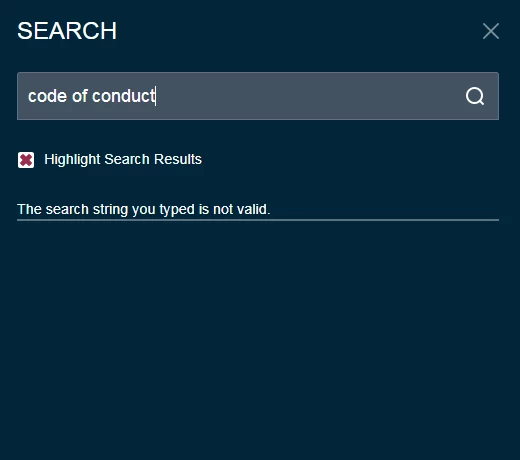
If I then refresh the page or hit Enter again, the search results come up as expected.

I've tried creating a new project with only 2 topics and the same thing happens there. Even removing the stop words from the "Stop Words" list doesn't seem to do anything.

Any suggestions?

Thanks,

Simon

このトピックへの返信は締め切られました。

返信数 2

Participant
August 8, 2019

I am running into the same issue using NOT. For example, if I type "link not working" i get the "The search string you typed is not valid." error message. It seems quite strange that this bug is not fixed. People use NOT a lot when looking at a help guide. It must be one of the top searched words...

Jeff_Coatsworth
Community Expert
Community Expert
August 8, 2019

According to the Tracker, it's working in RH2019.

Jeff_Coatsworth
Community Expert
Community Expert
February 1, 2018

Created with what version of RH and which layout? IIRC there have been issues with search stuff.

silvannos作成者
Participating Frequently
February 1, 2018

I'm using RoboHelp 2017 version 13.0.1.279.

I tried outputting with both Indigo and Azure_Blue layouts and the same thing happens.

Jeff_Coatsworth
Community Expert
Community Expert
February 1, 2018

I think you're missing a patch - try updating and regenerating your test.