Participant
May 16, 2024
Answered

生成AI(DALL・E3)でのイラスト

  • May 16, 2024
  • 6 replies
  • 1442 views

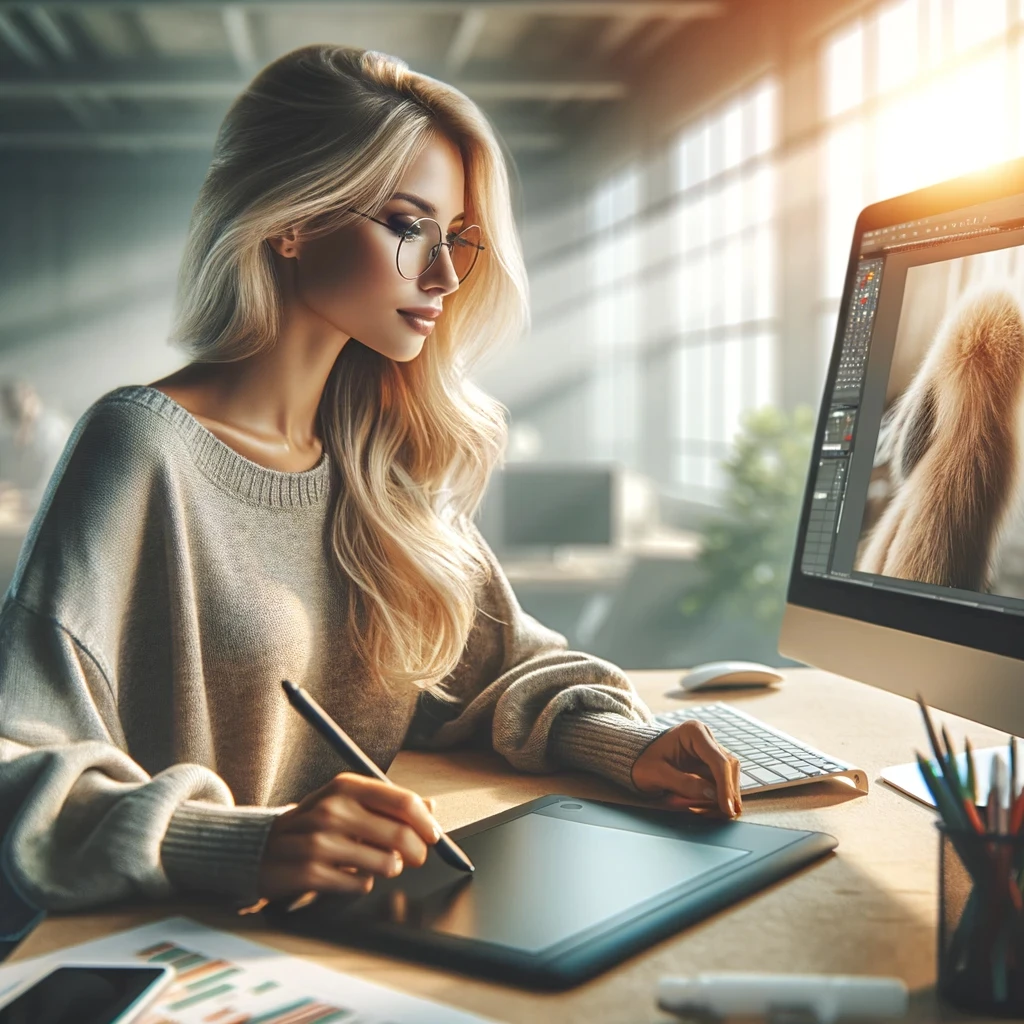
添付画像のような様々なAI生成イラストを約50枚審査しましたが、全て「品質の問題」により却下されました。

AIによって生成されたイラストはphotoshopで解像度を高くアップしています。

何を改善すれば審査が通れるようになるかアドバイスをください。


カメラでフォックスた写真については200枚ほど審査が通ってリリースされているので、かなり重要な点は理解しているつもりではありますが、イラストでの審査ルールは写真とは違うのかなども教えますしていただければ幸いです。
  

This topic has been closed for replies.
Correct answer daniellei4510

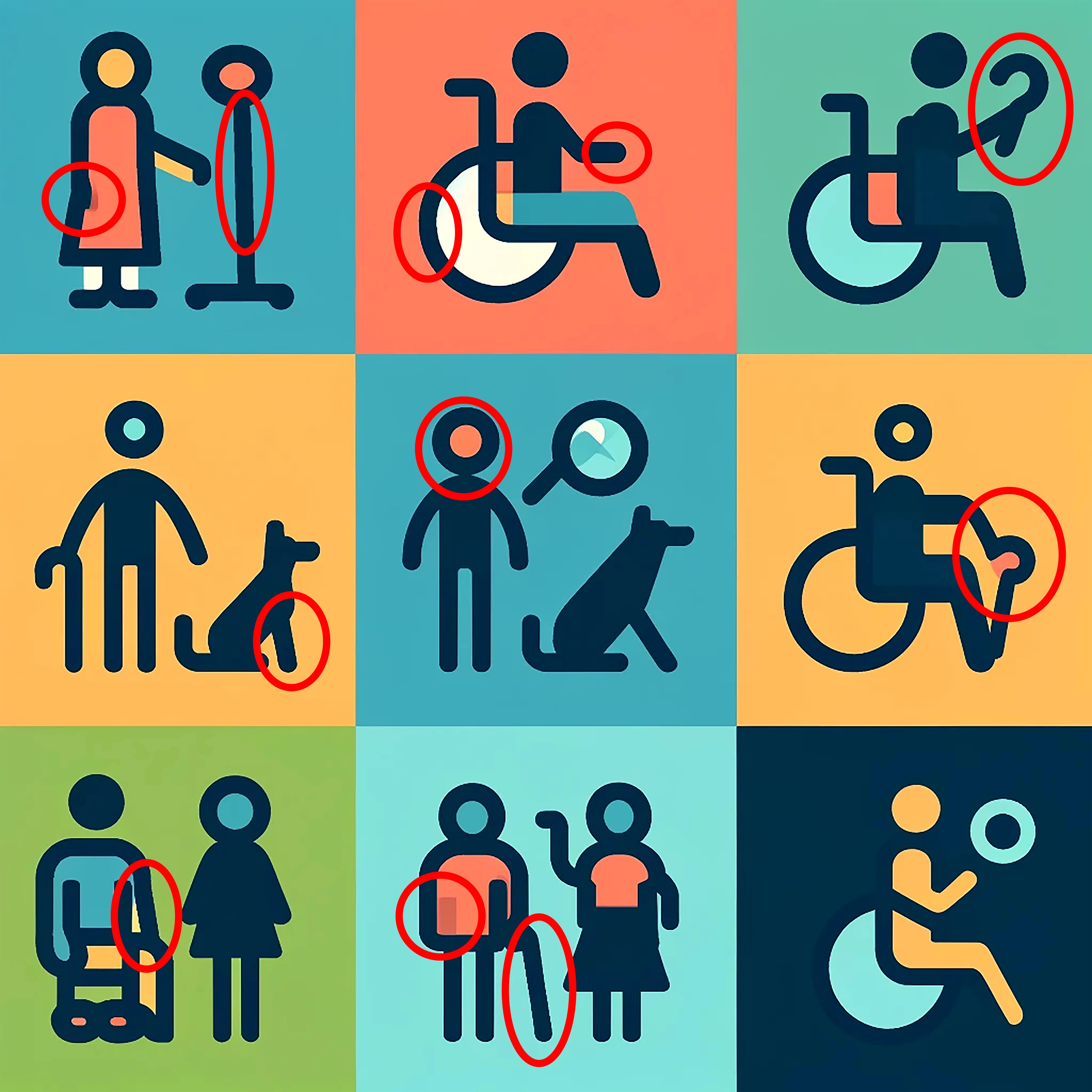
A lot of weird shapes that don't make sense, croocked lines that should be straight. I haven't circuled all the issues but they are easy to spot at 100%. Seems we're seeing more and more Illustrator AI images that contributors assume are turning out perfect results. They're not. These need a lot of point-by-point editing after the fact.


6 replies

Nancy OShea
Community Expert
Community Expert
May 19, 2024

The person in your third image looks overly synthetic with an irregularly long neck.  Everything about her is weirdly disproportioned.


Nancy O'Shea— Product User & Community Expert
Participant
May 18, 2024

みなさま、ご回答ありがとうございます。

AI生成された人物の場合、細心の注意を払わなければいけないことが理解できました。


追加で質問になります。

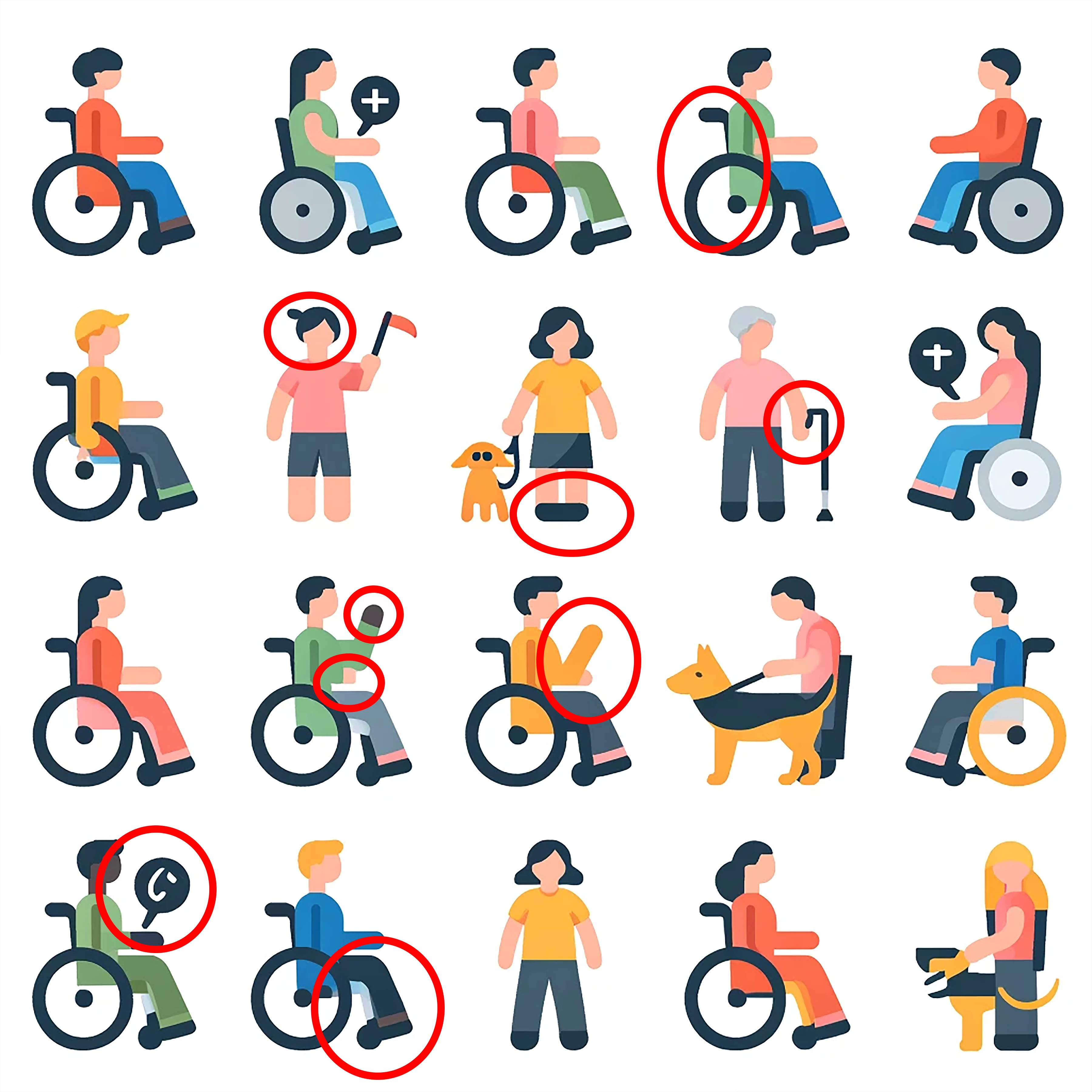
イラストアイコンについても「品質の問題」により却下をされてしまったのですが、却下の原因についてわかるでしょうか。

Abambo
Community Expert
Community Expert
May 18, 2024

Just looking at the first icon on the screen without even loading the file and checking in Photoshop:

1) Shadow, 2) and 3) filling error.


1) why this gap

2) looks like the back of the wheelchair, but chairs don't look like this.

3) what device is the person holding?

1) shadow, but no arm

2) four arms for the monster lady?

Fill errors or a badly drawn rollator.

At first, I asked myself what you wanted to show us with that toilet, but then I realized that it should be a completely ill-conceived assistance dog.


What you need to understand is that if you want to create icons, they should show immediately what this is about. Besides all the drawing errors, the icons are completely useless as this. It's easier to redraw them then to correct all the mistakes.

ABAMBO | Hard- and Software Engineer | Photographer
Abambo
Community Expert
Community Expert
May 20, 2024

これはアクセシビリティを表現するアイコンとして生成しました。

パッと見て大体表現出来ていると考えて、細かいチェックを行いませんでした。

アドバイスの通り、おかしい箇所が多数あるのでAI生成後に細かくチェックします。

ありがとうございます!


Oh, I think we all understood well your intention, but the icons need to be free of errors if you want to offer them to the public.

ABAMBO | Hard- and Software Engineer | Photographer
Abambo
Community Expert
Community Expert
May 17, 2024
quote


About 200 Fox photos on the camera have been reviewed and released, so I think I understand quite important points, but I would appreciate it if you could tell me whether the judging rules in illustrations are different from photos.


By @yuichiy29972537

I suppose you did not check for the typical generative AI errors. Which proves, by the way, that you did not inspect your pictures at 100%. Generative AI is getting better, but it is still bad with some things, like hands, faces, geometric objects like knobs etc. 


Quality requirements for AI and Photos are the same, but AI introduces other errors. You need to look for those before submitting.

ABAMBO | Hard- and Software Engineer | Photographer
Jill_C
Community Expert
Community Expert
May 16, 2024

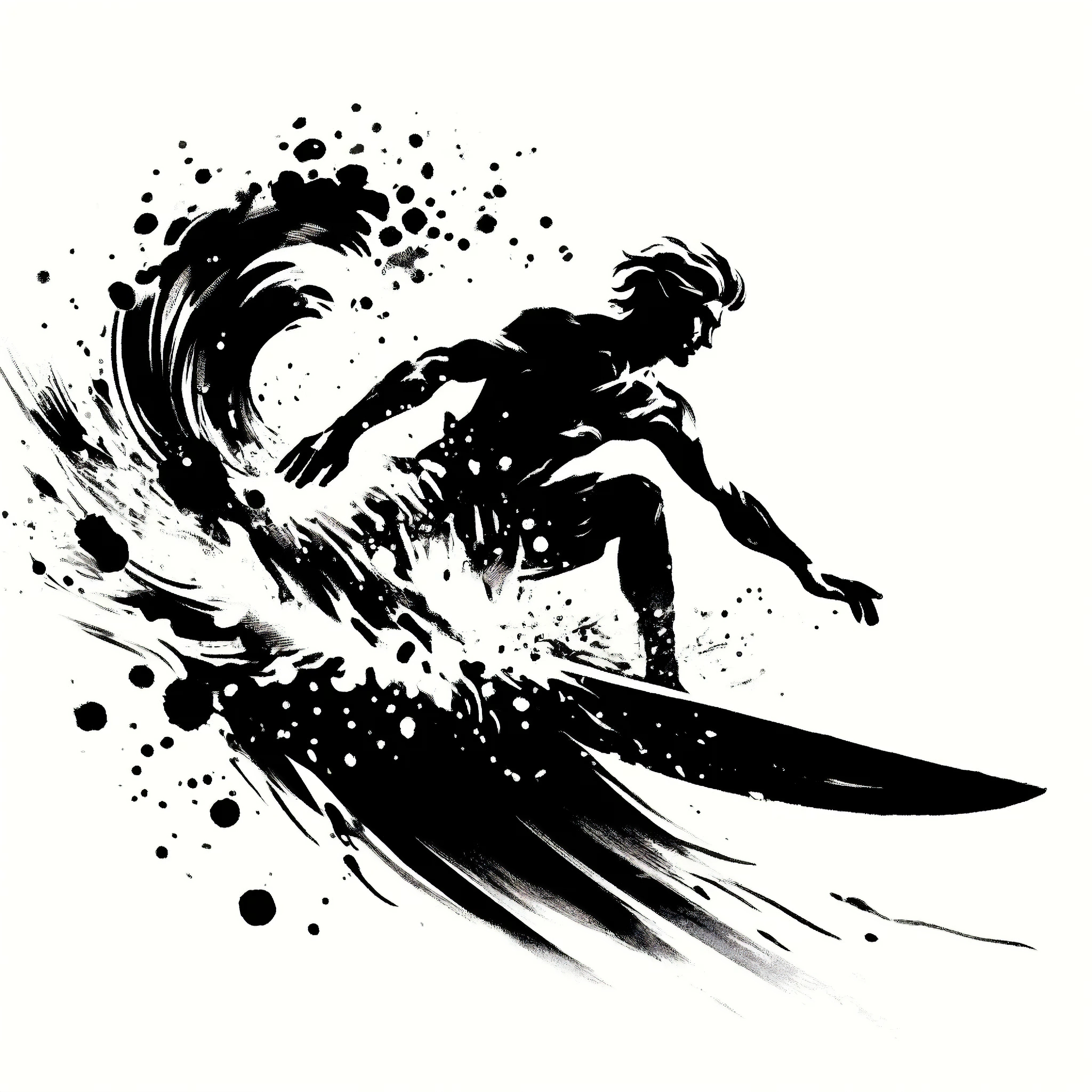
The surfer doesn't have enough fingers.

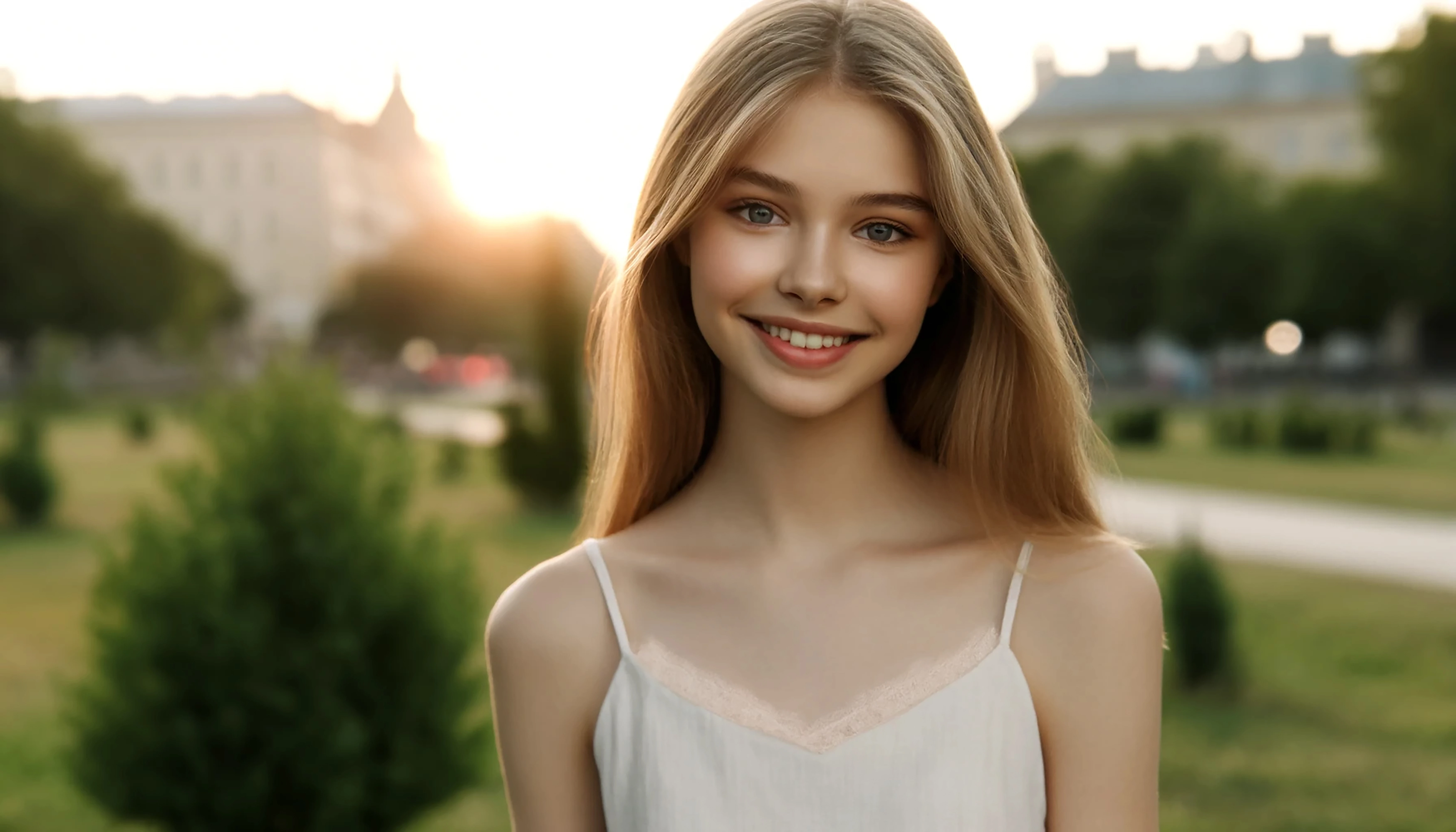
The lace on the cami isn't drawn properly.

The fingers and keyboard are flawed.

You must zoom in at least 100% on every image and carefully inspect. Edit out the flaws or delete the image.

Jill C., Forum Volunteer
RALPH_L
Community Expert
Community Expert
May 16, 2024

Look at the finger tips on thge last image. 

daniellei4510
Community Expert
Community Expert
May 16, 2024

For the surfer, maybe the four fingers instead of five?


Adobe Community Expert | If you can't fix it, hide it; if you can't hide it, delete it.