Adrian RT
Participant
December 14, 2023
Answered

AI-generated images not accepted

  • December 14, 2023
  • 10 replies
  • 1848 views

Hello everyone:

I need opinion as to why the following AI generated images have not been accepted. 

The reason for this is excessive noise, but it is almost non-existent. I want constructive criticism, please.

Thank you!

Correct answer Abambo

The reason is quality issues, not excessive noise. Indeed, there is no noise in this picture, because it has been denoised to death: 
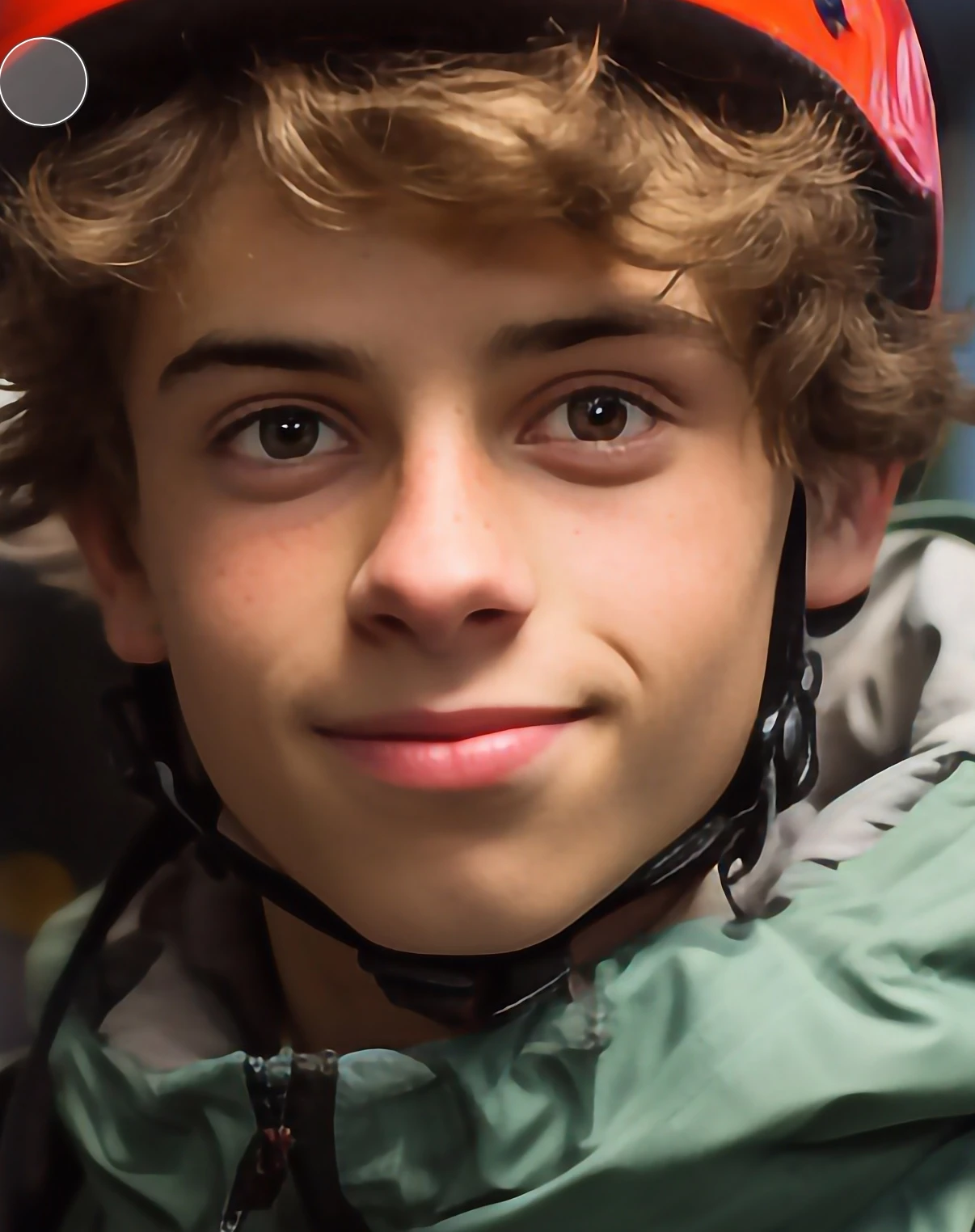
There is no structure, no detail left over.


You have compression artefacts, and the zipper is incorrectly rendered: 
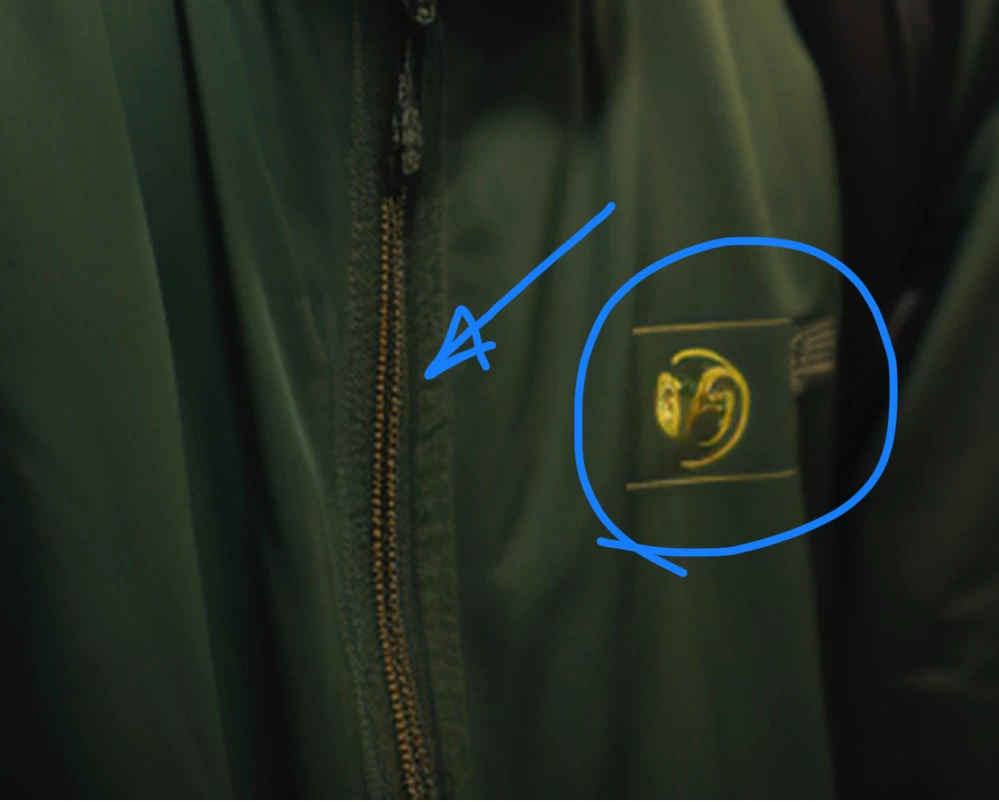
I would edit out all those fake logos. They are low quality and may generate even IP refusals.


The train shows many artefacts, like the aliasing here: 
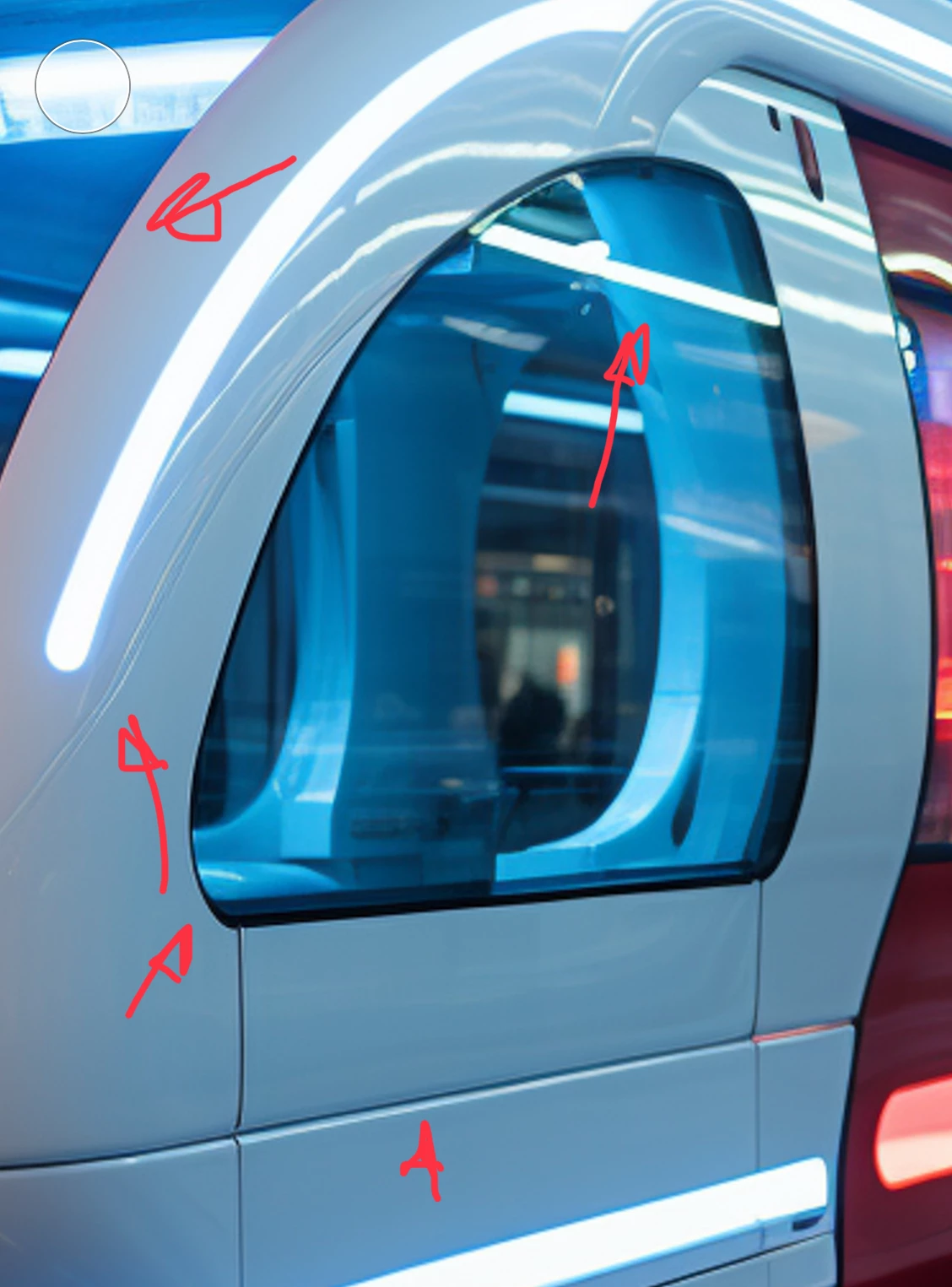
 

You also see fake writing and artefacts in that:
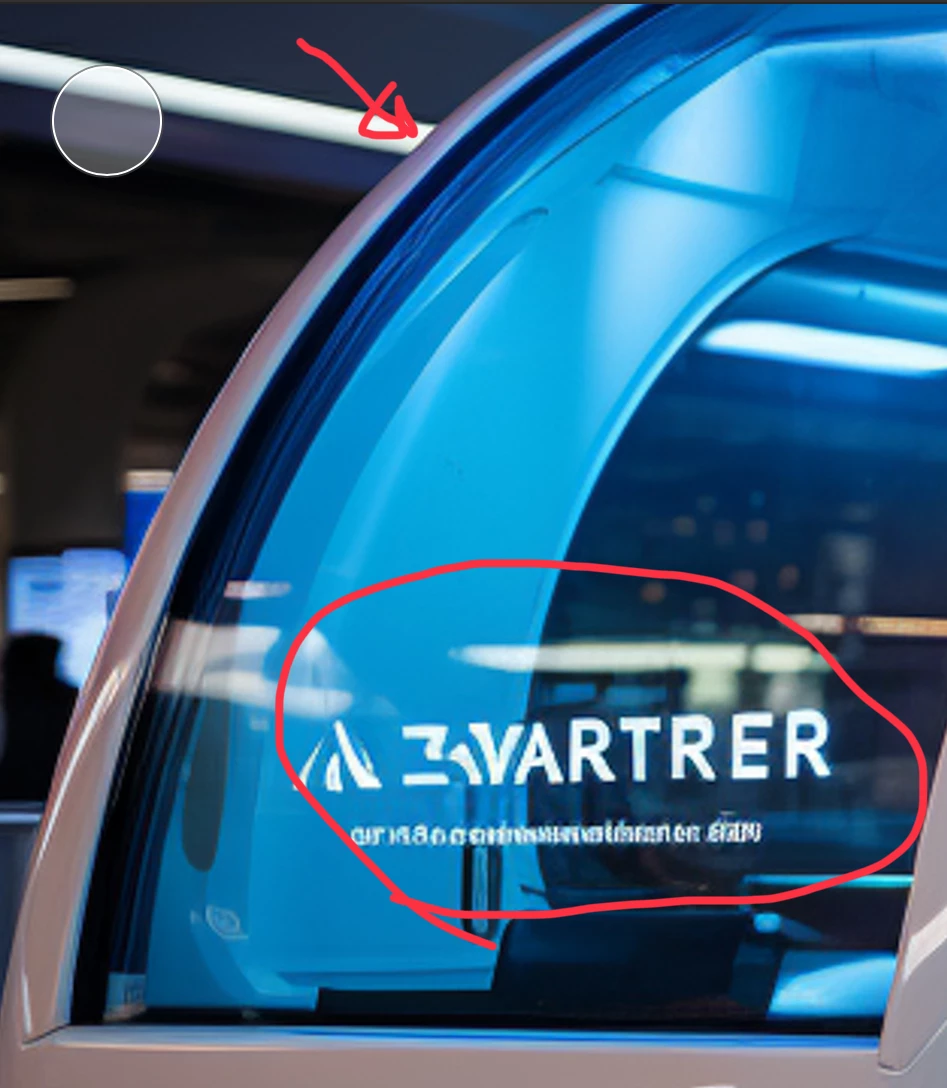
You see many other errors in those pictures. You really need to check your pictures at 100%.


10 replies

Susan Halewood
Inspiring
September 2, 2024

The main question you need to ask yourself is why a customer would choose to purchase AI generated images, which never look quite right, of everday subjects when Adobe stock has millions of similar images created using real subjects.  I love creating AI image but always try to create something that is unique or at least could not be found as a photograph.

Inspiring
September 2, 2024

100% agree .......

Inspiring
July 8, 2024

Mmmm all I can say its old style of AI + small problems everywhere.

daniellei4510
Community Expert
Community Expert
July 8, 2024

Did you submit the first and second ones as Photos? Because they are not photorealistic. People do not look like that, with overly smooth skin. The first one...why two zippers that don't really look like zippers? For the second, lose the logo. For the third one, lose the logo on the front at the very least, although there may be other issues. Are those "doors" open or closed?

Adobe Community Expert | If you can't fix it, hide it; if you can't hide it, delete it.
Abambo
Community Expert
AbamboCommunity ExpertCorrect answer
Community Expert
July 8, 2024

The reason is quality issues, not excessive noise. Indeed, there is no noise in this picture, because it has been denoised to death: 

There is no structure, no detail left over.


You have compression artefacts, and the zipper is incorrectly rendered: 

I would edit out all those fake logos. They are low quality and may generate even IP refusals.


The train shows many artefacts, like the aliasing here: 


You also see fake writing and artefacts in that:

You see many other errors in those pictures. You really need to check your pictures at 100%.


ABAMBO | Hard- and Software Engineer | Photographer
Known Participant
July 8, 2024

It happened to my images as well. It seems that Adobe just uses whatever excuse to stop accepting AI generated images. If Adobe outlines the specific quality of AI generated images it accepts, it will be better help contributors understand the standard instead of wasting time to submit it. Very frustrated.

daniellei4510
Community Expert
Community Expert
July 8, 2024

Do you have any idea how much the moderation process would slow down if moderators gave you a reason for every image they rejected? That is not their job. Adobe welcomes QUALITY AI generated images.

Adobe Community Expert | If you can't fix it, hide it; if you can't hide it, delete it.
Adrian RT
Adrian RTAuthor
Participant
December 15, 2023

Thank you for your answers. The truth is that sometimes people tend to rely too much on the AI, but it is not perfect and still makes many mistakes.

Regards

Inspiring
December 14, 2023

Aside from your question about noise, all three of those faux logos need to be removed if you want to sell these images via AS.

Jill_C
Community Expert
Community Expert
December 14, 2023

In the third image, the gibberish text should be removed.

in the second image, the collar isn't rendered correctly. There's no opening at the neck.


Jill C., Forum Volunteer
daniellei4510
Community Expert
Community Expert
December 14, 2023

And as I always recommend, running portraits through facial restoration software can be of help. But there are still some rendering issues here, such as the helmet strap.

Adobe Community Expert | If you can't fix it, hide it; if you can't hide it, delete it.
daniellei4510
Community Expert
Community Expert
December 14, 2023

For the guy in the green coat, the hair could be cleaned up and the face in general doesn't look photorealistic..

The guy in the helmet, the face has the often typical plastic feel and the irises are poorly rendered.

On the train, the lettering needs to be removed.

Adobe Community Expert | If you can't fix it, hide it; if you can't hide it, delete it.
