Known Participant
March 4, 2024
Answered

AI Seaart image not accepted?

  • March 4, 2024
  • 4 replies
  • 10724 views

Hello, I've generated over 50-100 images using Seaart, upscaled to 4k, and all of them were rejected. Why? Are images created using Seaart not accepted? Could it be that the generator is at fault for not producing satisfactory images, resulting in none of them being accepted? Initially, I generated images using both Leonardo AI and Midjourney without encountering such issues.


Some of the images created with Seaart are being rejected, and I'm not sure why. I understand one being rejected, but every single one? I know there are hundreds of thousands of similar images, but I found it intriguing and decided to give this new generator a try.
Correct answer Abambo

How do I check for artifacts and other issues? Is there a program that can do this, or do I need to check manually?


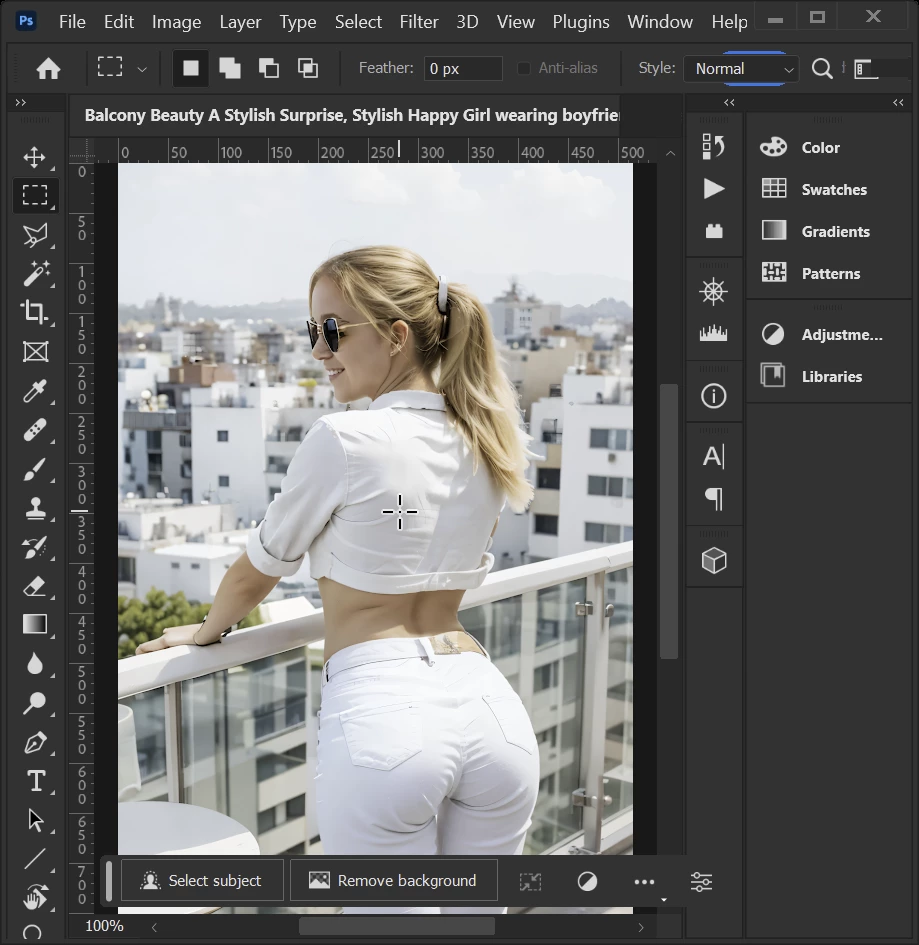
However, when I look at your first asset, you did post a small thumbnail picture:

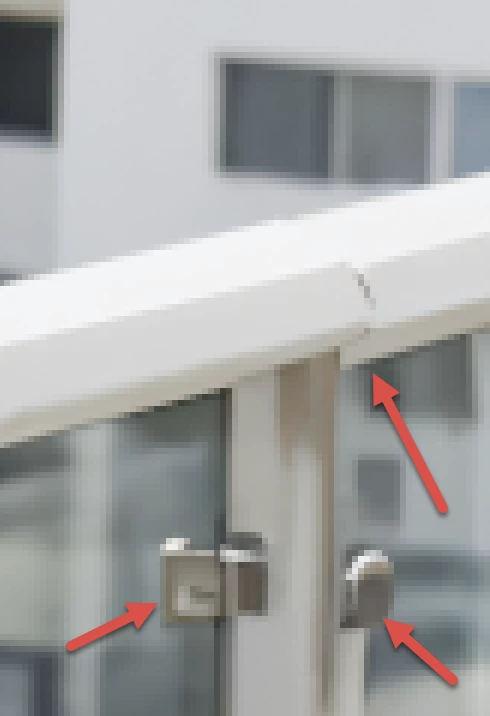
I won't see all the defects there (this morning, I was using my iPad, I do not have the same precision there, when I do not open the file in Photoshop. But putting this picture into Photoshop on my desktop, I see additional defects:


(Only by visual inspection!)

4 replies

Participating Frequently
October 3, 2025

Don't be surprised! Adobe Firefly stumbles the insignificant words that it pics up in your prompt. Yesterday, I was working on a classical image of  'Orpheus and Euripidis' from Ancient Greek and Roman literature. Firefly flagged "shirtless" as being an anathema worthy expression. I cancelled my subscription soonest after. 

daniellei4510
Community Expert
Community Expert
October 3, 2025

What is this in reference to? It doesn't seem to be related to the posts in this thread?

Adobe Community Expert | If you can't fix it, hide it; if you can't hide it, delete it.
RALPH_L
Community Expert
Community Expert
March 4, 2024

Yep, there are a lot of rendering mistakes as already pointed out.

Abambo
Community Expert
Community Expert
March 4, 2024

Check here the hand: 

Navel on the back?

A novel glass and a novel manner to hold it in a crippled hand (three errors for one!):

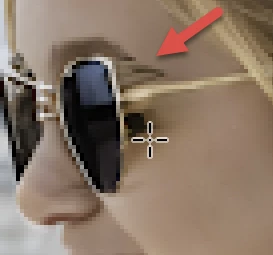
The woman may be stylish, but the face isn't:

In addition to the drawing errors, you have aliasing.

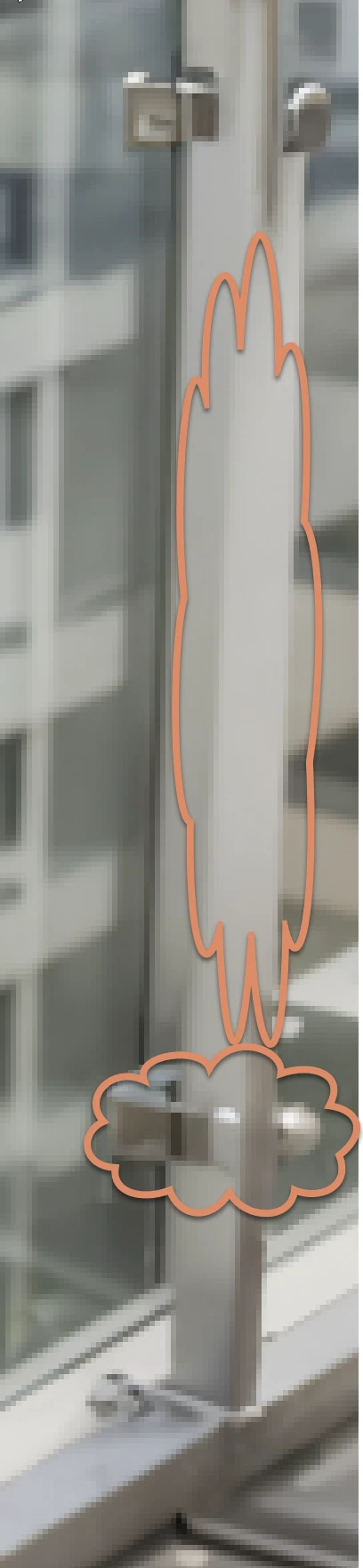
Drawing errors on the plant:

Check also the bottle and the window. Each of these are worth a refusal on it's own.

As everybody knows, wings are on the back:

You probably never saw a real cupid... 😉 And let's agree that cupids have a fish mouth: 

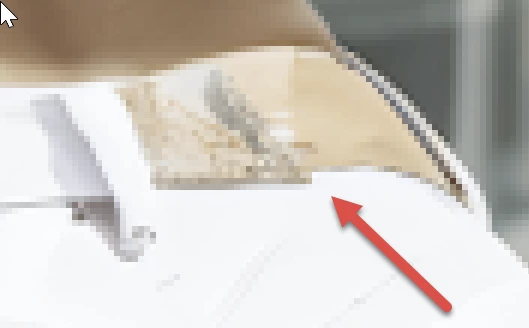
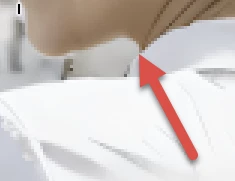
What is this?

Check also the door. And again you have aliasing.


(Your cupid is a nice idea, but your AI messed it completely up. I don't think, seeing your samples here, that your AI is ready forthe task.)


ABAMBO | Hard- and Software Engineer | Photographer
Known Participant
March 4, 2024

It seems that you are much more of a specialist than I will ever be! Aaaah, now I'll learn to become better at this.

daniellei4510
Community Expert
Community Expert
March 4, 2024

How do I check for artifacts and other issues? Is there a program that can do this, or do I need to check manually?


There is no program. View your images at a minimum of 100%-200%. Use your editng software to create a grid and check each square individually. If you are going to concentrate on people, take anatomy into account. And clothing. And hair. Regardless of which AI software you use, 99.999% of your generations will require some degree of editing. Or just relagating to the trash if the results are uneditable. I lean toward generating mostly portraits (fashion, skin care, children, etc.) and I generally spend 2-3 hours editing each image (though not necessarily in one sitting). When an image only takes me 30 min. to an hour to edit, I can't help but feel I may have missed something that the moderators won't. 🙂

Adobe Community Expert | If you can't fix it, hide it; if you can't hide it, delete it.
Abambo
Community Expert
Community Expert
March 4, 2024

You should read the requirements. You could generate your pictures with any tool you want, as long as they are following the requirements. If you are new to stock, you should consider these resources: https://helpx.adobe.com/stock/contributor/tutorials.html
Please read the contributor user manual for more information on Adobe stock contributions: https://helpx.adobe.com/stock/contributor/user-guide.html
See here for rejection reasons: https://helpx.adobe.com/stock/contributor/help/reasons-for-content-rejection.html
and especially quality and technical issues: https://helpx.adobe.com/stock/contributor/help/quality-and-technical-issues.html

ABAMBO | Hard- and Software Engineer | Photographer