
Inspiring
February 21, 2024
Answered

Blank Frames under the In Review area - see attached image

  • February 21, 2024
  • 3 replies
  • 795 views

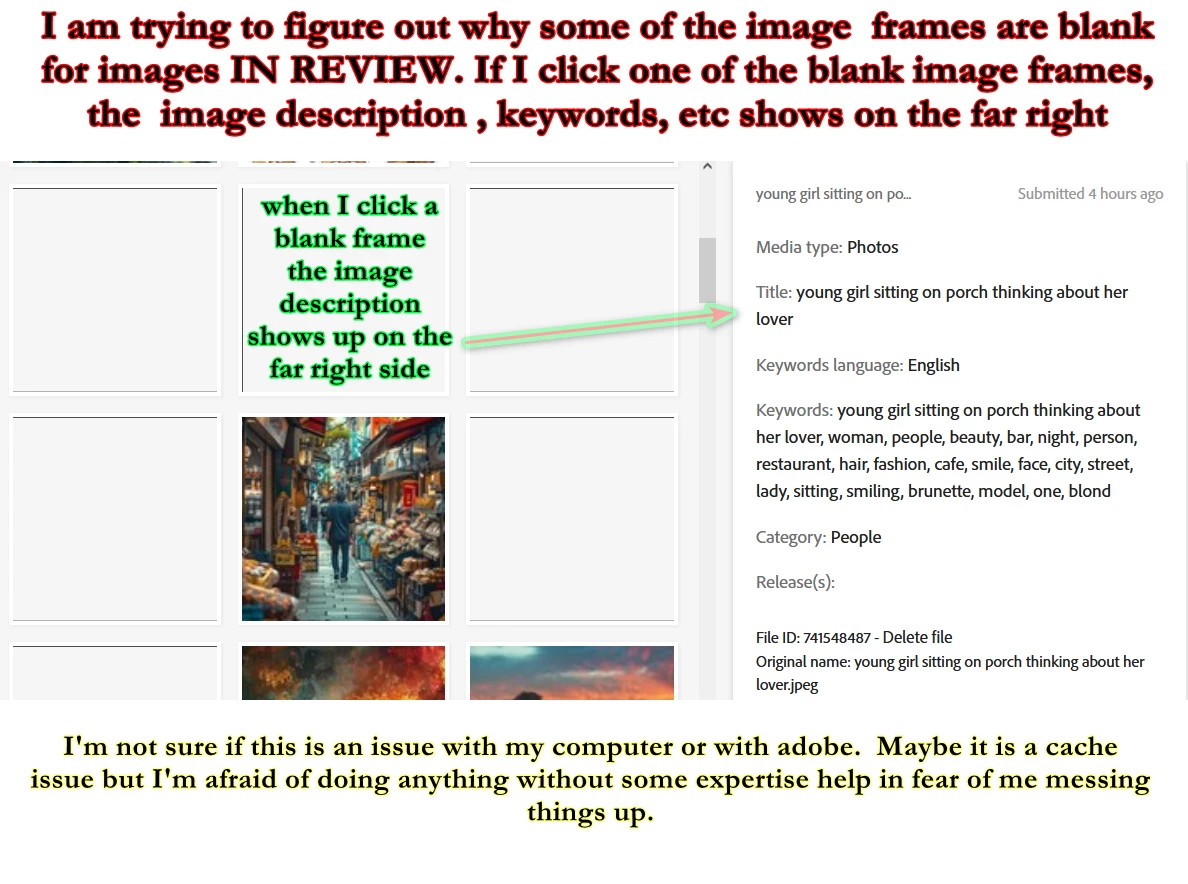
I am trying to figure out why some image frames are blank for images IN REVIEW. If I click one of the blank image frames, the image description, keywords, etc. shows on the far right.


I'm not sure if this is an issue with my computer or with adobe. Maybe it is a cache issue, but I'm afraid of doing anything without some expertise help in fear of me messing things up.


SEE ATTACHED IMAGE..


Thank You
This topic has been closed for replies.
Correct answer steveeyes31264316

Things are back to normal for me. I guess Adobe caught on. I actually did contact Adobe but reading other forums here I wasn't certain I'd get any satisfaction. But by the looks of things, I did.

3 replies

Abambo
Community Expert
Community Expert
February 22, 2024

If it's a cache issue, it should get away by using a different browser.

ABAMBO | Hard- and Software Engineer | Photographer
steveeyes31264316AuthorCorrect answer
Inspiring
February 24, 2024

Things are back to normal for me. I guess Adobe caught on. I actually did contact Adobe but reading other forums here I wasn't certain I'd get any satisfaction. But by the looks of things, I did.

Abambo
Community Expert
Community Expert
February 24, 2024

Did you delete the files, or did you contact contributor support, or did you simply wait to sit it out?

ABAMBO | Hard- and Software Engineer | Photographer
Олег27670364hlyt
Participating Frequently
February 22, 2024

I have the same problem, it happened when Adobe asked to confirm agreement with the policy and added a captcha with cats to submit images for review. When I uploaded the images they were white, tried the options and eventually deleted them and uploaded again, everything was fine. But the next day, these images became white squares in the process of examination. But today some of them have turned from white to normal images, so the problem is on Adobe's side. It's a pity that you can't delete images that are awaiting verification.

daniellei4510
Community Expert
Community Expert
February 22, 2024

It's a pity that you can't delete images that are awaiting verification."


By @Олег27670364hlyt


You can. The link if on the right hand side, next to the File ID, near the bottom, where you can select the file you want to delete and click Delete file.

Assuming I'm understanding your issue as posted.

Adobe Community Expert | If you can't fix it, hide it; if you can't hide it, delete it.
Jill_C
Community Expert
Community Expert
February 21, 2024

Several other Contributors have reported this issue in the last ~24 hours. Not sure why it is happening, but the solution seems to be to delete and re-upload those images.

Jill C., Forum Volunteer
Inspiring
February 22, 2024

The problem is that it keeps expanding. What I did a few days ago, I deleted some images, but before I could add them back I noticed the blank frames expanded after I deleted images. My gut says it is an Adobe issue. Do you know if Adobe is aware of it and trying to fix it? Thanks Jill

Jill_C
Community Expert
Community Expert
February 22, 2024

I don't know whether Adobe is aware and working on it. It has been reported here and in the Discord Server quite a few times, but Adobe employees don't hang out here in the forum. It would probably be worthwhile for you to report it using the contact us link on your account.


Jill C., Forum Volunteer