Participating Frequently
May 31, 2019
Answered

[branched] Changing resolution?

  • May 31, 2019
  • 2 replies
  • 1429 views

I have several photos that came out of my camera at 72 DPI.  I increased the DPI to 300 and changed my longest side to 5000 pixels.  The photo was rejected.  If I didn't change the DPI, would that then help with "artifacts or excess compression" remark?  I'm obviously new to submitting to Adobe

Thanks,

Patti

This topic has been closed for replies.
Correct answer jacquelingphoto2017

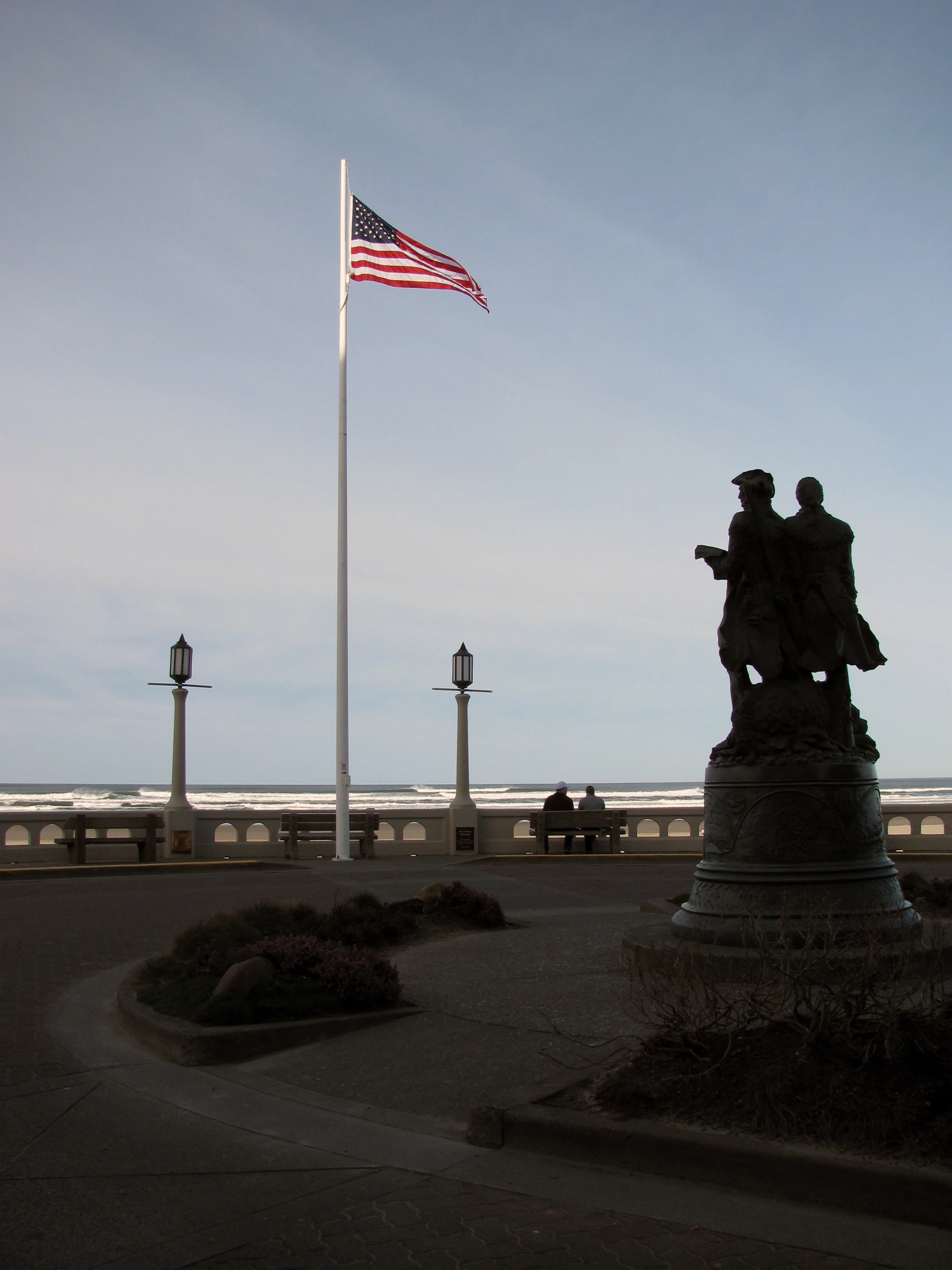
this is the rejected photo because of "artifacts" or compression, as I understand it.

Thanks for your help on teaching me how to upload my photo.
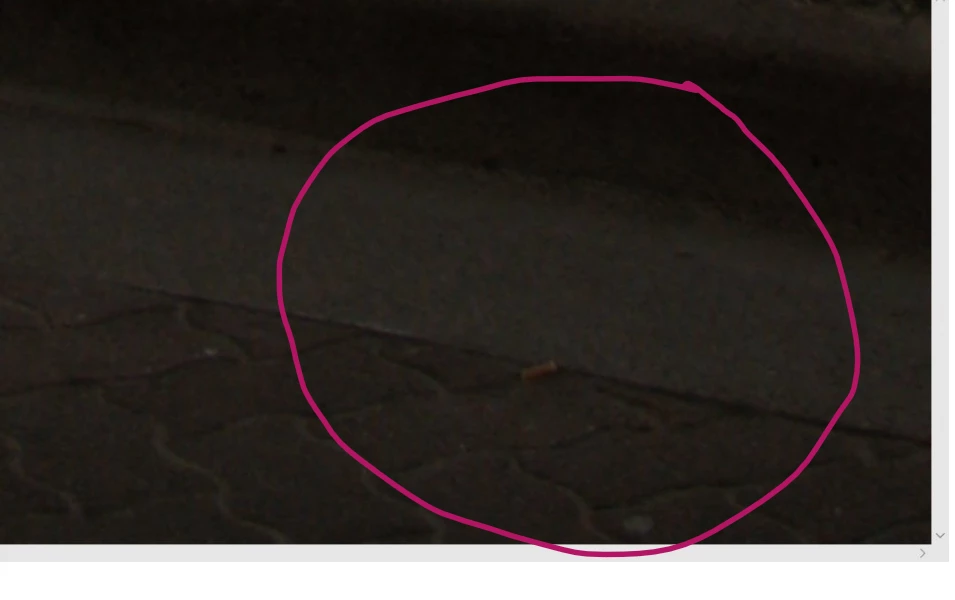

The image has excessive grains and artifacts. Also There is an exposure issue. I circle a small section of where you can find the grains and artifacts when you zoom to between 100 and 200%. Look carefully you will see the very small spots (grains); but also look closer you will notice that many of the spots are of different color, namely purple. You need to remove those spots to produce uniform colors.

The entire image is pale and lacks vibrancy. Cleaning up the grains and artifacts will brighten it a bit, but you will also need to adjust shadows, and black, to add more light to the dark areas.

Best wishes

JG

2 replies

jacquelingphoto2017
Community Expert
Community Expert
June 2, 2019

Hi pattic,

Welcome to the world of stock photography. Once you have a modern, or close to modern camera you need not to concern yourself about the size of the photograph it takes. Your photographs will definitely be equal to or larger than the minimum - most likely larger. The size picture your camera takes should be printed on the camera and/or in the manual.

After taking the photos, you need to do some amount of post-processing with a photo editor such as Photoshop to remove noise, correct exposure, and other correction. To see noise/grain, sharpness and other flaws you need to magnify your images to between 100 and 200%.

tagproducts_SG_STOCK-CONTRIBUTOR_i18nKeyHelppagetitle  and Create better photos for Adobe Stock with 7 tips for success |  will give you some guidelines you will find useful to produce the kind of images Adobe is looking for.

Also here are some pointer to look out for Do's and don'ts for selecting and editing photos for Adobe Stock .

So to see the noise of your rejected photograph, you need to use a photo editor to magnify it to about 200%. Look in the darker areas you will see tiny dots, or blabs like water marks. You use the relevant noise correction tool(s) to make the correction. Your colors should be smooth and even. Check to make sure your image is sharp and has balance exposure, as well as correct white balance, then resubmit.

I hope you found this useful.

Best wishes

JG

Abambo
Community Expert
Community Expert
May 31, 2019

Hi Patti,

I branched your question because it was unrelated to the thread where you posted it.

Printers will not agree here, but the PPI value is just a value without real use for photographers. The only value that counts is the resolution in pixels. See here for more information: Pixel density - Wikipedia .

Changing the resolution of a picture is a bad idea, as this will not make the picture better. However the real reason for a rejection may also be you processing that is not correct, without changing the resolution. Exessive compression is shown with artefacts especially where you have hard borders.

If you post a picture with the rejection reason, it will be a pleasure for us to look at the picture and advice on what needs to get improved.

ABAMBO | Hard- and Software Engineer | Photographer
Participating Frequently
June 1, 2019

I would love to send the photo and the rejection to you but I don’t know how to port it over From my rejected the photo file. I’d appreciate your assistance to do this

Sent from my iPhone

Ricky336
Community Expert
Community Expert
June 1, 2019

Hello,

You can insert a file from your computer into this thread, by using the picture icon - 5th square from the left.

Inserting from your rejected picture files won't be any good anyway, as that is really only a thumbnail and for your records only.

The DPI, - Dots Per Square Inch is only useful if you are printing photos. 72 DPI  is recommended for web photos. (Because of file size - it makes the file smaller.)

PPI - Pixels Per Square Inch.

DPI/PPI is irrelevant in terms of uploading and being accepted.

What is important is the resolution of the image - MP (Mega Pixels)- in uploading it should be a minimum of 4MP.