
Answered
Critique this .png
I'm trying out the new .png opportunity, but these were rejected for quality issues. I'm guessing they're too blurry? Wondering if .pngs will need to be higher quality than regular jpeg photos? Especially closeups? 
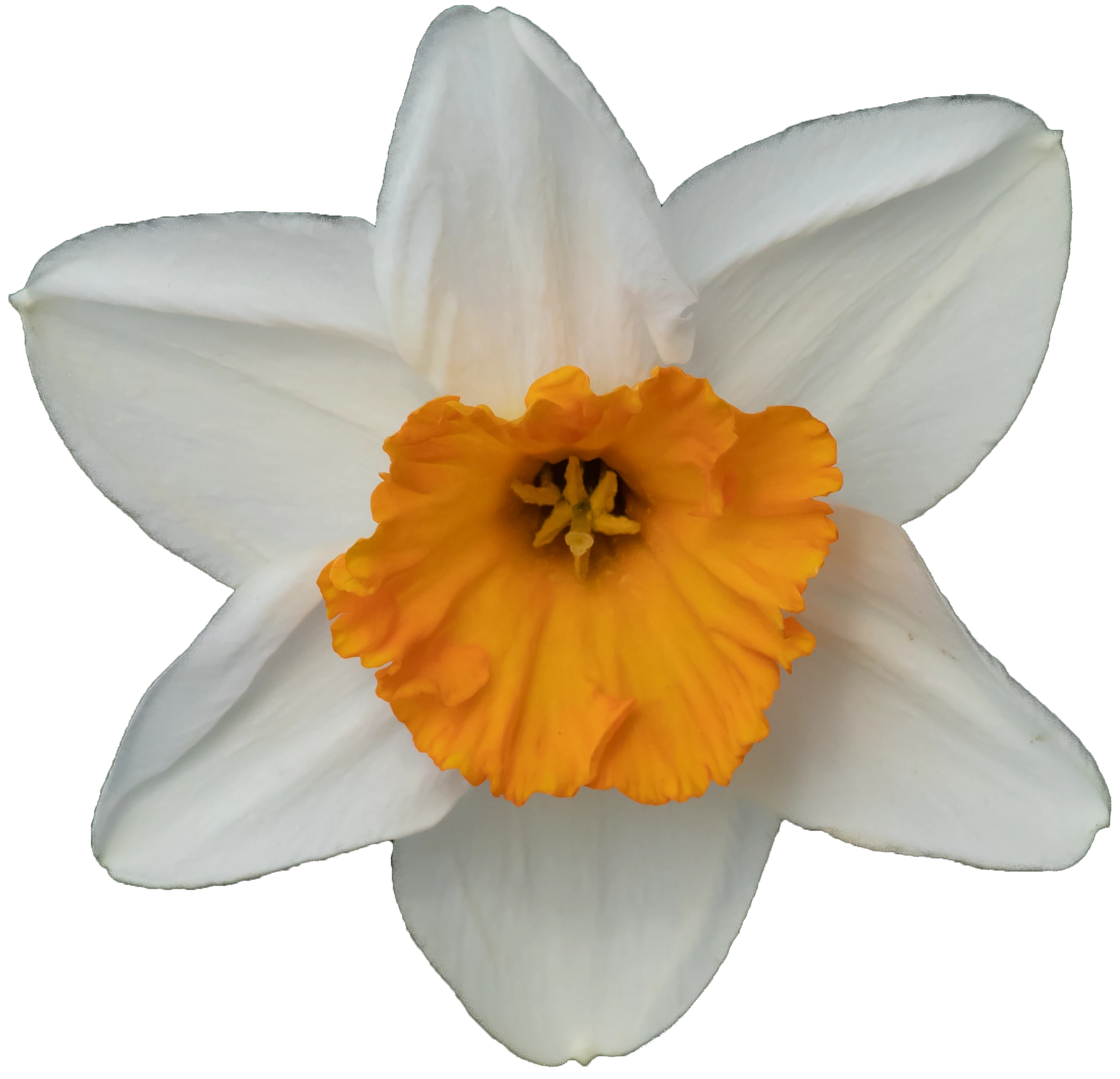

I'm trying out the new .png opportunity, but these were rejected for quality issues. I'm guessing they're too blurry? Wondering if .pngs will need to be higher quality than regular jpeg photos? Especially closeups?
For your question: no, PNGs are subject to the same quality criteria than JPEGs, and I am not convinced that these pictures should pass as JPEG.
In addition, your cutout work is not correctly performed:
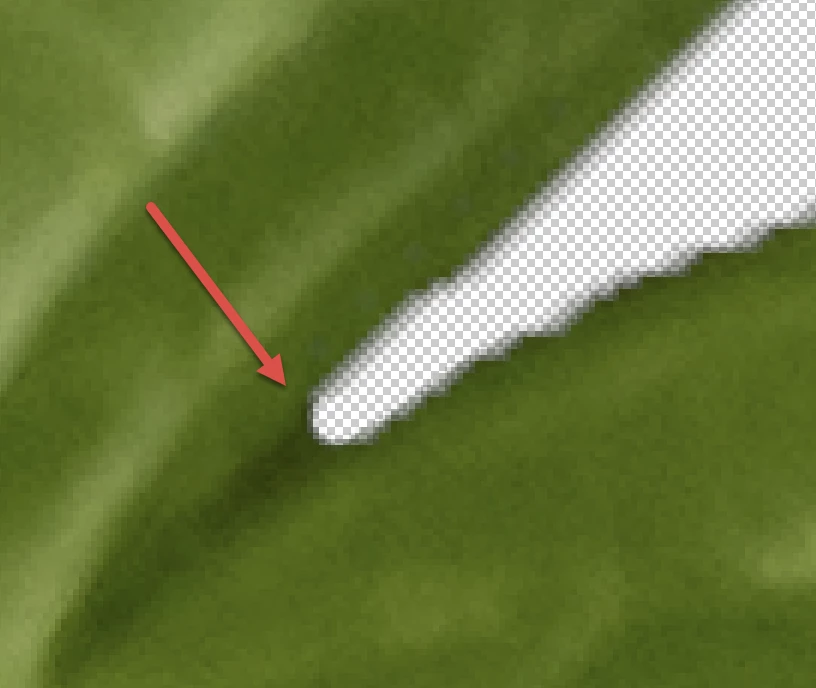
Such endings are probably quite sharp and not rounded. You get them sharp, by cutting out and reconstructing, where the cutout goes over the edge.
A trick that I always apply to see if my work is clean: I lay a Stroke (layer effects⇾Stroke) around my cutout. That makes nearly visible leftovers highly visible.
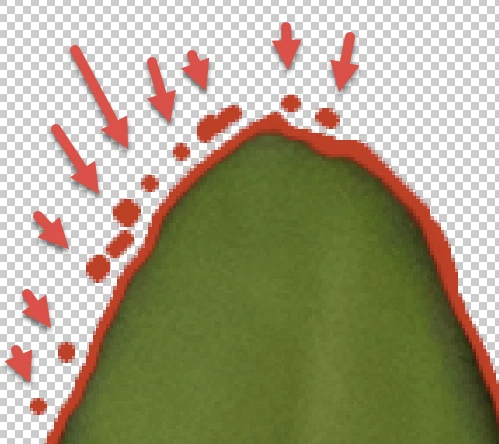
My example here is a stroke with a 3 pixels size.
And I strongly agree with @jacquelingphoto2017: the background is shining through. Going to extreme pixel peeking, you will see the green border, coming from the probably green background.
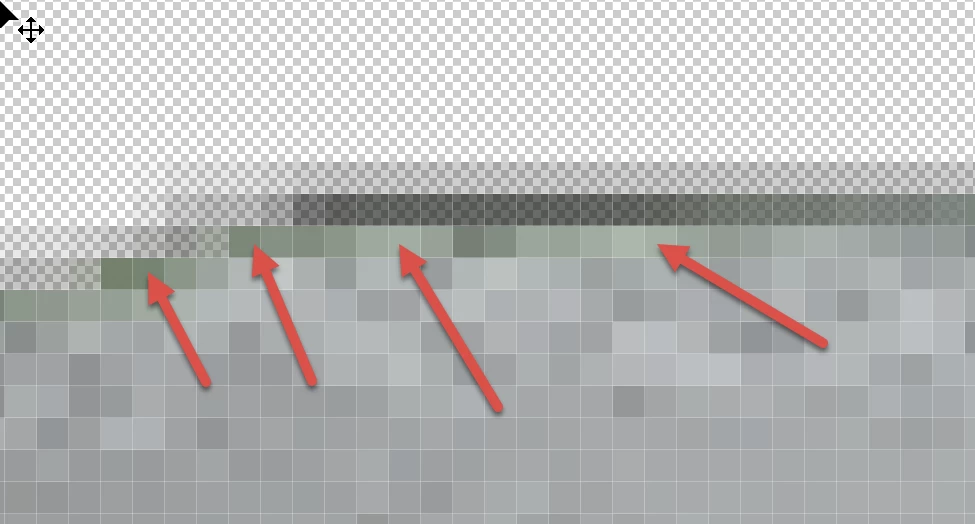
With natural objects, you will always have some overlap. To correct this, you have the Layer⇾Matting-menu in Photoshop. This won't unfortunately not provide always satisfactory results. I lock the transparency and Stamp the nearby colour over the concerned edges.
Even if you clean up all the errors, you will, at least for 6634 have difficulties in getting a viable cutout. It's probably not worth the energy you put in, because of the very complex pattern.
Already have an account? Login
Enter your E-mail address. We'll send you an e-mail with instructions to reset your password.
 AdChoices