This topic has been closed for replies.

3 replies

Jill_C
Community Expert
Community Expert
July 7, 2018

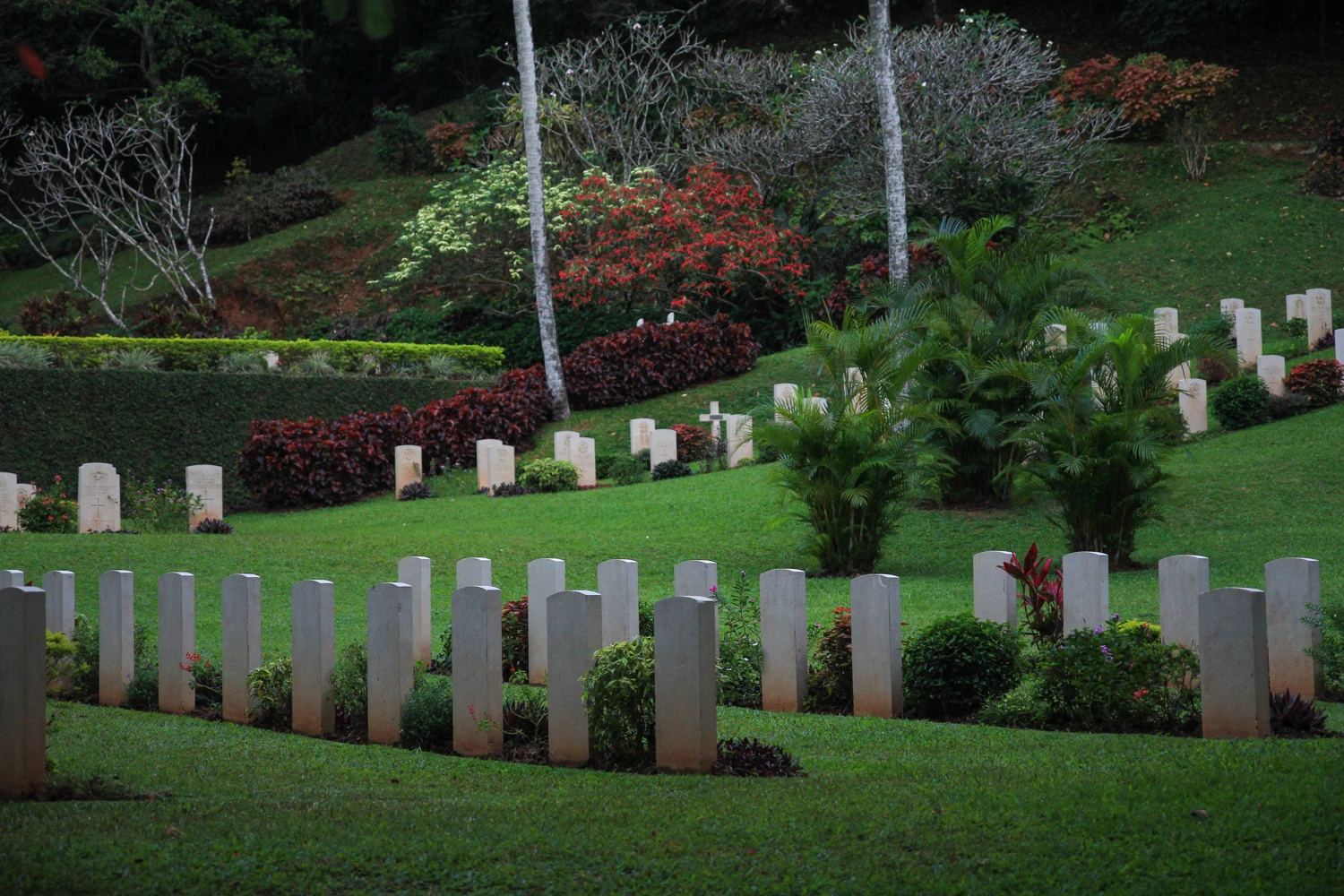
In general, the image seems to be underexposed with a rather strong vignette added. After increasing the exposure, I would also set the white and black points (I used LR), as It appears those marble stones (headstones?) should be more white and not so gray. That may be improved by just improving the exposure.

Jill C., Forum Volunteer
Ricky336
Community Expert
Community Expert
June 27, 2018

Perhaps oversaturation and perhaps some vignette. That might also be a reason. It also looks a bit underexposed. You can see this in the histogram - it's weighted on the left:

jacquelingphoto2017
Community Expert
Community Expert
June 27, 2018

This is a photo of a very beautiful garden. I like the way you captured the different features of the garden. However, it does not appear to be as vibrant as it could have. Zoom the photo to 100% and take a look at the grass area near the base of the photo. There you'll see a bluish appearance incorporated among the green of the grass. That I believe is what the moderators saw. Your photos should be sharp and vibrant, with the natural color of the subjects preserved. See the Adobe Stock Contributor Guide at tagproducts_SG_STOCK-CONTRIBUTOR_i18nKeyHelppagetitle for more guidelines. Take note of the appearance of the photos in the Guide. I hope this was helpful.

Best wishes.

joanH
Inspiring
June 27, 2018

Yes, this is a lovely photo but the exposure does not present it in the best light. Try using Image, adjust, exposure in Photoshop. try several different settings until you love it even more. Even camera raw filter can help. Best regards, JH