Participant
July 25, 2024
Answered

Help with Rejected AI photos

  • July 25, 2024
  • 4 replies
  • 590 views

Hello, 
I am new to this commuity. I had some photos rejected and I don't understand why. Attached are the two photos in question. I always double check my photos for errors, resolution, and size. I pay for AI upscalers to ensure a high-res image. 

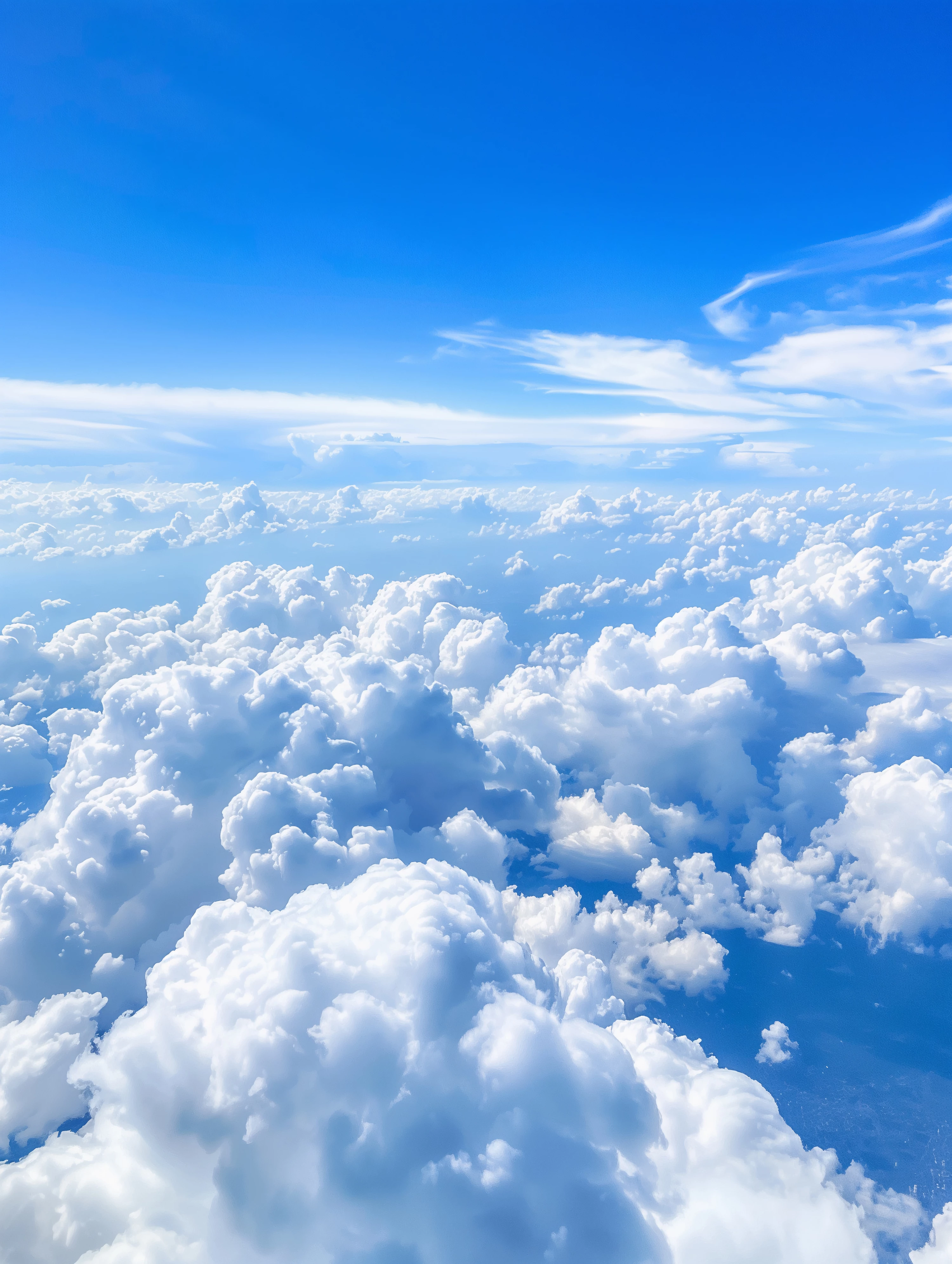
The first one is an image of a sky with fluffy clouds. It is 5568x7392 and the file size is 24.5mb. I had to size this one down for this forum.
The second one is a palm tree on a white background for graphic desingers to use in their designs. It is 5520x5376 and is 9mb. 
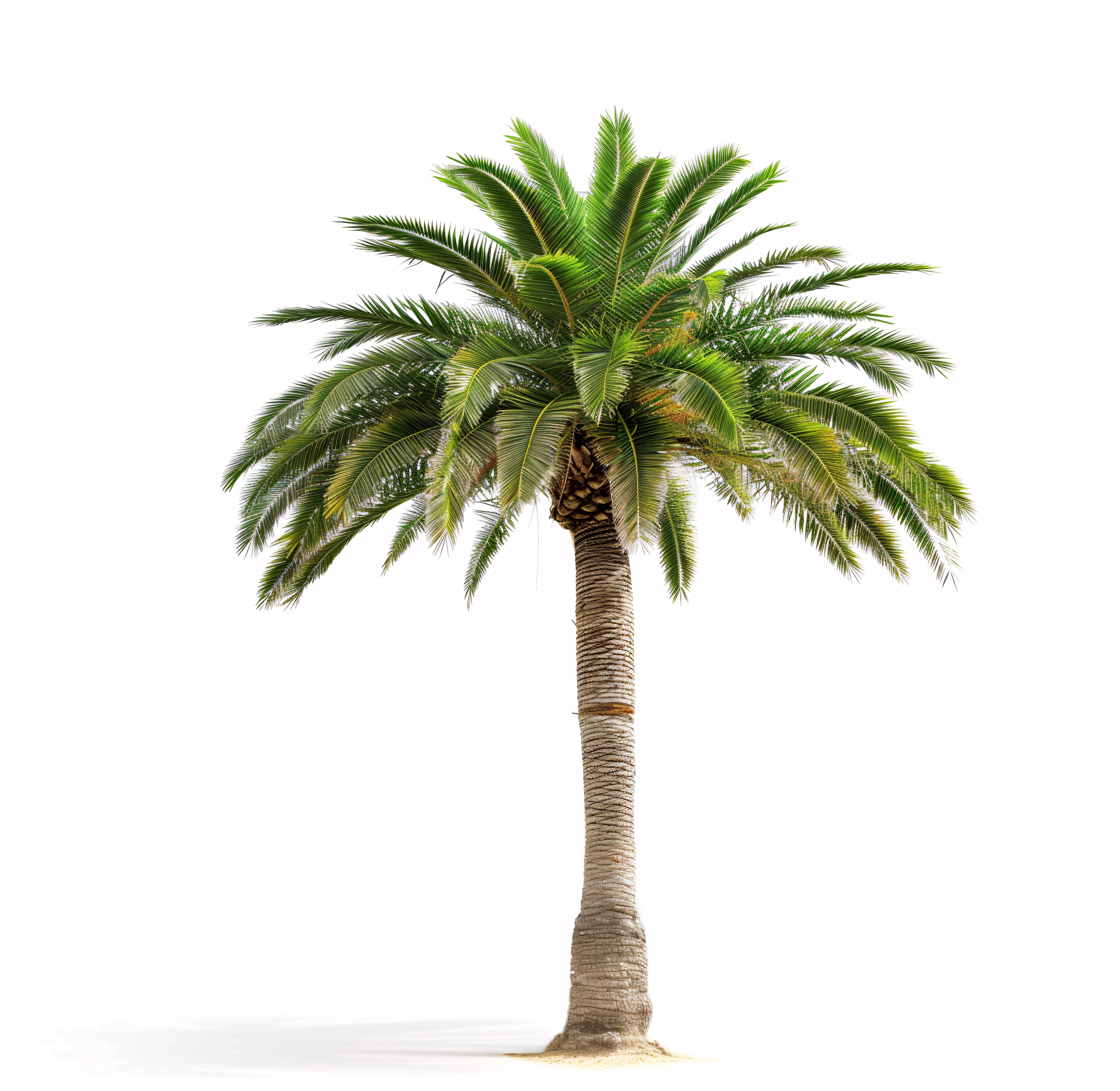
My goal is to learn from my mistakes and I am hoping this community can show me what I am doing wrong with these two images. 


The only thing I can think of is if I uploaded the wrong versions but I don't think I did. 


Thanks for your help
This topic has been closed for replies.
Correct answer Jill_C

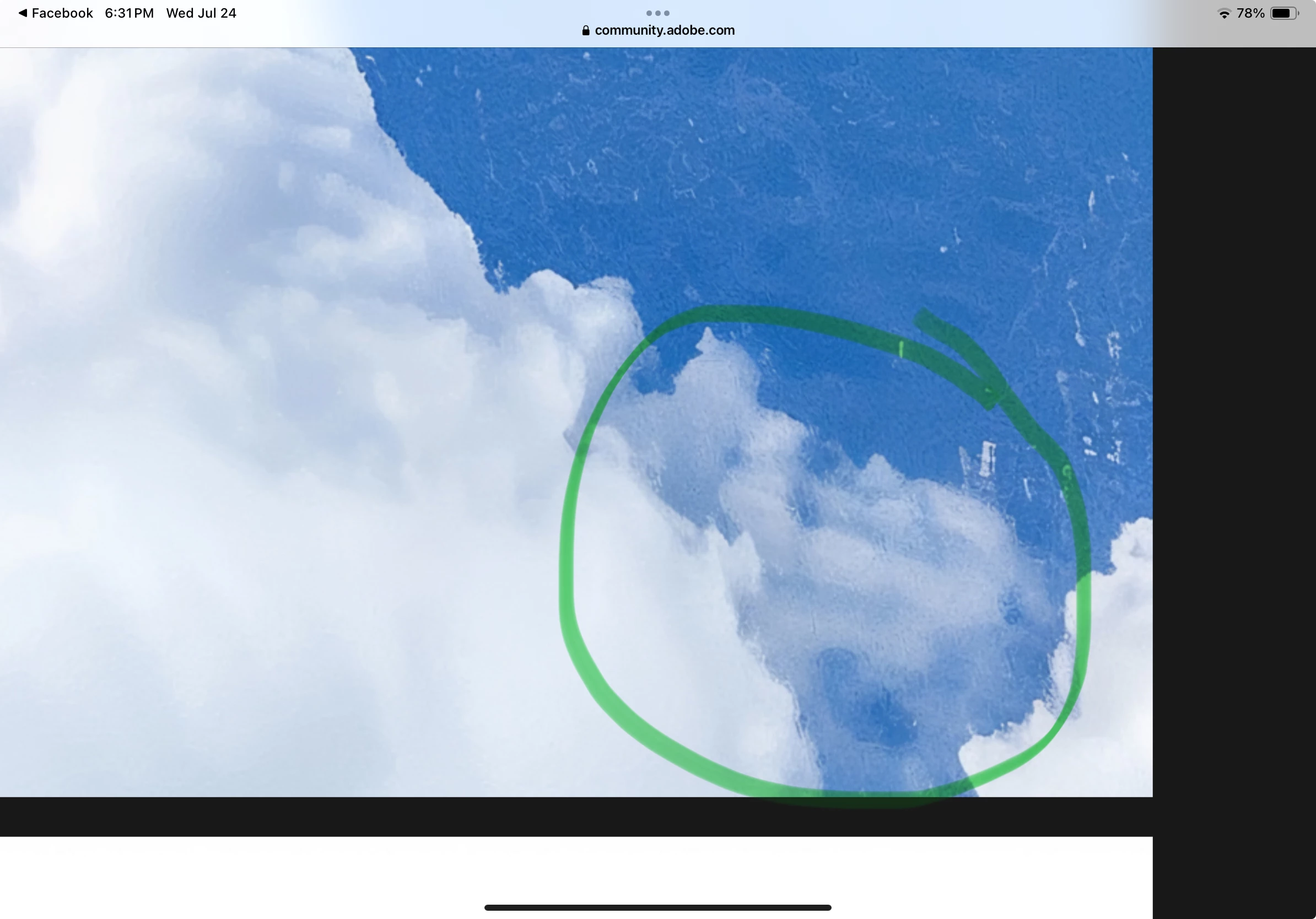
I see a noisy area in the clouds. 


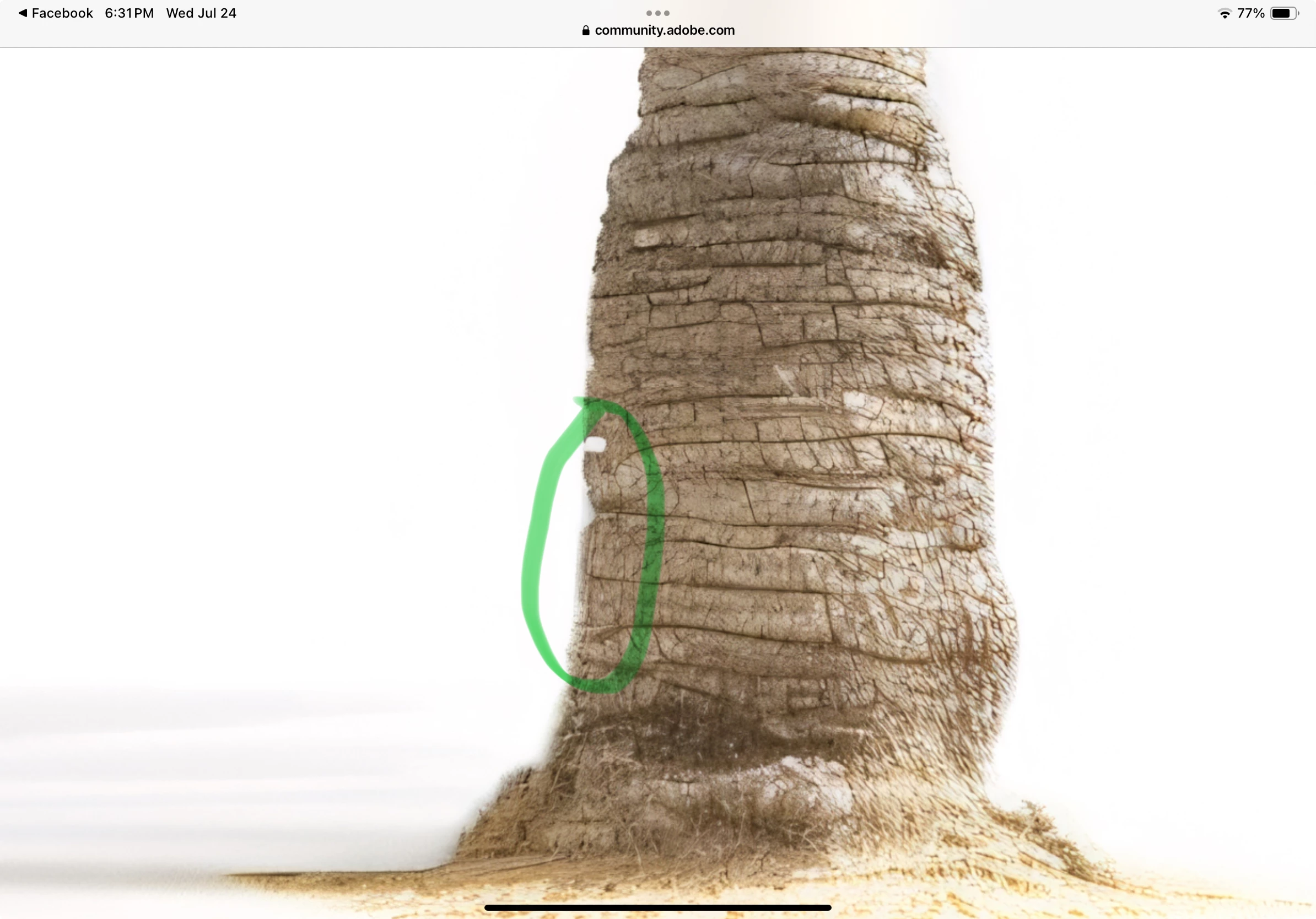
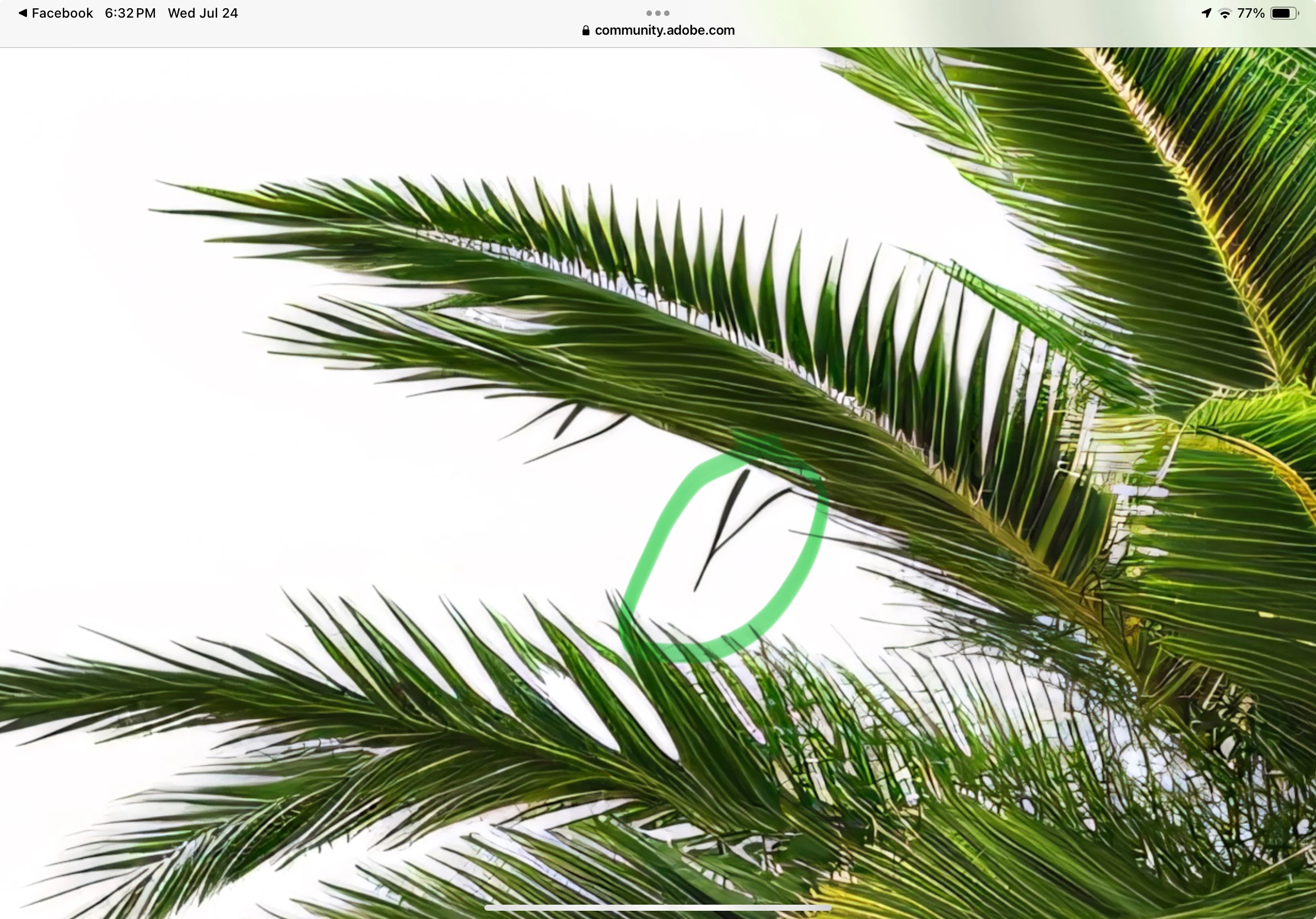
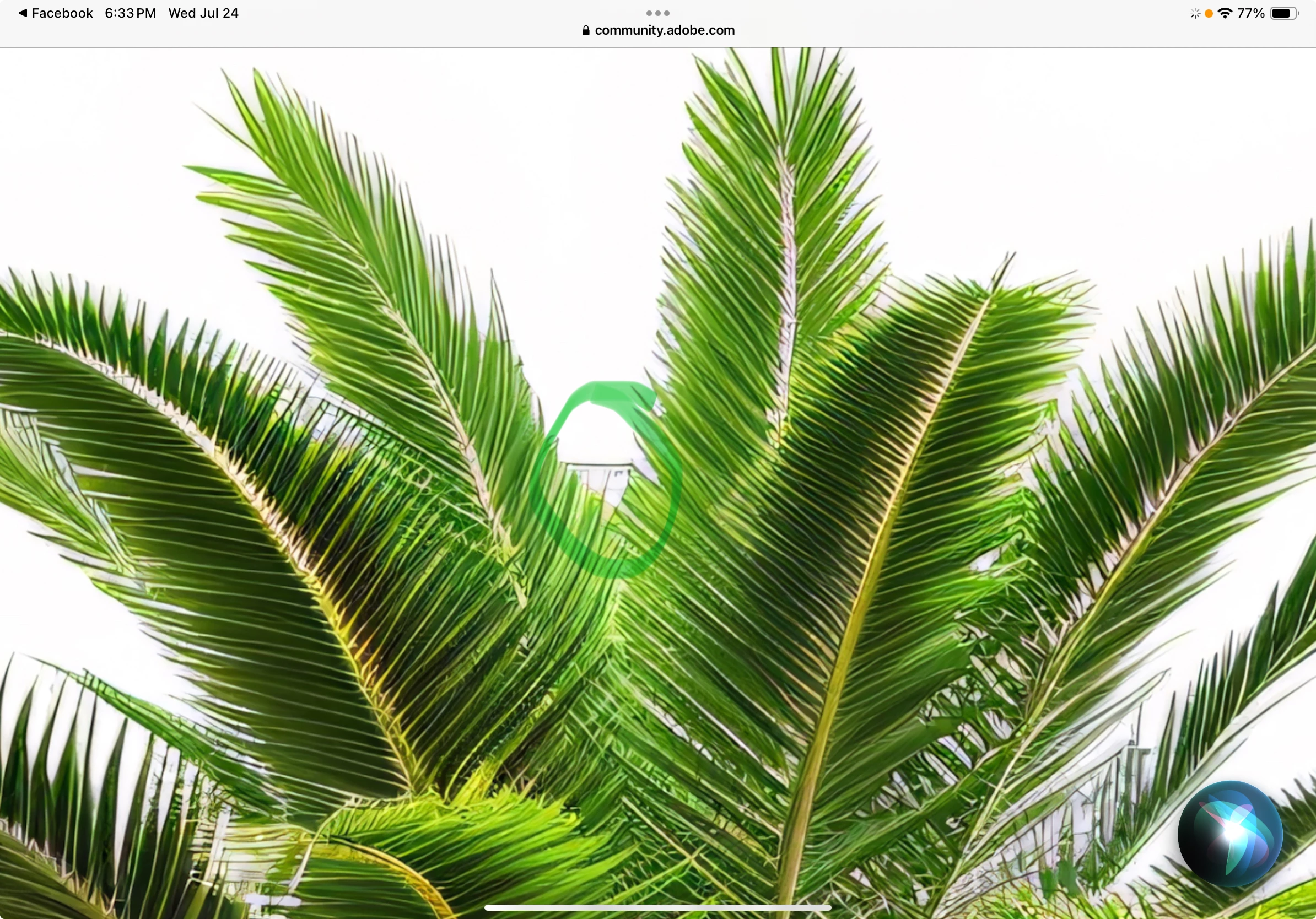
There are a number of artifacts and drawings errors in the palm tree, a few of which are highlighted below.


4 replies

Nancy OShea
Community Expert
Community Expert
July 25, 2024

Choose more unique subjects.


Stock has millions & millions of sky clouds and palm trees.  You're duplicating stuff they already have in mass quantities.  Even if yours gets accepted, your chances of selling one are probably less than zero.


See these links:


Nancy O'Shea— Product User & Community Expert
Jill_C
Community Expert
Jill_CCommunity ExpertCorrect answer
Community Expert
July 25, 2024

I see a noisy area in the clouds. 


There are a number of artifacts and drawings errors in the palm tree, a few of which are highlighted below.


Jill C., Forum Volunteer
daboss007Author
Participant
July 25, 2024

Thank you Jill, I will be more diligent and zoom in more. I totally missed those. 🙂

daniellei4510
Community Expert
Community Expert
July 25, 2024

I had problems finding errors with the cloud image until I came across this:

Adobe Community Expert | If you can't fix it, hide it; if you can't hide it, delete it.
daboss007Author
Participant
July 25, 2024

Thank you for your help. Looks like I need to look more closely. 🙂

Abambo
Community Expert
Community Expert
July 26, 2024

100%!


That means that you need to examine your assets at exactly 100% and if you see errors, you need to correct them.

ABAMBO | Hard- and Software Engineer | Photographer
daniellei4510
Community Expert
Community Expert
July 25, 2024

Look at the palm fronds at 200%. There are issues with the details.


Adobe Community Expert | If you can't fix it, hide it; if you can't hide it, delete it.