
Participant
April 20, 2022
Question

How should I fix to resubmit

  • April 20, 2022
  • 3 replies
  • 884 views

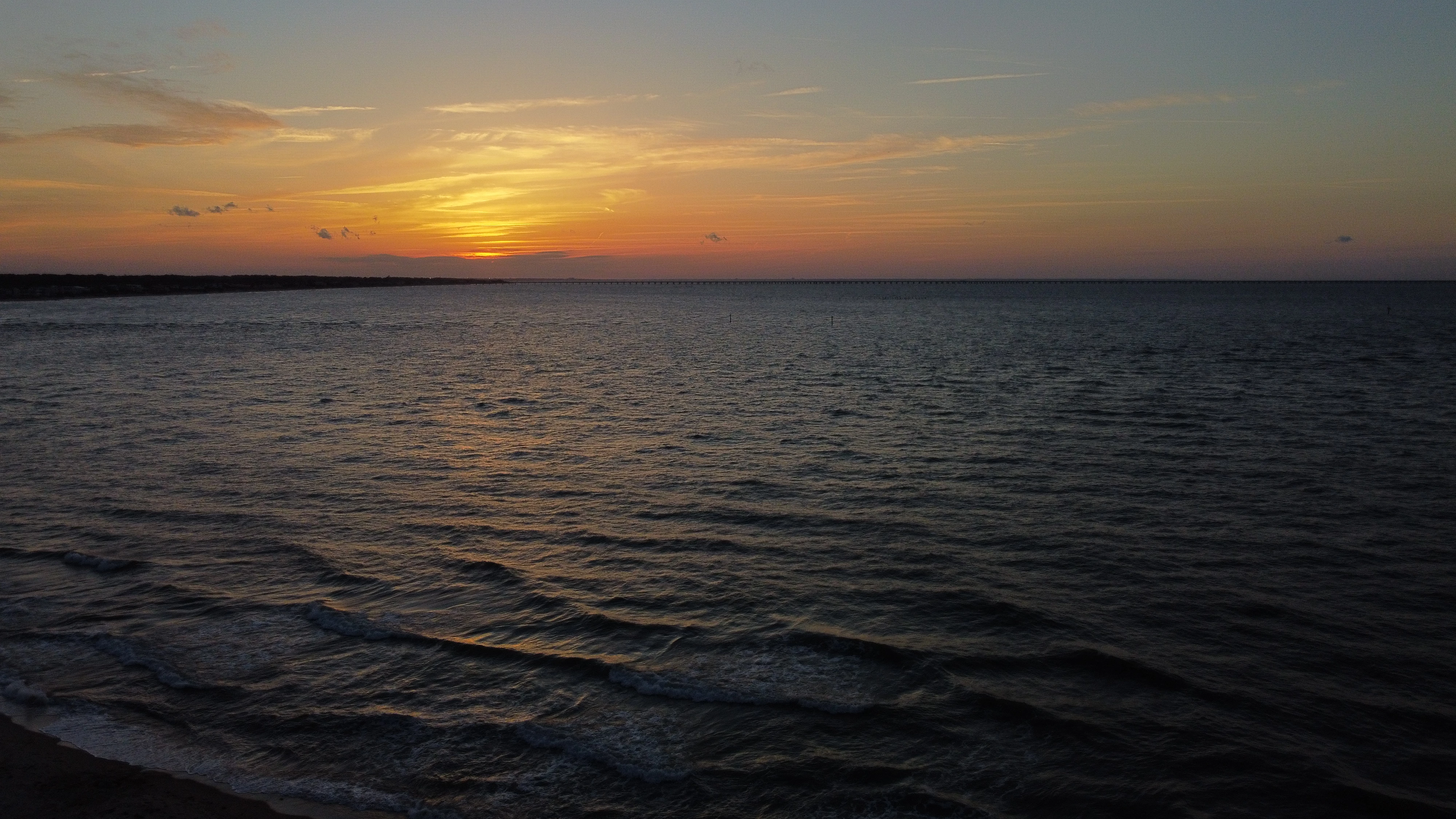
I took this photo with my DJI mini 2 and thought it came out nice so I decided to post it. I was extremely surprised when I saw that it had been rejected for "Technical Issues". As a person who is just starting to use this platform, I cannot see what the issue is. So, can you guys let me know what the specific reason of rejection was and how to fix before resubmitting? 
This topic has been closed for replies.

3 replies

Ricky336
Community Expert
Community Expert
April 20, 2022

Hello,

It's taken with a Drone camera right? So this will result in compression artifacts - which is a technical issue!

These kinds of shots look fine on a small screen, but when enlarged to 100% or more - a big screen rather than a smartphone screen - defects begin to show as in this case artifacts. Smartphones and drone cameras have small sensors, so quality isn't so good when they are increased in size.

So, the main issue here I think is overall quality.

Have a read of this. It's a brief guide on image quality:
https://helpx.adobe.com/stock/contributor/help/quality-and-technical-issues.html


Participant
April 20, 2022

Thank you for your answer. This has helped a lot.

Jill_C
Community Expert
Community Expert
April 20, 2022

It's somewhat underexposed, displays some vignetting and is quite noisy in the sky, particularly along the horizon.

Jill C., Forum Volunteer
Participant
April 20, 2022

Thank you for your feedback. I have a similar photo to this one that is a bit brighter. Although I am worried to post this one as it is very similar to the original just brighter. However, since my original one got rejected for technical issues would it be fine to post this one? 

Abambo
Community Expert
Community Expert
April 20, 2022

As the original has been rejected, you may try submitting this one. However, this one would also get a refusal, because of the high noise level:

This image is slightly overexposed, as you see on the histogram, with the blacks missing.

You original image is better suited, looking at the histogram, which is quite good and need just a small push in the shadows area to the right and a small push the blacks to the left.

Small adjustment and the histogram looks nearly perfect:


Be careful with noise reduction, you will need to reduce noise and to preserve detail and contrast.

ABAMBO | Hard- and Software Engineer | Photographer
Marianne-Deiters
Participating Frequently
April 20, 2022

The first thing that strikes me is the noise in the sky. You should fix that. Also, there appears to be some dirt from the lens in the upper center of the sky.

Participant
April 20, 2022

Thank you. Will fix what you said, but what was the reason of the technical issue then?

Abambo
Community Expert
Community Expert
April 20, 2022
quote

Thank you. Will fix what you said, but what was the reason of the technical issue then?


By @Brownie24120889jlyb

@Marianne-Deiters named "technical issues".


If you are new to stock, you should consider these resources: https://helpx.adobe.com/stock/contributor/tutorials.html
Please read the contributor user manual for more information on Adobe stock contributions: https://helpx.adobe.com/stock/contributor/user-guide.html
See here for rejection reasons: https://helpx.adobe.com/stock/contributor/help/reasons-for-content-rejection.html
and especially quality and technical issues: https://helpx.adobe.com/stock/contributor/help/quality-and-technical-issues.html

ABAMBO | Hard- and Software Engineer | Photographer