

Issues with 45-BM file size limit for Vectors
I designed and illustrated a font that resembles a "Retro Sunset" look. (see jpeg)
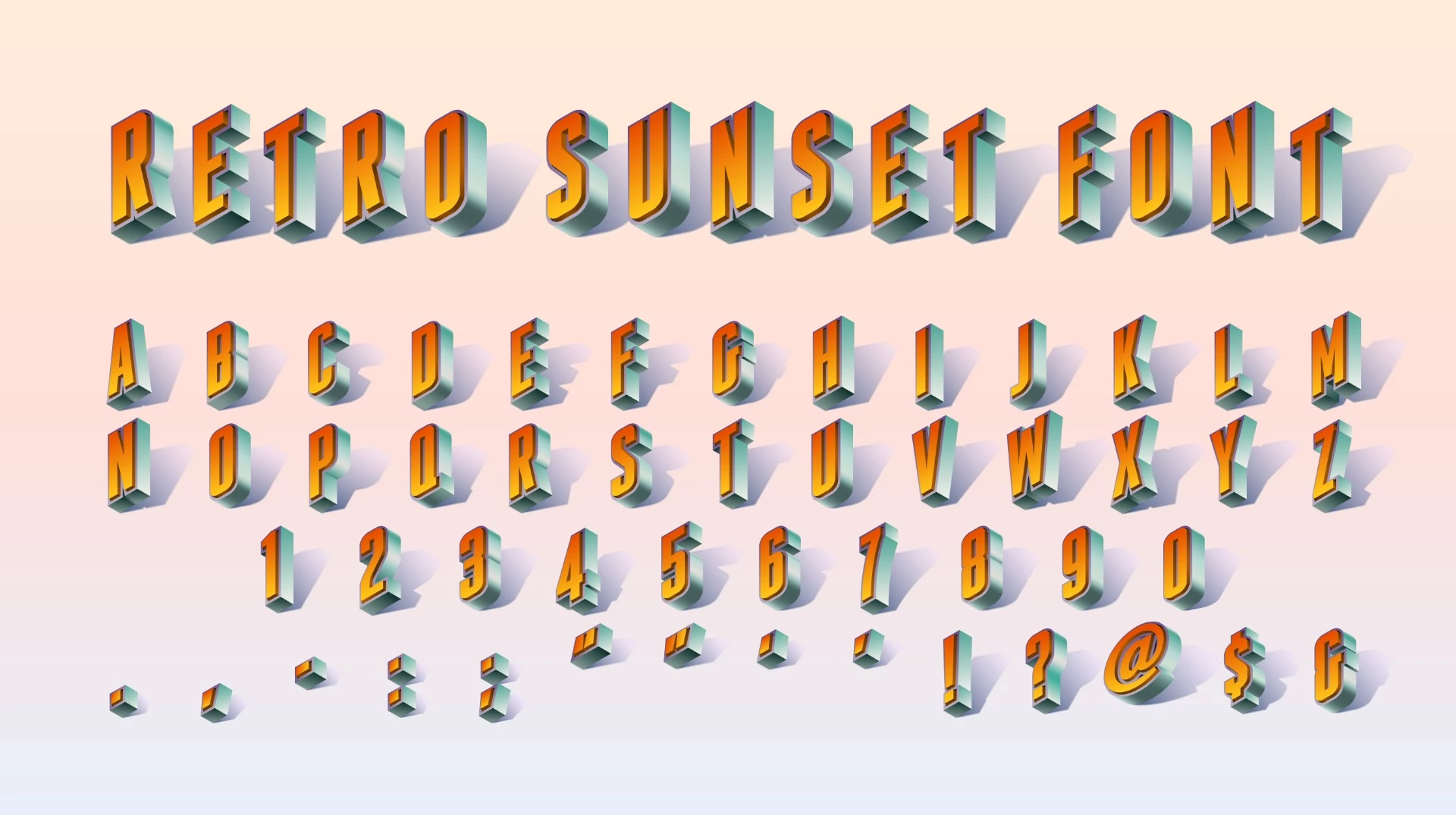
Unfortunately, after following all the instructions for generating the jpeg, and ZIPPING the original AI file along with the jpeg, the file cannot be uploaded because it is around 110-MB in size, which is a lot larger than the 45-MB upload limit. Believe me, the original AI file is put together VERY efficiently -- in fact, I've created far more complex vector files that were successfully uploaded and accepted for sale, but were in GRAYSCALE, rather than RGB. I wonder if the simple fact that this file is COLOR has disqualified it for upload to AdobeStock. -- ?
So I spent another few hours reformatting the single file into THREE partial files, hoping that this would make the zipped file smaller.
But as it turns out, EACH of the three subsequent files is over 100-MB (when zipped with the corresponding jpeg)!
I wonder how anyone contributes anything even partially complex in vector format without running into this 45-MB limit.
It seems that the 45-MB upload limit (FOR VECTORS) needs to be at least TRIPLED. Back in 1992, 45-MB was considered HUGE ... but not so today. 100-MB is around AVERAGE for many vector files produced here.
I suspect we need to admit that VECTOR is NOT like raster imagery (photos), which will all be around the same file size, at the required image size, in RGB.
Ideas?
Can we triple the upload file size limit for VECTORS? ... please? ...
 AdChoices