
Inspiring
May 3, 2023
Answered

Issues with Uploading Adobe Illustrator Files: Preview Thumbnails Missing

  • May 3, 2023
  • 2 replies
  • 2860 views

Hello,

I've been uploading my files as AI files for about a year now, but recently I've encountered a problem. Some files have preview thumbnails while others don't. When the Adobe team reviewed my files, only the ones with preview thumbnails were accepted. The others are still in the "in review" section with no preview thumbnails for about two months now. I've tried uploading them multiple times, but I'm still facing the same issue.
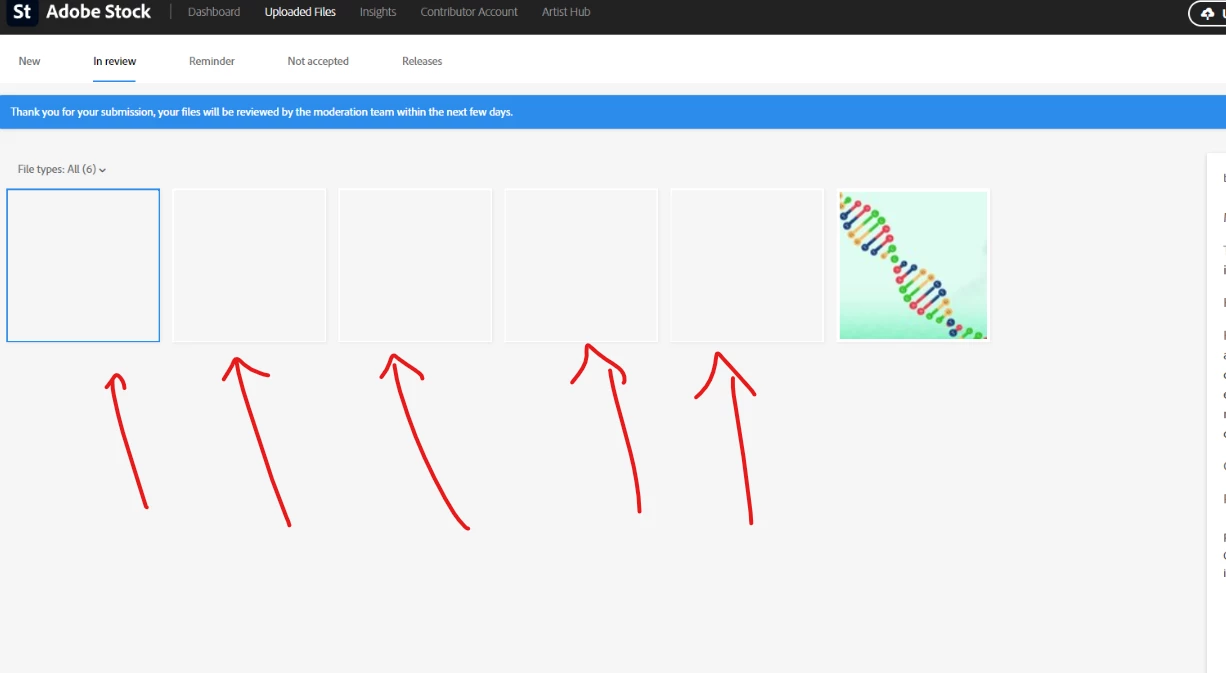


Can you Please Help Me


(moderator edited the subject for clarity. Changed AI against Adobe Illustrator)

This topic has been closed for replies.
Correct answer max2012181555

Thank you very much. I always use this option, but it didn't work for me.

Finally, I was able to upload the file successfully after deleting the shadows that were created using a gradient from black to transparent black.


2 replies

oksana.ai
Participant
May 6, 2023

I ran into the same problem - some .ai files showed up fine when I tried to upload them, and some showed blank previews. The problem was solved by adding a checkmark "Create PDF Compatible File" when saving the file, see screenshots.

max2012181555AuthorCorrect answer
Inspiring
May 6, 2023

Thank you very much. I always use this option, but it didn't work for me.

Finally, I was able to upload the file successfully after deleting the shadows that were created using a gradient from black to transparent black.


Abambo
Community Expert
Community Expert
May 6, 2023

That's interesting. Thanks for the update.

ABAMBO | Hard- and Software Engineer | Photographer
Abambo
Community Expert
Community Expert
May 3, 2023

Great. You were ahead of the time. Because the message that Adobe accepts AI images dates from December 6, 2022. 


I think your preview problem is browser related or has to do something with an add blocker or similar. Did you check on a different computer or network or your mobile phone/tablet?

ABAMBO | Hard- and Software Engineer | Photographer
Inspiring
May 3, 2023

"Just to clarify, when I say "AI" files, I mean Adobe Illustrator files, not Artificial Intelligence."

I have tried several solutions, but none of them have worked:

  • Using different browsers
  • Connecting to different networks
  • Using different Adobe Illustrator files
  • Trying with Internet Explorer without any adblockers or plugins
  • Logging into my account from another computer at work and trying to upload with the same issue
  • Trying to upload using FileZilla

All of my designs are original and not AI-generated files

Abambo
Community Expert
Community Expert
May 4, 2023
quote

"Just to clarify, when I say "AI" files, I mean Adobe Illustrator files, not Artificial Intelligence."


By @max2012181555

If you do not want to be misunderstood, use at least the "Icon" convention: Ai. Illustrator or Adobe Illustrator is preferred in the times of artificial intelligence. 😬


Did you try the old school way: a ZIP file with a JPEG embedded. I know, that Adobe does disregard those JPEG files now, and creates their own previews, but the front end still works with those, if I'm correct. And IMHO, it is a front end problem, if it's not a browser problem.


I would contact contributor support with this. https://helpx.adobe.com/stock/contributor/help/Need-Help-Contact-Us.html

ABAMBO | Hard- and Software Engineer | Photographer