michas5474242
Participant
March 2, 2019
Answered

Login to Adobe stock sell area.

  • March 2, 2019
  • 2 replies
  • 1025 views

I can't log in to the Adobe Sell area. I only get the message "The selected account is already being used". What can I do?
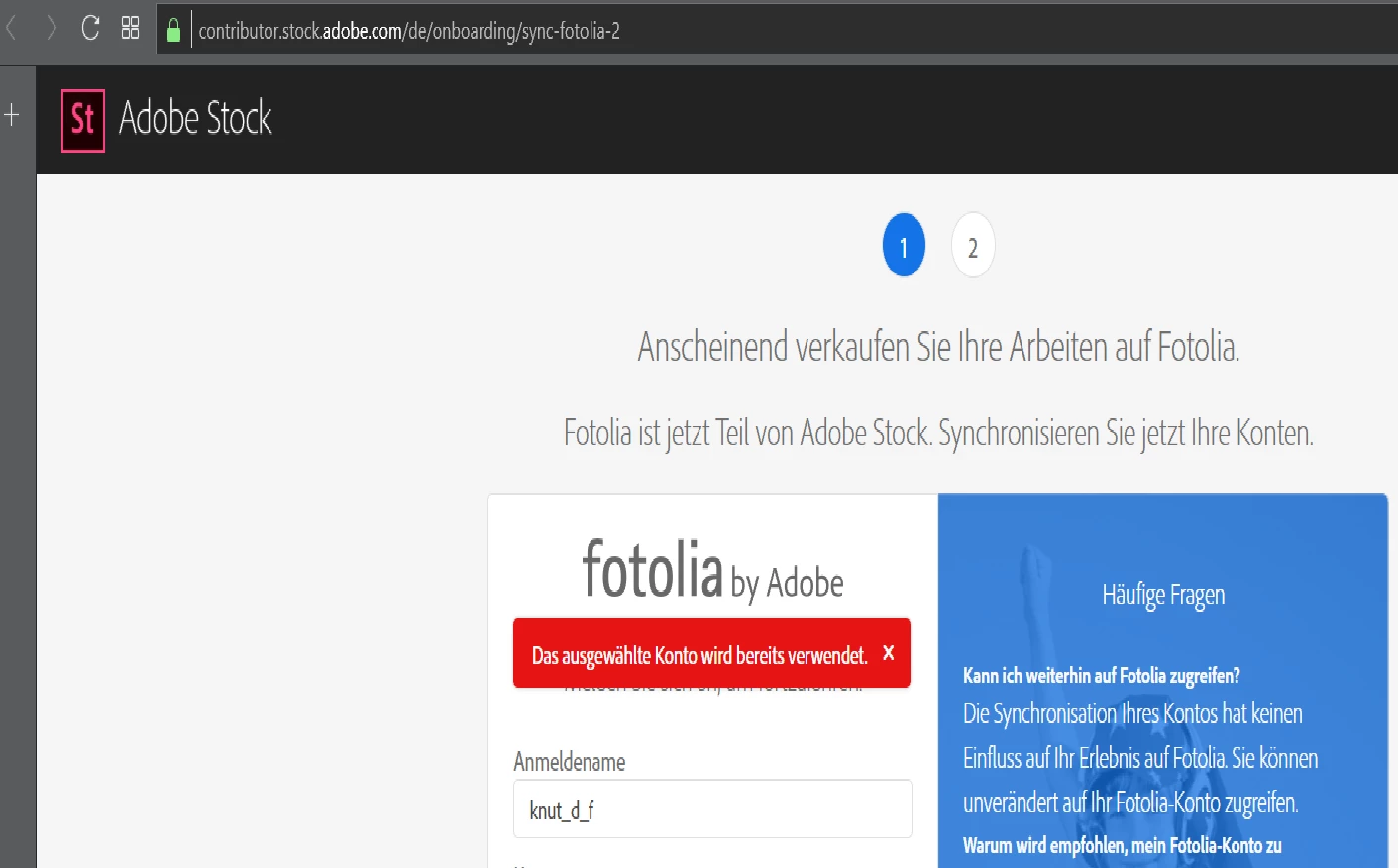

This topic has been closed for replies.
Correct answer MatHayward

This is an indication that you are attempting to create a new account instead of logging into an existing account. Sign out of all things Adobe then sign back in using the Adobe ID you created your contributor account with.

-Mat Hayward

2 replies

MatHayward
MatHaywardCorrect answer
Legend
March 8, 2019

This is an indication that you are attempting to create a new account instead of logging into an existing account. Sign out of all things Adobe then sign back in using the Adobe ID you created your contributor account with.

-Mat Hayward

Participating Frequently
November 3, 2023

This solution does not work for me as I have only the username from my old Fotolia account and the field for logging in requires an email. 

Participating Frequently
November 4, 2023

Do you have the same screen as OP?


Adobe IDs are e-mail addresses. If you want to sync your Fotolia content, you will probably need to contact contributor support.


You may try the e-mail you used when you created your Fotolia account. For sure, there is an e-mail address attached.


Hello,

I've been talking for hours with the support team and they gave me this
email.
Please provide me with a solution to have access to my account.
[PII removed by moderator]

jacquelingphoto2017
Community Expert
Community Expert
March 5, 2019

If you had/have a fotolia account, check to make sure you're not logged into Fotolia. You may find help from Fotolia and Adobe Stock synchronization issue.

Please let us know if that was helpful, or provide more details to work with.

Regards

JG

michas5474242
Participant
March 8, 2019

It dosn´t work. Now i have this massage if try to login.

{"error":{"code":500,"application_code":"INTERNAL_SERVER_ERROR","x_request_id":"71f5b5c4-66bc-4ecb-8690-c4bdb09bbe34"}}