
Participant
September 4, 2017
Answered

Missing Keywords / Translation wrong

  • September 4, 2017
  • 1 reply
  • 568 views

Hello,

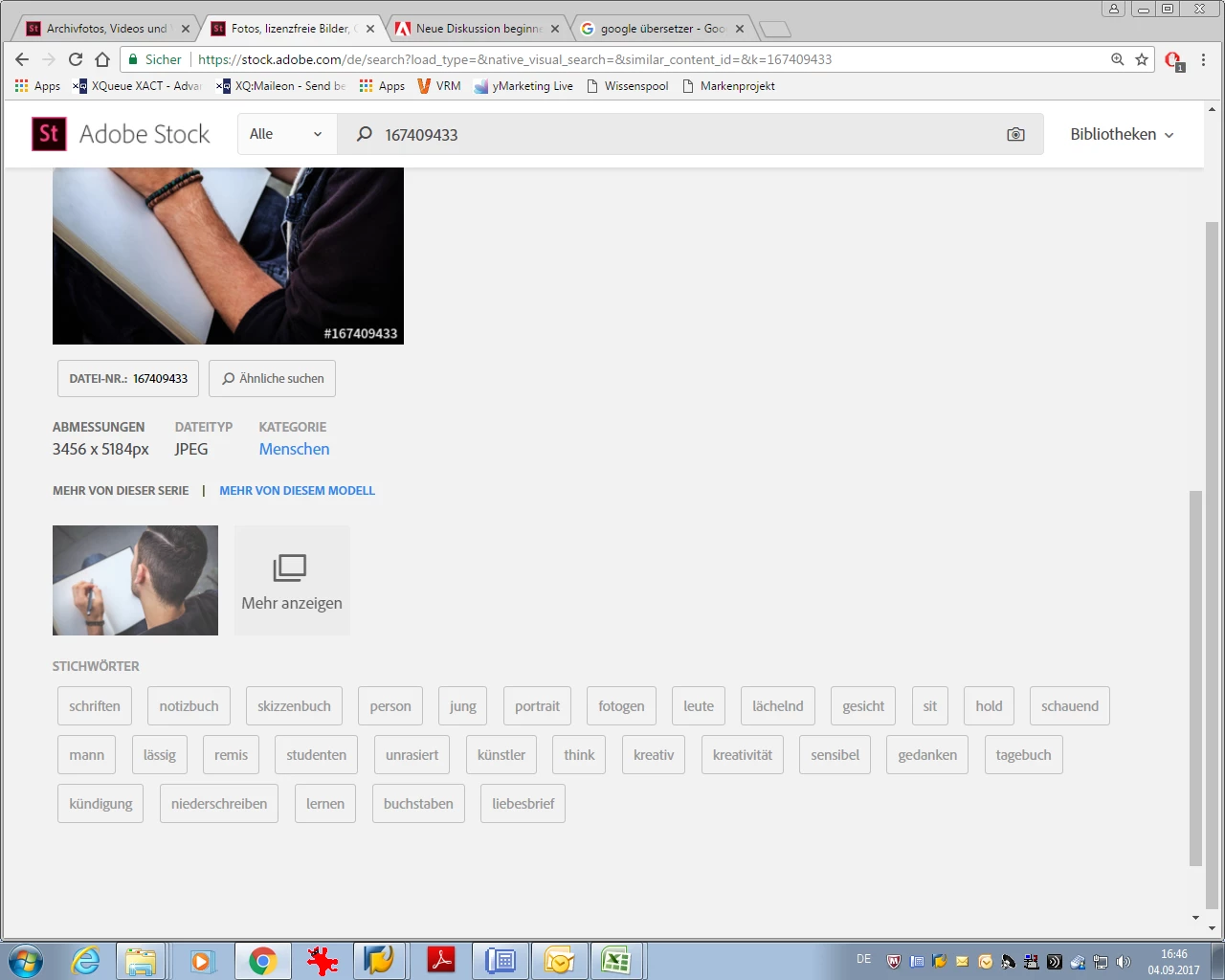
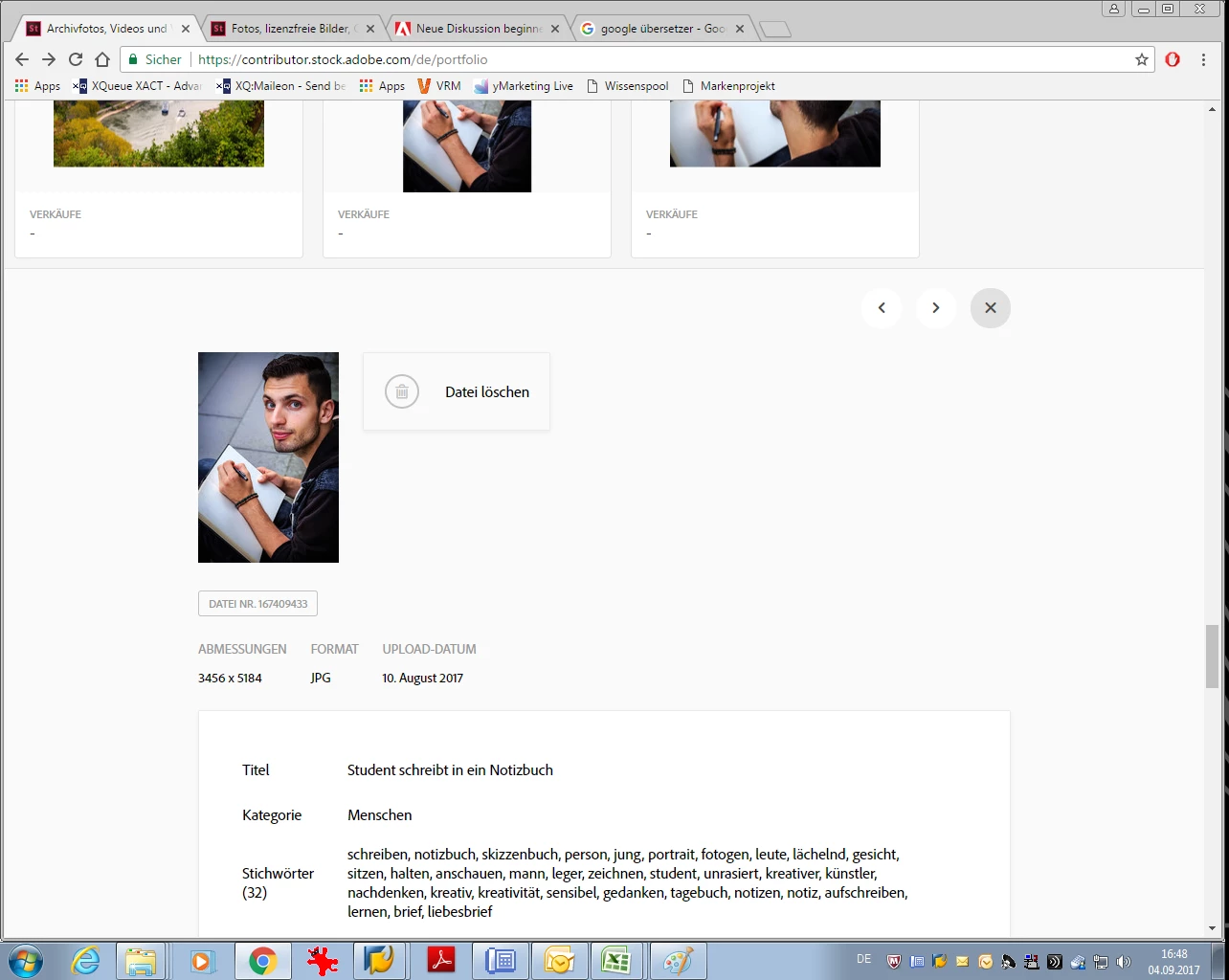
I happened to be on the normal view of one of my pictures as a non-logged-in user. I noticed that some very important keywords suddenly were missing. When I checked in the provider portal, all keywords were listed there. In the example, the word "writing" (german: schreiben) is missing, which is probably one of the most important. When I look at the keywords, it looks as if the German words (I often enter the keywords in German, because my vocabulary there is larger) was first translated into English and then translated back into German. And then mistakes happened. How can that be? And directly connected the question: What is Adobe Stock actually prefering? Or what is more recommendable? If you enter your keywords in English?

Thank you and many greetings Matthias

To show what I mean:

Normal view:
Contributor view:
This topic has been closed for replies.
Correct answer MatHayward

It's important to only add keywords in the language you have selected in the portal. If you indicate you are writing in English and add German keywords they will be eliminated. Based on the screen shots you shared you are doing it properly. I'm not aware of one language being preferred over another. The system translator needs to recognize the word in order for it to be an effective keyword regardless of the language. If the word is not recognized it will not work as a keyword.

Kind regards,

Mat Hayward

1 reply

MatHayward
Community Manager
MatHaywardCommunity ManagerCorrect answer
Community Manager
September 27, 2017

It's important to only add keywords in the language you have selected in the portal. If you indicate you are writing in English and add German keywords they will be eliminated. Based on the screen shots you shared you are doing it properly. I'm not aware of one language being preferred over another. The system translator needs to recognize the word in order for it to be an effective keyword regardless of the language. If the word is not recognized it will not work as a keyword.

Kind regards,

Mat Hayward

Participant
October 18, 2020

Hi,

Similar issues appeared to me: I have selected keywording language German. When looking at my pictures on the international adobe stock website, some keywords are NOT translated because the word does exist in German as well as English language. Example: German - See, English - lake, but on the English adobe website the German keyword remains "see" which has a different meaning, following the picture does not appear in the search.


What is your suggestion to tackle this? Adding this keyword in English as well as German language?


Thank you so much for your help!