
Known Participant
August 10, 2023
Answered

Mistake : same photo submitted twice

  • August 10, 2023
  • 1 reply
  • 555 views

Hi there,


I've made a mistake, I've submitted two photos that were already under examination. My bad 😞

Is there a way to remove duplicates or should I wait for them to be rejected because "already submitted" ? ?


Regards

Pascal
This topic has been closed for replies.
Correct answer daniellei4510

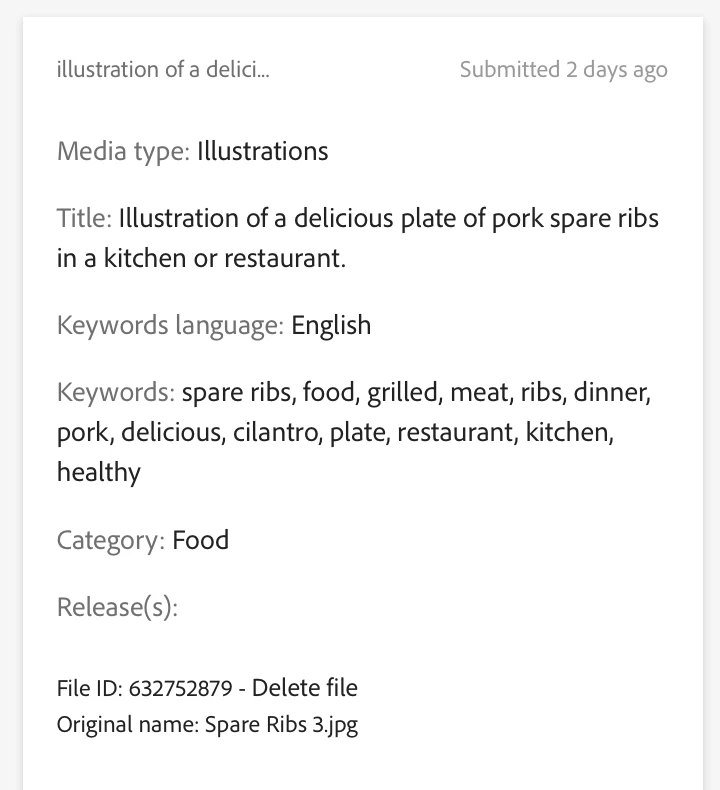
Select a file you want to delete and on the left hand side, down at the bottom, you'll see the option to delete.

1 reply

daniellei4510
Community Expert
Community Expert
August 10, 2023

Delete the ones most recently submitted would be your best bet. The moderators can miss duplicates. I've found at least one instance where I mistakenly uploaded an image twice and both were accepted. I deleted on as soon as I noticed.

Adobe Community Expert | If you can't fix it, hide it; if you can't hide it, delete it.
Pascal F.Author
Known Participant
August 10, 2023

Both photos are under examination, I can't find how I can delete any of them.

daniellei4510
Community Expert
daniellei4510Community ExpertCorrect answer
Community Expert
August 10, 2023

Select a file you want to delete and on the left hand side, down at the bottom, you'll see the option to delete.

Adobe Community Expert | If you can't fix it, hide it; if you can't hide it, delete it.