Participant
March 18, 2025
Answered

Quality Issue - your advice please

  • March 18, 2025
  • 5 replies
  • 892 views

I would appreciate any advice on why these two photos were rejected for quality issues


Thank you in advance for your support and feedback


Taken on Canon EOS90D

Correct answer RALPH_L

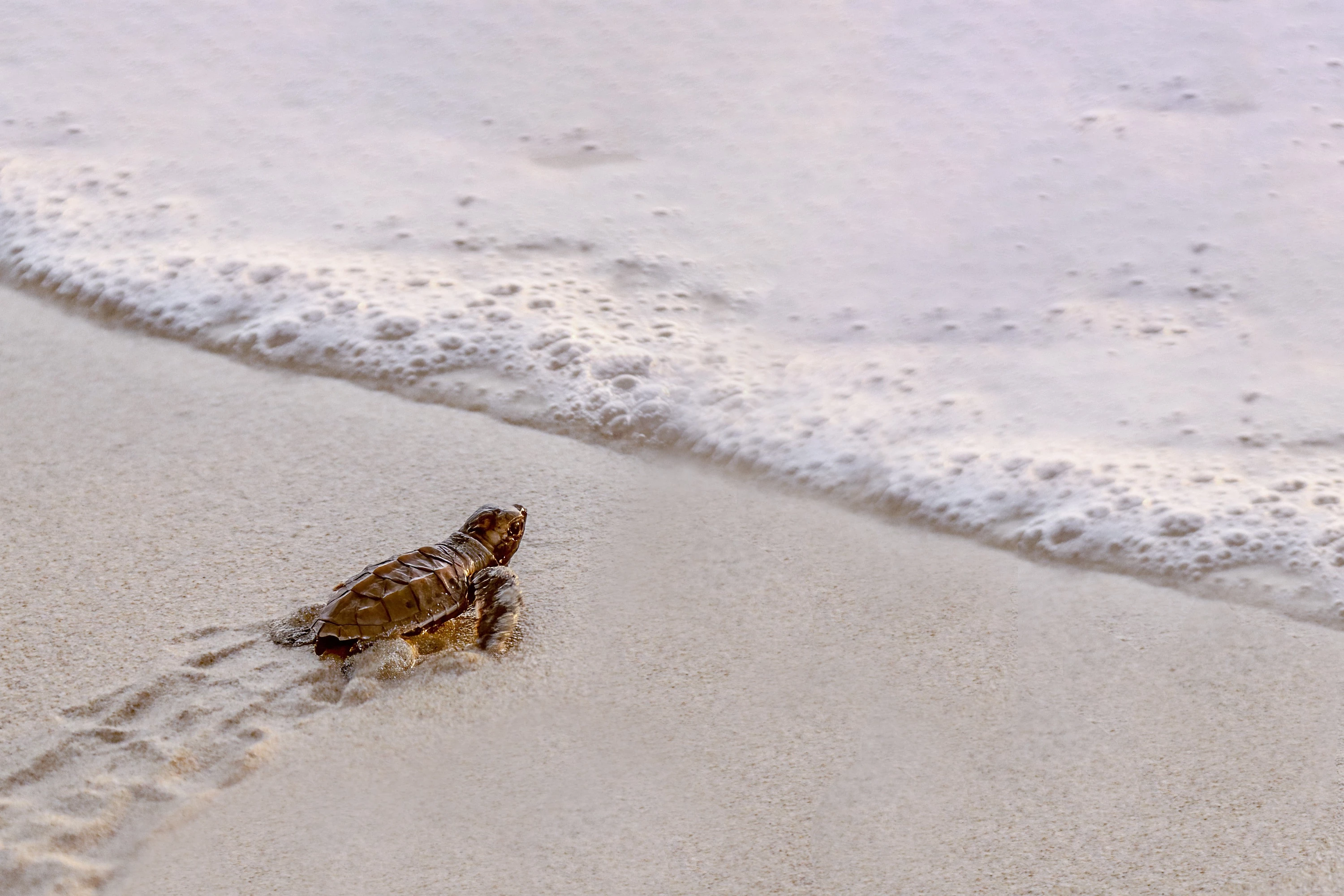
Your image is too warm. It has a yellow tint and it needs sharpening. Also, the composition is not good. Follow the Rule of Thirds and use a different format. This leaves empty space for the buyer to use as needed. You should never have your subject leaving the photo.
Here is an example:
5 replies

Abambo
Community Expert
Community Expert
March 19, 2025
quote

Taken on Canon EOS90D


By @Nick38663230kz7d

The camera is rarely the issue, at least for any modern digital camera. You, however, have to know the limits of your camera. The EOS90D has focussing issues at high ISO values, especially with low level lenses. You would probably need many shoots to get one correctly focussed. And you have noise issues with the APS-C sensors. 

In addition you will need to correct the white balance and the exposure. 

ABAMBO | Hard- and Software Engineer | Photographer
Legend
March 18, 2025

The rheino is great but maybe it needs some editing to 'pop up' ....

RALPH_L
Community Expert
RALPH_LCommunity ExpertCorrect answer
Community Expert
March 18, 2025

Your image is too warm. It has a yellow tint and it needs sharpening. Also, the composition is not good. Follow the Rule of Thirds and use a different format. This leaves empty space for the buyer to use as needed. You should never have your subject leaving the photo.
Here is an example:

Participant
March 19, 2025

Yes that crop is much improved and the tone more neutral.  Thank you

daniellei4510
Community Expert
Community Expert
March 18, 2025

Over exposed background. Shadows need opening up.


Adobe Community Expert | If you can't fix it, hide it; if you can't hide it, delete it.
Participant
March 19, 2025

Thank you danielle4510 that half and half is very helpful.  Can I ask and sorry if it is a naive question but how did you achieve that improvement?

daniellei4510
Community Expert
Community Expert
March 19, 2025

I used the Camera Raw filter in Photoshop.

Adobe Community Expert | If you can't fix it, hide it; if you can't hide it, delete it.
yamato713108855
Community Expert
Community Expert
March 18, 2025

The turtle is out of focus and the shutter speed is slow, so it's blurry.


I think the rhino is blurred because the dark areas are crushed.

Participant
March 18, 2025

Thank you yamato7.  By crushed you mean that the dark areas on the rear leg are too uniformly black?

yamato713108855
Community Expert
Community Expert
March 18, 2025

Photos with crushed shadows or blown highlights are not ideally exposed in Adobe Stock.
