
Known Participant
March 29, 2018
Answered

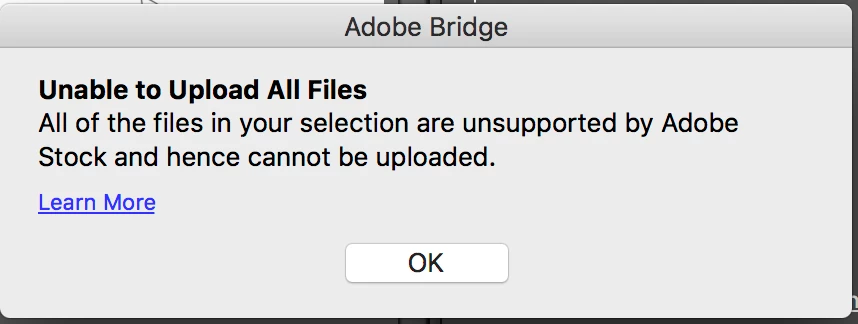
...selection are unsupported by Adobe Stock

  • March 29, 2018
  • 3 replies
  • 762 views

I get the message "all of the files in your selection are unsupported by Adobe stock and hence cannot be uploaded." when attempting to upload an illustrator file through Bridge. I also get an error when uploading directly to Adobe Stock. The problem, this message doesn't give me enough information to troubelshoot the problem. I have uploaded exactly the same way before, no issues.

Click on the Learn More link doesn't help.

Does anyone have a master list of items to check for? Maybe I can start there.
This topic has been closed for replies.
Correct answer MatHayward

Please open a ticket in the contributor portal and attach the file. I’ll take a look at it ASAP.

Mat

3 replies

MatHayward
MatHaywardCorrect answer
Legend
March 30, 2018

Please open a ticket in the contributor portal and attach the file. I’ll take a look at it ASAP.

Mat

MatHayward
Legend
March 30, 2018

Is the artboard at least 15MP?

You can review the vector requirements here for detailed information: Requirements for contributing vector art to Adobe Stock

-Mat

WFehrAuthor
Known Participant
March 30, 2018

I believe I have met all the criteria including art board size, file size, etc. It’s not a review rejection, but an an immediate rejection at upload and I’ve not had that before, so strange. Especially the note about it being “...unsupported by Adobe Stock”, as if it’s an incorrect file format.

WFehrAuthor
Known Participant
March 30, 2018

Interesting, I just tried to upload a jpeg and got the same message

UPDATE: I literally change the art board size then changed it back, then it uploaded. THEN, when I went to the site to complete the submission process two other versions were up there, two that were rejected.

So, I guess all is good. Thank you everyone for your help.

Brad Lawryk
Legend
March 29, 2018

You might try the Stock Contributor Forum for a quicker and more detailed answer.

Adobe Stock Contributors

The only thing I can think of is perhaps you have included fonts in your artwork?

WFehrAuthor
Known Participant
March 30, 2018

Have done this. No response from them.

Thanks

twaritar3263062
Participating Frequently
March 30, 2018

Looping in MatHayward to help you better.