Participant
May 26, 2025
Answered

These are images I generated using AI. I really don’t understand why it was rejected—the reason give

  • May 26, 2025
  • 5 replies
  • 502 views

This is an image I generated using AI. I really don’t understand why it was rejected—the reason given was image quality issues, but I honestly can’t see any quality problems!


Correct answer Jill_C

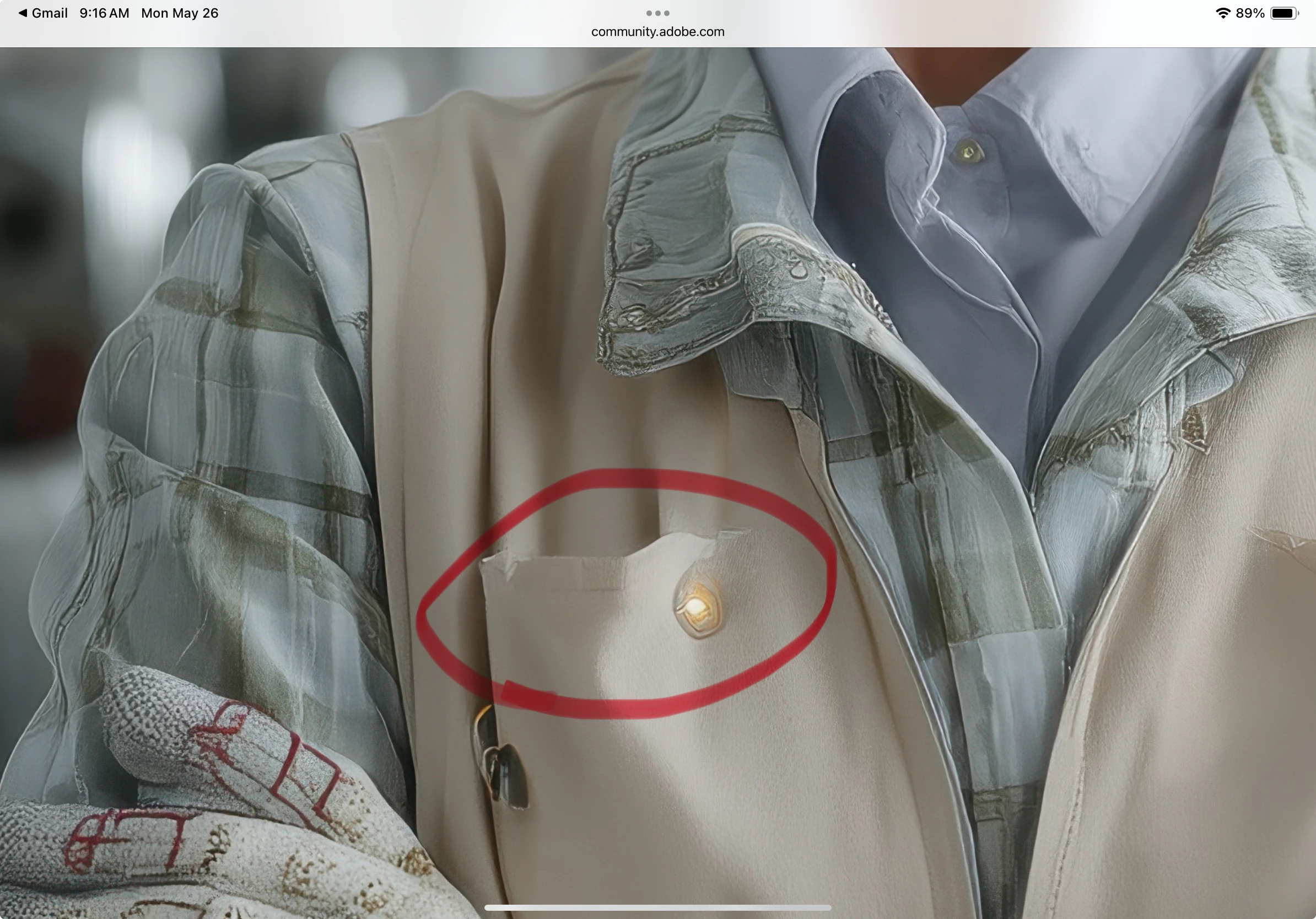
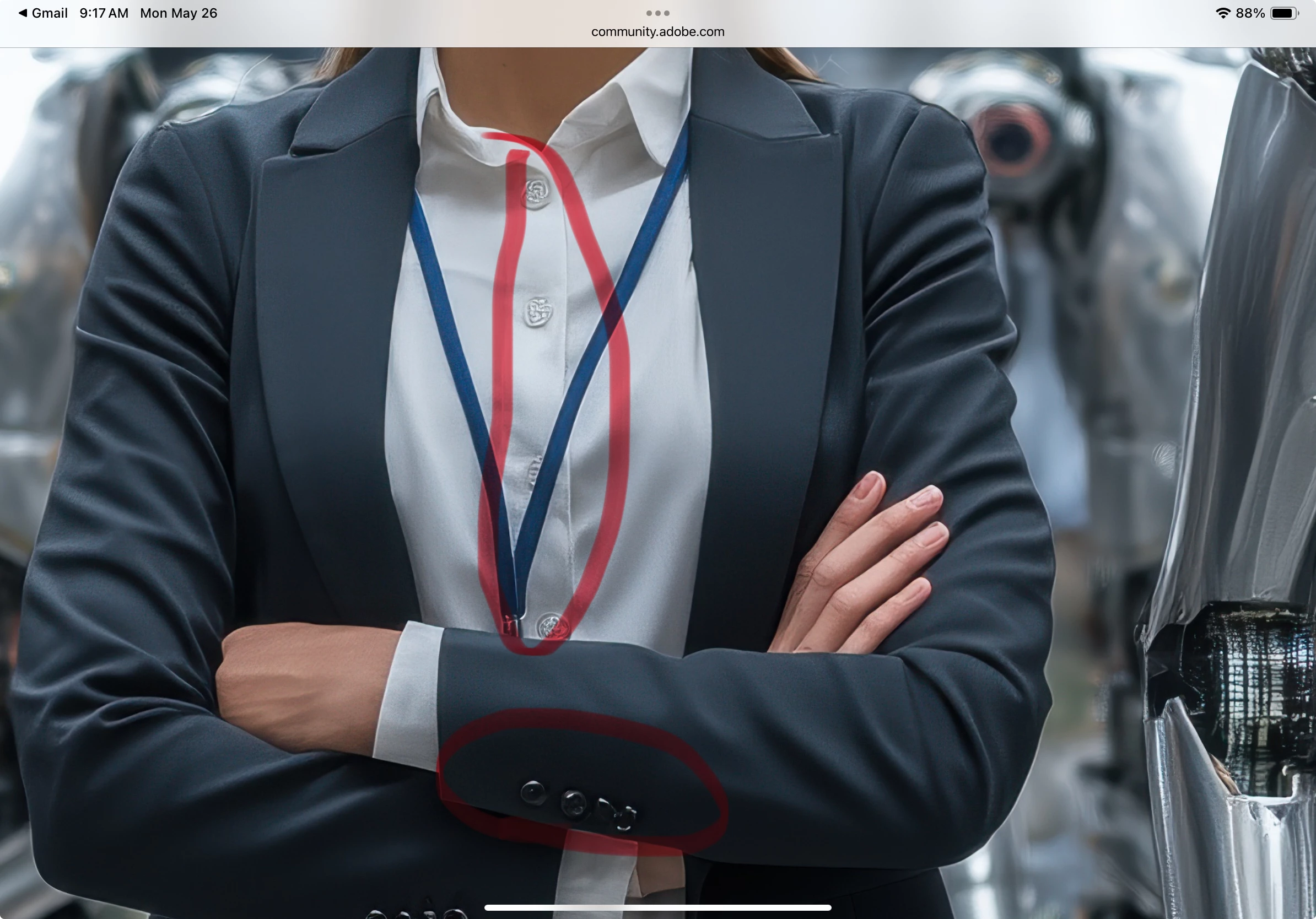
It's not at all difficult to find the AI drawing errors in these images. They look okay-ish when viewed at small size but when you zoom in and start scrolling around, they're easy to find. AI often has problems with fabric textures and buttons as seen here:

5 replies

Nancy OShea
Community Expert
Community Expert
May 26, 2025

Too many errors to list them all here.


I would ditch these and start over with less detailed prompts.  The more complex your prompts are, the more mistakes AI makes.  Keep it simple.  Focus on just one thing at a time.


Nancy O'Shea— Product User & Community Expert
Jill_C
Community Expert
Jill_CCommunity ExpertCorrect answer
Community Expert
May 26, 2025

It's not at all difficult to find the AI drawing errors in these images. They look okay-ish when viewed at small size but when you zoom in and start scrolling around, they're easy to find. AI often has problems with fabric textures and buttons as seen here:

Jill C., Forum Volunteer
Abambo
Community Expert
Community Expert
May 26, 2025
quote

They look okay-ish


By @Jill_C

I will need to keep that expression in mind! 😂


Looking at your excepts, I see many more errors that you haven't marked. So, we can easily conclude that the images are spiked with rendering errors. Sorry for the @WorldFest Visuals, but moderators had an easy job here. They only need to see only one of the many reasons to refuse these assets.

ABAMBO | Hard- and Software Engineer | Photographer
Abambo
Community Expert
Community Expert
May 26, 2025

There are enough reasons to reject these: anatomic issues, texture issues, plastic looking humans, details with the robots, rendering errors with the boxes… Look at your pictures at 100% and you will see many errors:


ABAMBO | Hard- and Software Engineer | Photographer
RALPH_L
Community Expert
Community Expert
May 26, 2025

Pay attention to the details. Look at the fingers in the first two images. 

daniellei4510
Community Expert
Community Expert
May 26, 2025

View your assets at 200% and look for rendering errors the likes of these.


Adobe Community Expert | If you can't fix it, hide it; if you can't hide it, delete it.