@Soarele:3 by any chance did you have trial version of Adobe Stock? There is a a 30-day free trial, but if you didn't cancel it before the trial period ended, you would get charge for it.
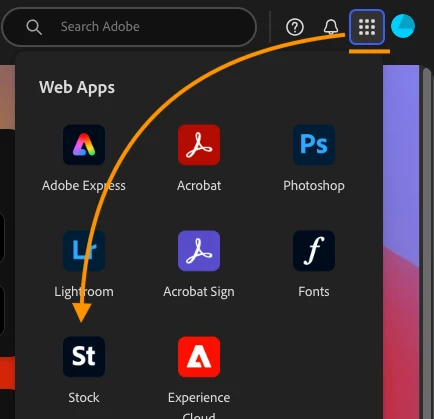
A good way to check is through adobe.com website. Log in using your Adobe ID. Couple of ways. On the far-right hand corner is 9 boxes (a bento box menu). Click on that, and your web apps will open. Click on Stock
Click on your profile icon as circled, and it should say if there is a plan or no plan. In my case, I do not have the Adobe Stock.
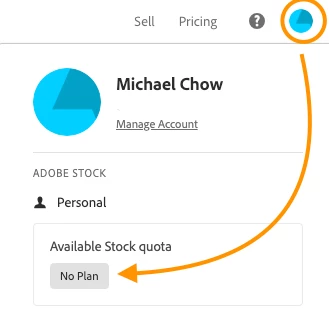
or
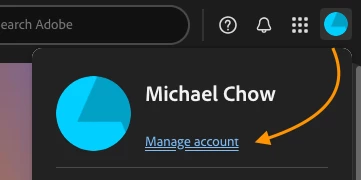
Click on the profile icon - Click on Manage Account as shown
Click on Plans
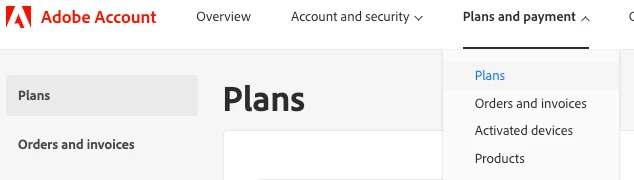
This will show you all the active subscriptions associated with your Adobe ID. Look for the Adobe Stock subscription in the list. I don't have it, but it will show up for you. Locate the "Cancel" button: Find the "Cancel" button associated with the Adobe Stock subscription. (make sure it's the correct one!) — I have accidentally over-written an activation code before! And there is no going back!
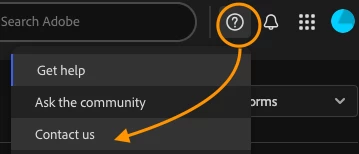
If you encounter any issues or have questions: Contact Adobe Support directly. They can help you understand the charges, cancel the subscription, and potentially provide a refund for any unintentional charges. Go back to your adobe account/ Click on the 'question' mark, and a pop-up chatBox will open. And make sure you write down exactly. If you type in Cancel, it could cancel the whole plan... that is NOT what you want....so, you gotta make sure you ask the right questions!
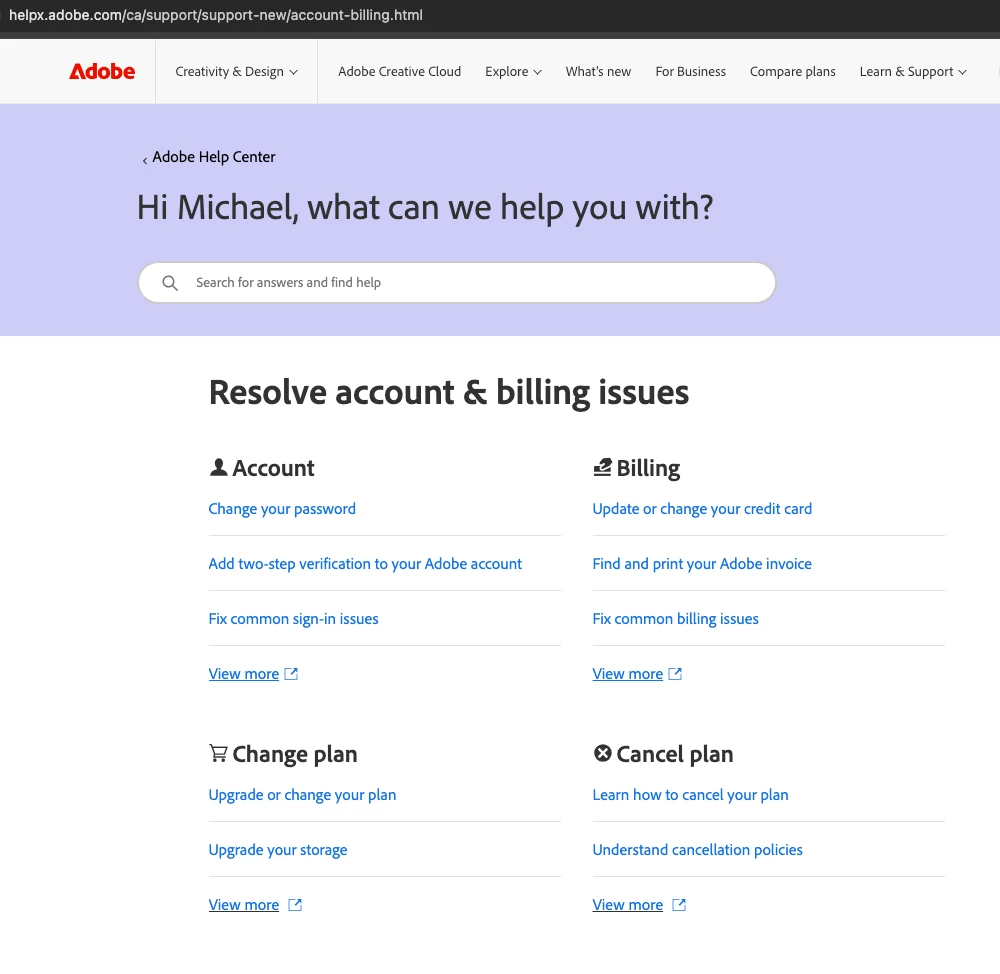
Or try this page for customer support as well, https://helpx.adobe.com/ca/support/support-new/account-billing.html
Good luck!

 AdChoices