Participant
November 3, 2023
Answered

Adobe Stock Template not effecting my image in Photoshop

  • November 3, 2023
  • 1 reply
  • 308 views

Hello,


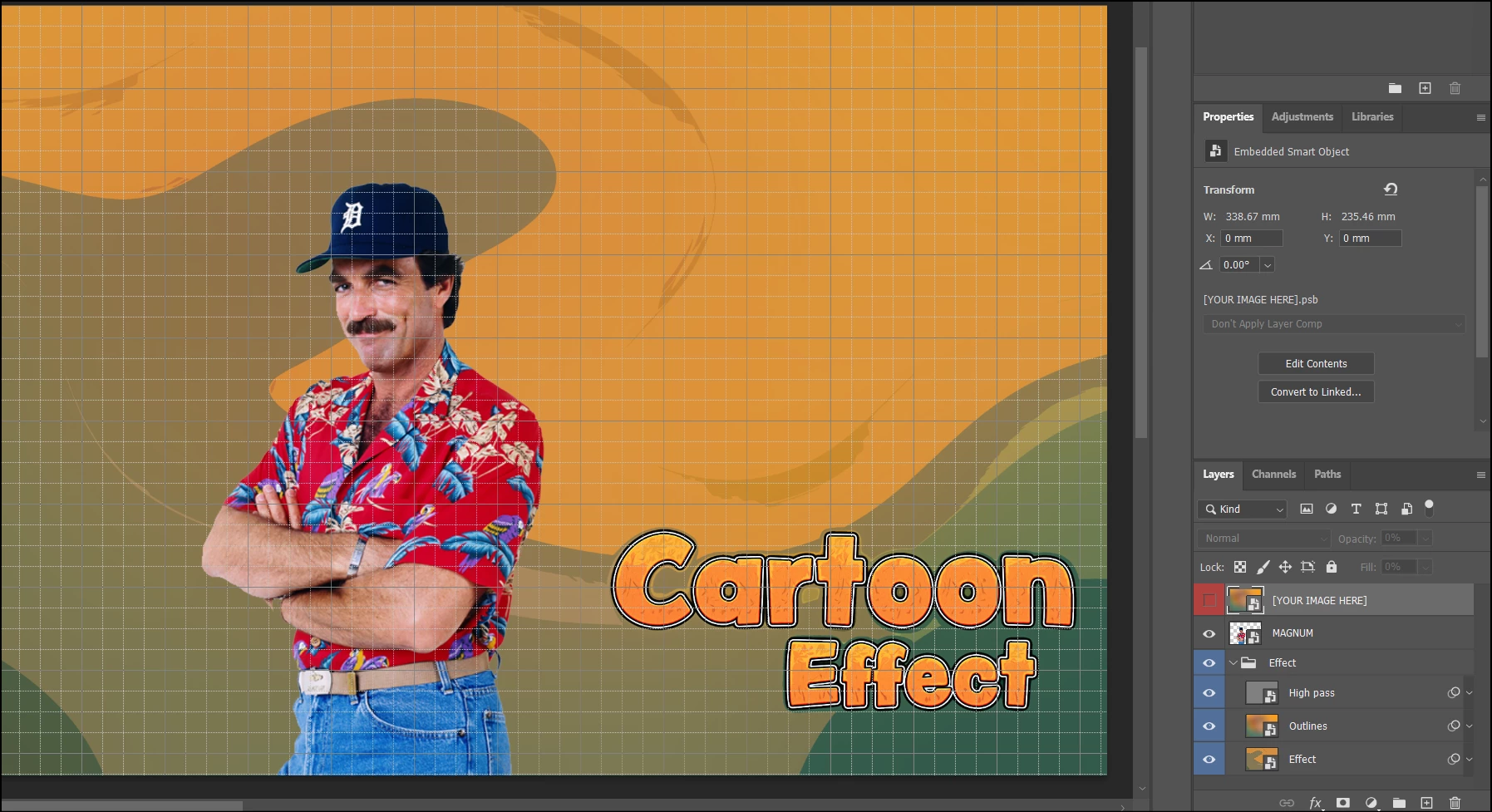
I downloaded a Comic Photo Effect Mockup (image below) and when I drag the photo I want to use into the layer that's labeled [YOUR IMAGE HERE], the image looks the same. I've messed around with hiding the layers and moved the image between each layer and nothing is changing. 


This topic has been closed for replies.
Correct answer Abambo

Did you open the smart layer (double click) "[your image here]" and inserted your image there, then closed that (save) to see what happens?

1 reply

Abambo
Community Expert
Community Expert
November 3, 2023

Your image here is a smart layer. I suppose you need to insert your image in that very smart layer.


Layers are working top down, so if you want to have a layer influencing some other layer, that some other layer needs to be below that layer, not on top. 


Looking at the layers "from a distance" (just looking at your sceenshot), I have the impression that the smart layer ("your image here") is referenced by the effect layers, who do the hard work.


What is the asset ID of the effect?

ABAMBO | Hard- and Software Engineer | Photographer
TheGoonzAuthor
Participant
November 3, 2023

Hi Abambo,


I've dragged the image below the other layers and still nothing. The License is #360272198.

Abambo
Community Expert
AbamboCommunity ExpertCorrect answer
Community Expert
November 3, 2023

Did you open the smart layer (double click) "[your image here]" and inserted your image there, then closed that (save) to see what happens?

ABAMBO | Hard- and Software Engineer | Photographer