
Adobe Stock website often doesn't respond when trying to complete a search
My setup:
- Adobe Photography 20GB plan
- Usually filtering for Free images
- Chrome internet browser on an older HP Pavilion laptop, a newer HP Pavilion gaming desktop, or an iPad Pro
To recreate this issue:
1. Navigate to stock.adobe.com
2. Ensure you are signed in to your Adobe account
3. On the home/landing page, complete a search by entering any keywords (filtering for Free images or whatever is optional)
4. Press enter/return or click search
5. The page with something like the following URL will attempt to load completely but gets stuck (https://stock.adobe.com/search/free?load_type=search&native_visual_search=&similar_content_id=&is_recent_search=1&search_type=recentsearch&k=YOUR_KEYWORDS_HERE)
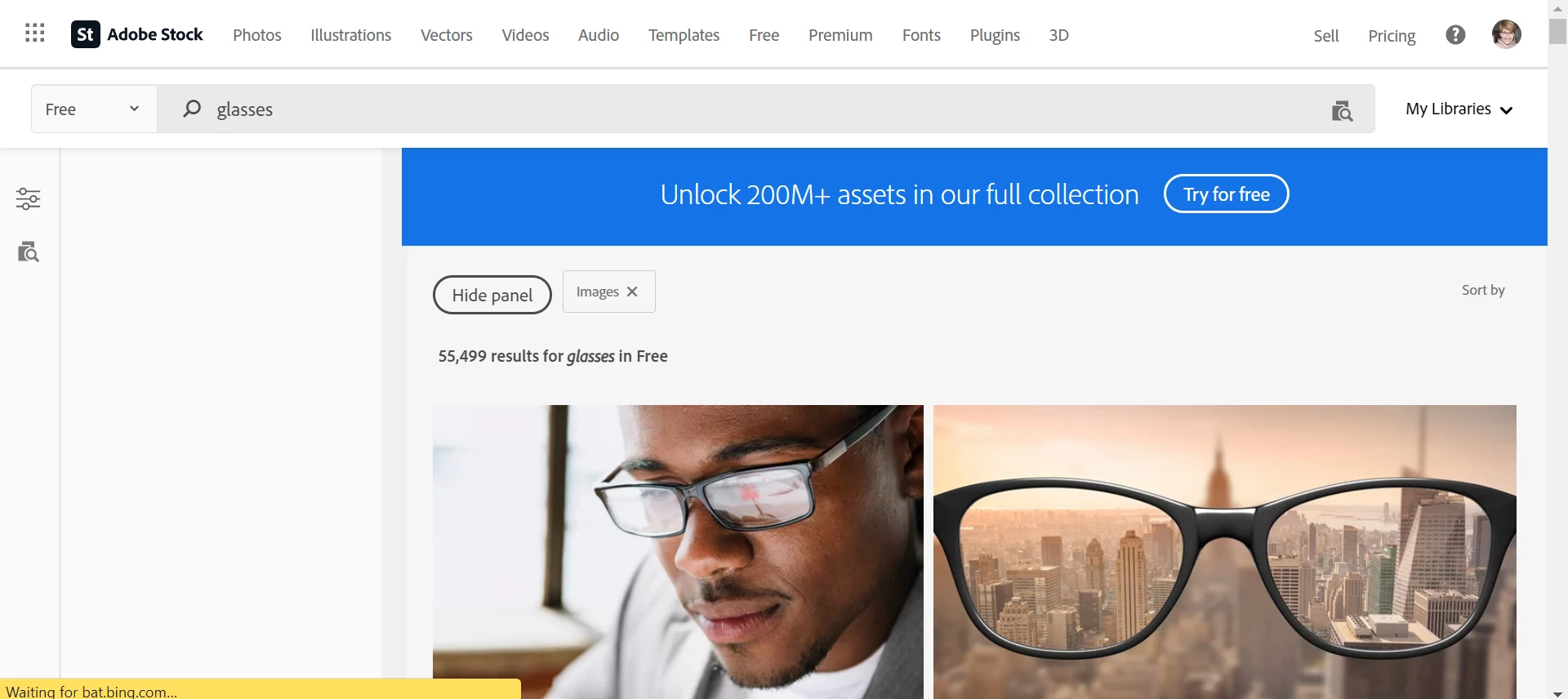
The page looks something like this once it stops loading:
6. About 8 times out of 10, the internet browser will prompt you to exit the page or wait for the page to respond. At this point, it's not worth waiting for the page because this step will just loop over and over. You're better off reloading the page entirely (closing the tab and starting from step 1).
7. The other 2 times, the page eventually loads as normal.
Obviously, this isn't ideal. I have tried the following:
- Clearing my history, cache, cookies, etc. (not effective)
- Disabling AdBlock and other unnecessary Chrome extensions (possibly somewhat effective)
- Using a different device (still Chrome; that's all I really use) (not effective)
- Not using Adobe Stock at all and opting for an alternative site like Pexels, unSplash, etc. (effective)
 AdChoices