Participant
July 24, 2018
Answered

Brochure Template is a Standard Image...

  • July 24, 2018
  • 1 reply
  • 697 views

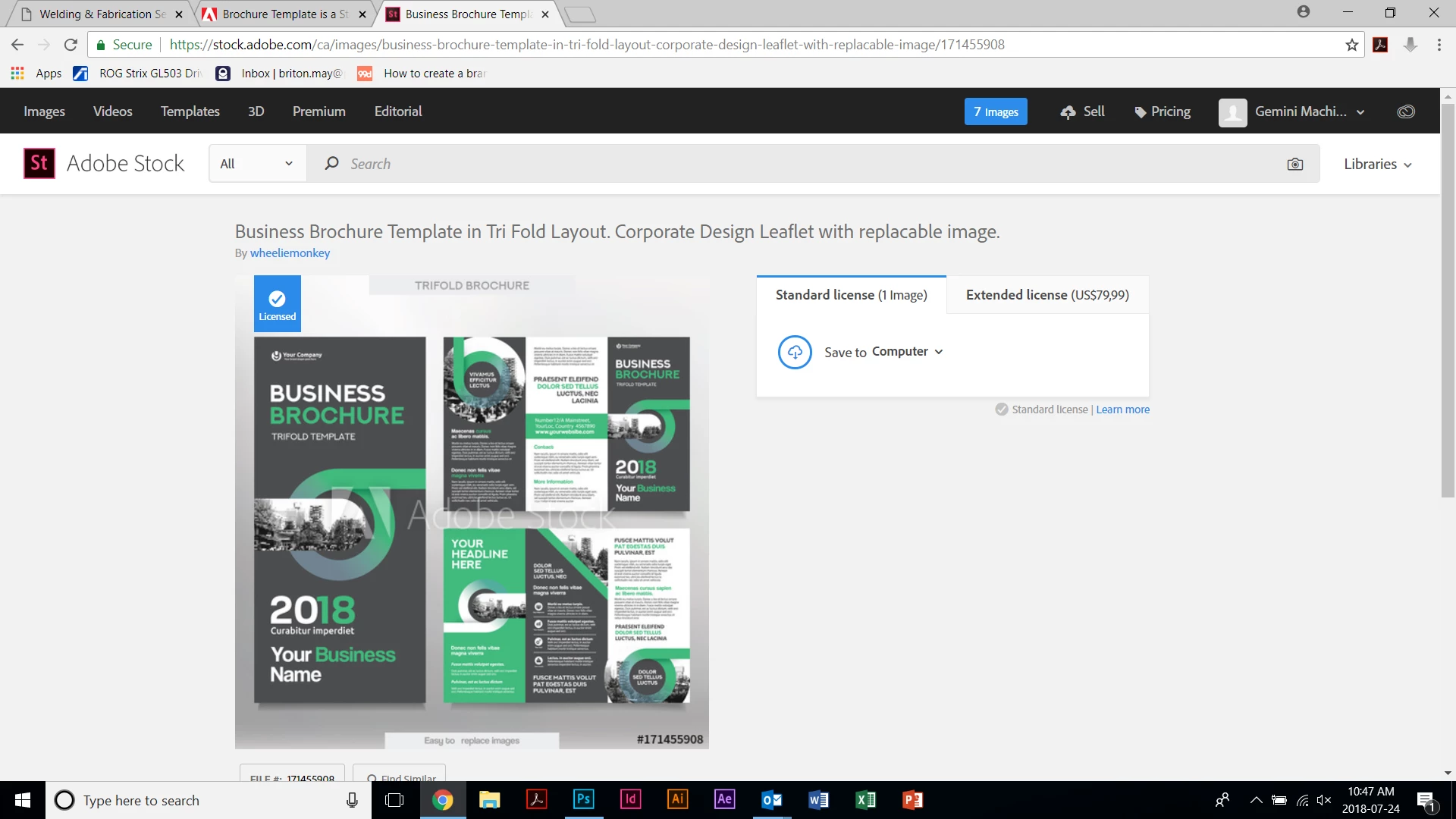
I recently downloaded #171455908 which I thought was a tri-fold brochure template but I've since noticed is listed as a standard image. My problem is I thought this was an editable template which I would be able to customize for my company. I use Tk to sync any fonts i don't have but I'm lost as to how I can edit the text and remove the paths around the text. Layers are unlabeled and I could use some help.

Can someone let me know if I'm able to edit this brochure or should I try to return it? I have all Adobe app and if I can edit the text, change colours and use my own images I'm going to be a hero around the office! Thanks for your help!
    This topic has been closed for replies.
    Correct answer WendellaBee

    This was listed as a "Business Brochure Template in Tri-Fold Layout. Corporate Design Leaflet with replaceable image".

    This has a standard licence and I am unable to edit it with Illustrator. The creator has a whole portfolio of amazing creative work and I can't see these "templates" not being editable. If I open the .ai file in PS or ID it comes out as one layer.

    How can I return this "template" if I not able to edit it? I'd like to use the credit on something else. What I would really like though is to edit the text, put my pictures in and change a few colours with Illustrator... Can someone look at this file?

    Business Brochure Template in Tri Fold Layout. Corporate Design Leaflet with replacable image. - Buy this stock vector a…


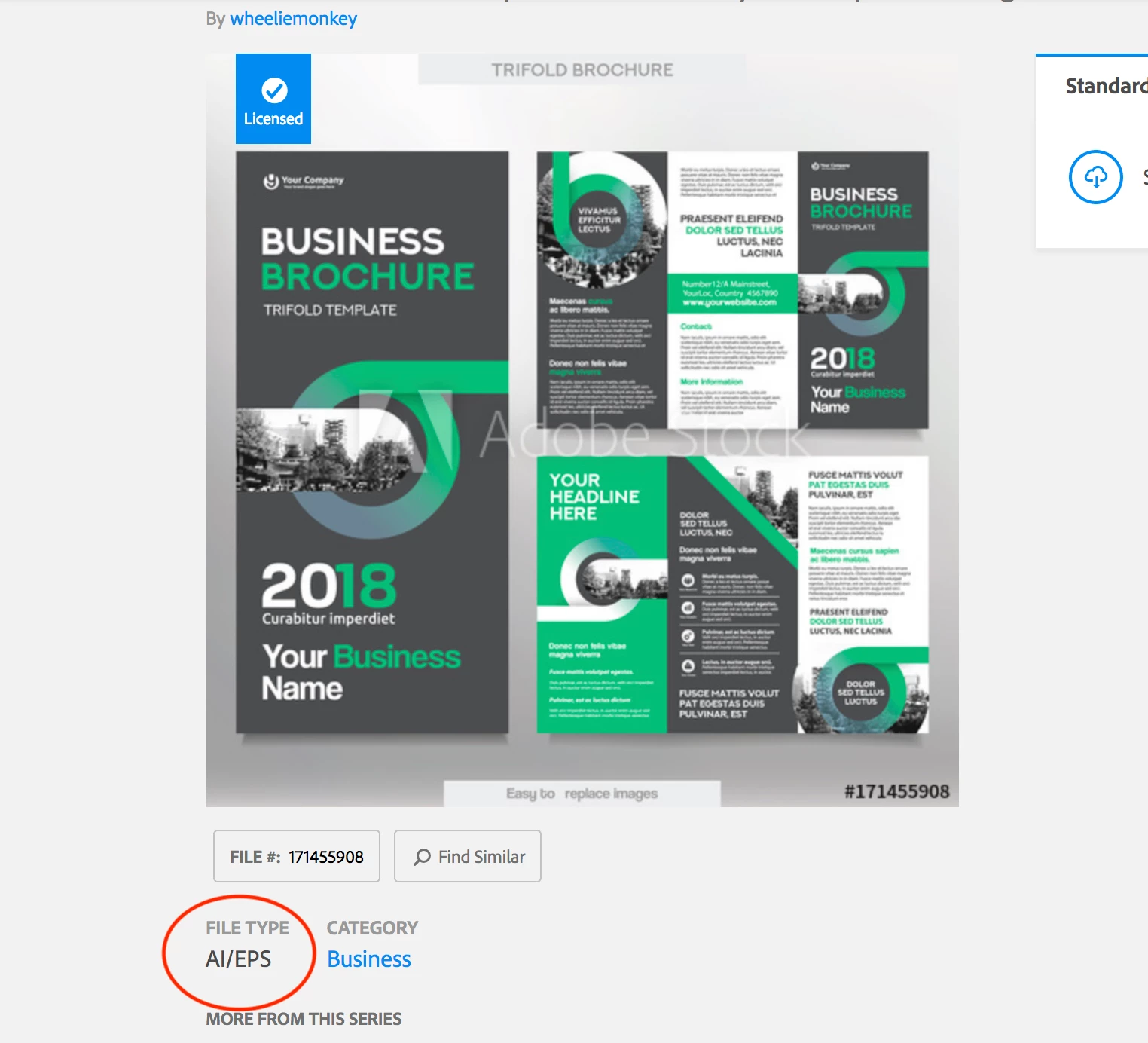
    Okay, now I see your dilemma. The file you downloaded was an .ai/.eps file. These files can be opened in Adobe Illustrator where all of the layers will be available.

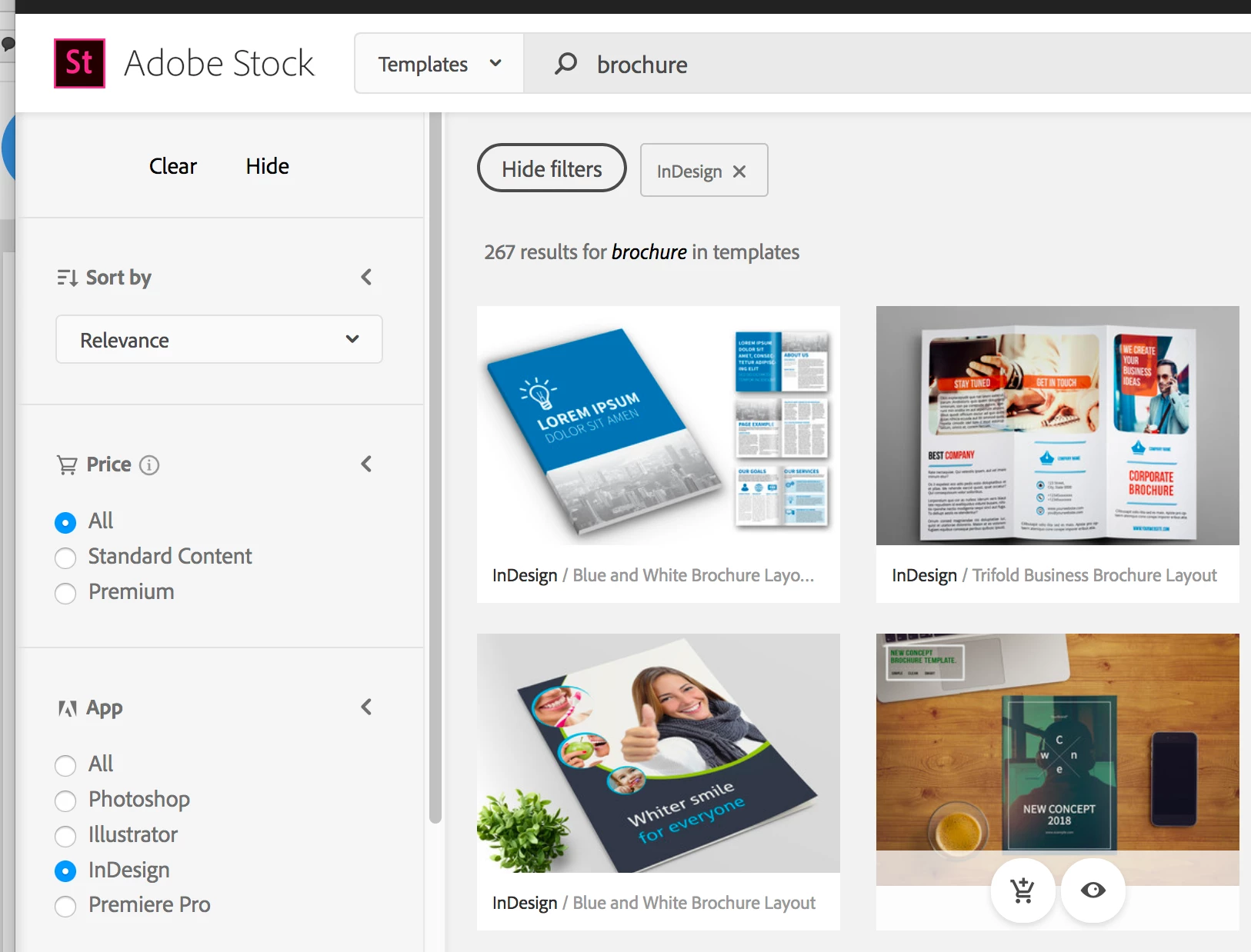
    If you filter on InDesign when you search for templates you'll find brochures that can be opened in that application.

    EBQ

    1 reply

    WendellaBee
    Adobe Employee
    Adobe Employee
    July 24, 2018

    Hi DH,

    The file is editable within Adobe Illustrator.

    EBQ

    Participant
    July 24, 2018

    Thanks for the reply. It is with Adobe Illustrator I am having the problem. The text is already has paths drawn around every character. I have access to Adobe Tk but never am prompted to sync fonts (if i'm missing it that is). I have selected different groups and "ungrouped" them but I have no way to edit the actual text in the template.

    Are all Illustrator templates listed as standard images? I wish I could figure this out.

    I must be missing a fundamental step here.

    WendellaBee
    Adobe Employee
    Adobe Employee
    July 24, 2018

    Ah, I see. You can remove those paths and add your own text.

    Some templates are not standard assets but most are standard. Being a standard asset means that if you have a subscription like those listed on Adobe Stock pricing and membership plan | Adobe Stock  you can use the licenses in the subscription to license the asset.

    EBQ