
Sttlmm08
Participant
September 20, 2017
Answered

Damaged Stock Image Purchased

  • September 20, 2017
  • 2 replies
  • 496 views

I just purchased image #14089171 and there is an white box that should not be a part of the image on my download. See screen shot. I would lik my account credited so I can download a different image this this one is damaged. http://prntscr.com/gnihw8
This topic has been closed for replies.
Correct answer twaritar3263062

I am trying to use the image in social media and since the image has to be small it appears that there is a white box in the image and I am unable to use the image now that I have purchased it. Here is a screen shot of what it looks like when I try to use it.

http://prntscr.com/gnm4qi


Marnie,

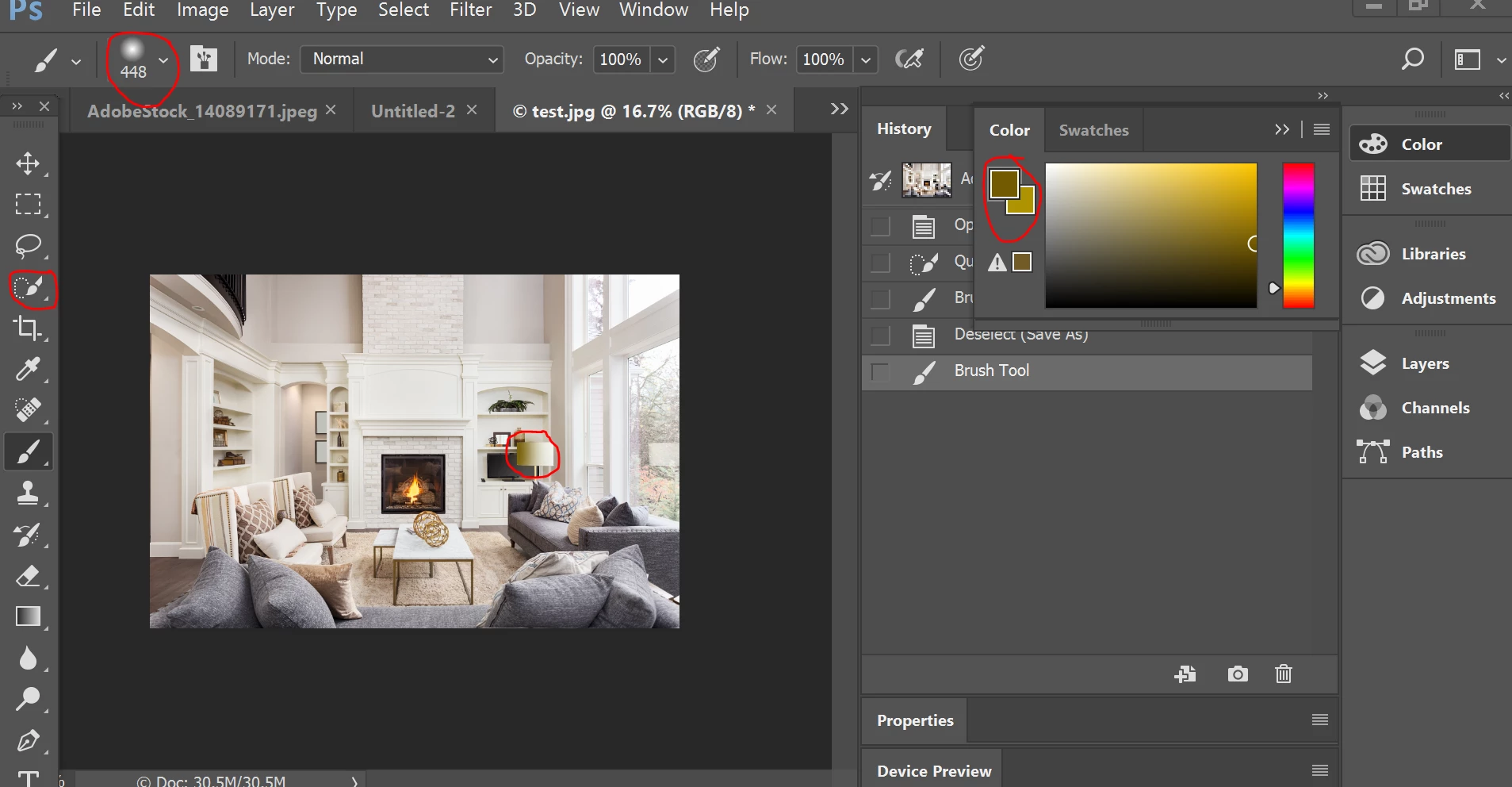
You can also edit the portion of the lampshade using Adobe Photoshop . Please see the screenshot below :

This can be achieved by the following steps:

  • Go to the selection tool. Select the lampshade.
  • Apply your desired color using the brush tool.

Let me know if this helps!

Regards,

Twarita

2 replies

Brad Lawryk
Legend
September 20, 2017

The white area you have the arrow pointing to in the image is a lampshade. Questionable photo composition maybe, but there isn't anything wrong with the file.

Sttlmm08
Sttlmm08Author
Participant
September 20, 2017

You are correct. I see it when I zoom in. I cannot use this photo though. How do I get a refund on this image?

twaritar3263062
twaritar3263062Correct answer
Participating Frequently
September 20, 2017

I am trying to use the image in social media and since the image has to be small it appears that there is a white box in the image and I am unable to use the image now that I have purchased it. Here is a screen shot of what it looks like when I try to use it.

http://prntscr.com/gnm4qi


Marnie,

You can also edit the portion of the lampshade using Adobe Photoshop . Please see the screenshot below :

This can be achieved by the following steps:

  • Go to the selection tool. Select the lampshade.
  • Apply your desired color using the brush tool.

Let me know if this helps!

Regards,

Twarita

Inspiring
September 20, 2017

marniesettle08  schrieb

I just purchased image #14089171 and there is an white box...

Hello

This picture number (#14089171) is different from the one shown on your screenshot (#154812627).

There is no white box on the picture (#154812627), this is a very bright lamp shade.:

Kind regards

Mario