Answered
How do I spend my credits?
My account says I have 1,000 Monthly generative credits. I found a stock photo I would like but there is not an option to buy with credits. Please help!

My account says I have 1,000 Monthly generative credits. I found a stock photo I would like but there is not an option to buy with credits. Please help!
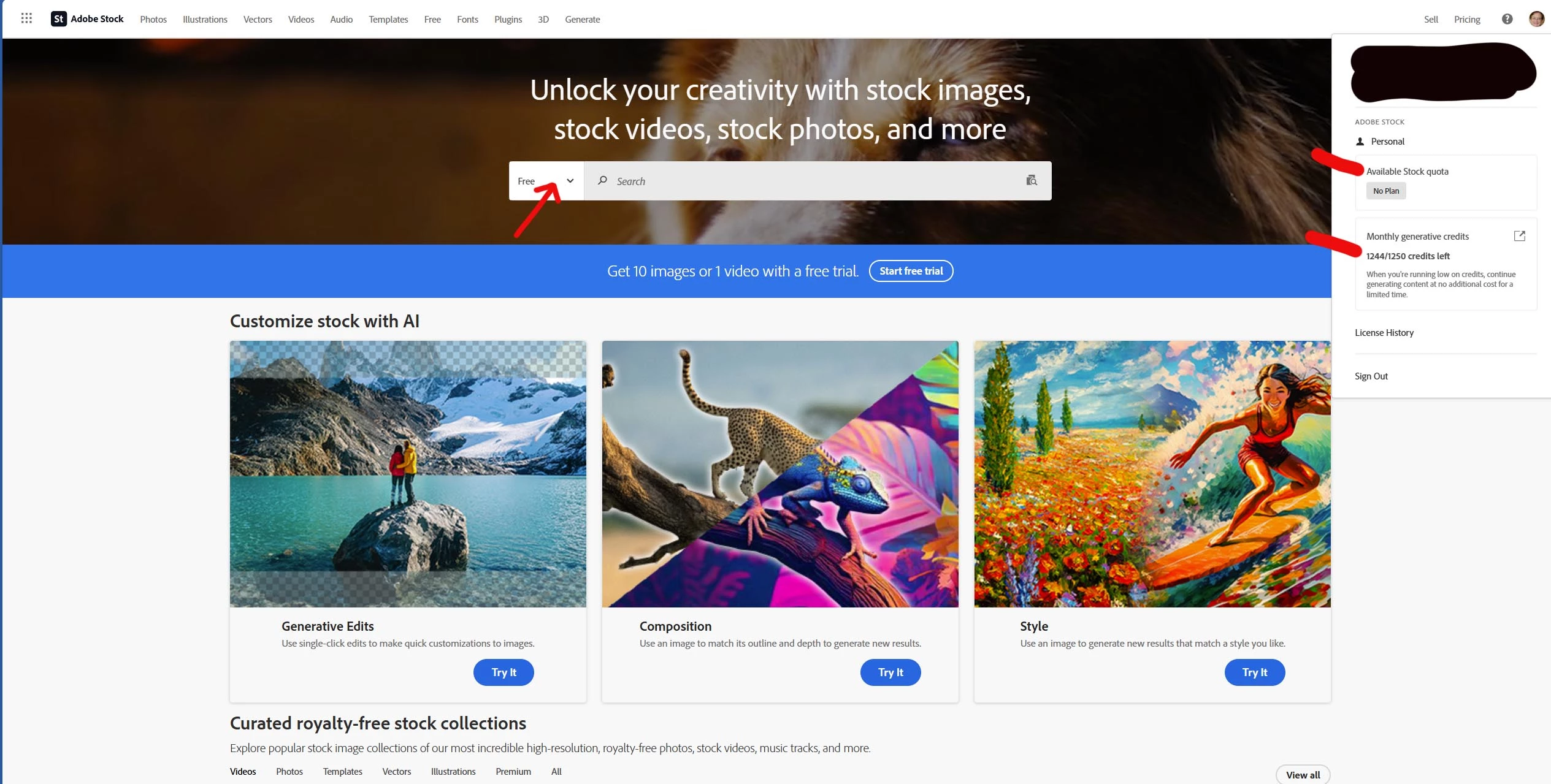
When you're on the Stock.Adobe.com web page, click on your account icon in the upper right corner. You'll see two areas:
Available Stock Quota - this indicates the number of Adobe Stock credits you have available; if you don't have an Adobe Stock subscription, it says "No Plan"
Monthly Generative Credits - these are the credits you referred to that get replenished each month as part of your Adobe Apps Subscription.
Keep in mind that Adobe Stock also makes available to you a library of >1.1 million assets in the Free Collection. You can license any of these (subject to daily limits of 3 assets per day), and use your Generative Credits to modify them.
Already have an account? Login
Enter your E-mail address. We'll send you an e-mail with instructions to reset your password.
 AdChoices