
Participant
September 7, 2017
Answered

I'm unable to Download Licensed Adobe Stock Images to My Computer. Can anyone help?

  • September 7, 2017
  • 2 replies
  • 2385 views

Alright, so I'm having issues with Adobe Stock. Every time I go to download an already licensed image it no longer gives me the option to save it to my computer. It only saves to my creative cloud libraries. I selected to open in Photoshop, and it doesn't. I select to save to my computer and it says "Saved" and a pop-up next to the saved says "Saving..." once those go away, it didn't do either of those things.
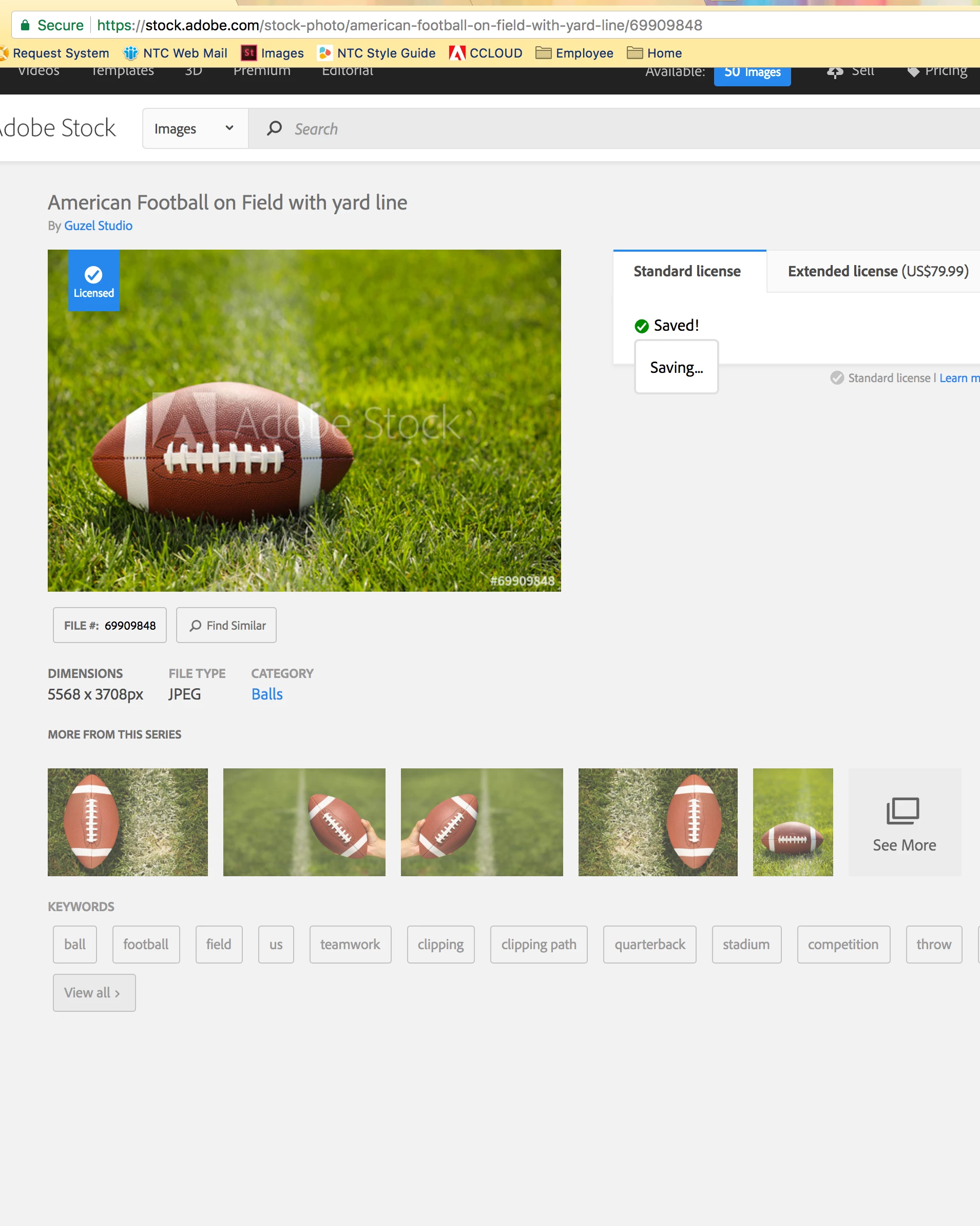
I followed everything on this web page: Unable to download Adobe Stock images, but nothing worked.

This topic has been closed for replies.
Correct answer WendellaBee

Hi RS,

Thank you for bringing this issue to our attention. We have a workaround for this. Save the image to a new library and then download it. Let me know if you require further assistance.

EBQ

2 replies

WendellaBee
Adobe Employee
Adobe Employee
September 13, 2017

Hi R. S.,

The download issue has been fixed as of yesterday. It did expose another bug on the site and the "Open In" feature may not work on already licensed images. We are planning a fix for this some time next week.

Please let us know if you have any questions or encounter and difficulties with the download/save to features.

EBQ

WendellaBee
Adobe Employee
WendellaBeeCorrect answer
Adobe Employee
September 7, 2017

Hi RS,

Thank you for bringing this issue to our attention. We have a workaround for this. Save the image to a new library and then download it. Let me know if you require further assistance.

EBQ