Participant
November 8, 2017
Answered

Images license

  • November 8, 2017
  • 1 reply
  • 747 views

About images downloaded.

I activated the free 10 images one-month plan and downloaded 4. When downloading I chose the option "acquire license and download".

I then deactivated the subscription and received an e-mail confirming this. The email contained following indication "you can still use the resources for which you acquired the license".

But I have no message whatsoever confirming the license for the 4 downloaded images.

Can I use these freely? (in this case, they would be showed on a company website)

How do I check whether I have the license or not? Whether I am allowed to use them?

Thanks a lot for any info.
    This topic has been closed for replies.
    Correct answer Abambo

    For 1:

    From the image side of view you do not see the license type. You see it, however, in your License History: https://stock.adobe.com/Member/LicenseHistory.

    For 2:

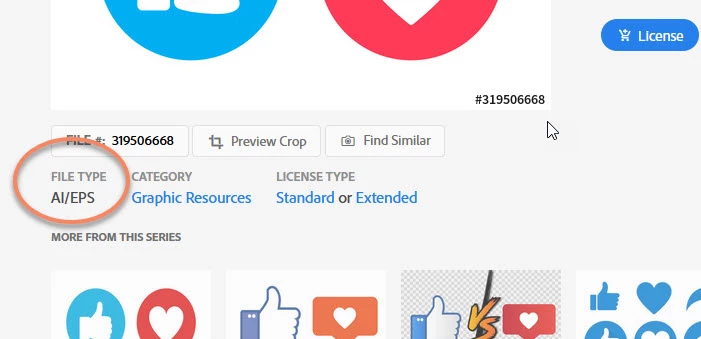
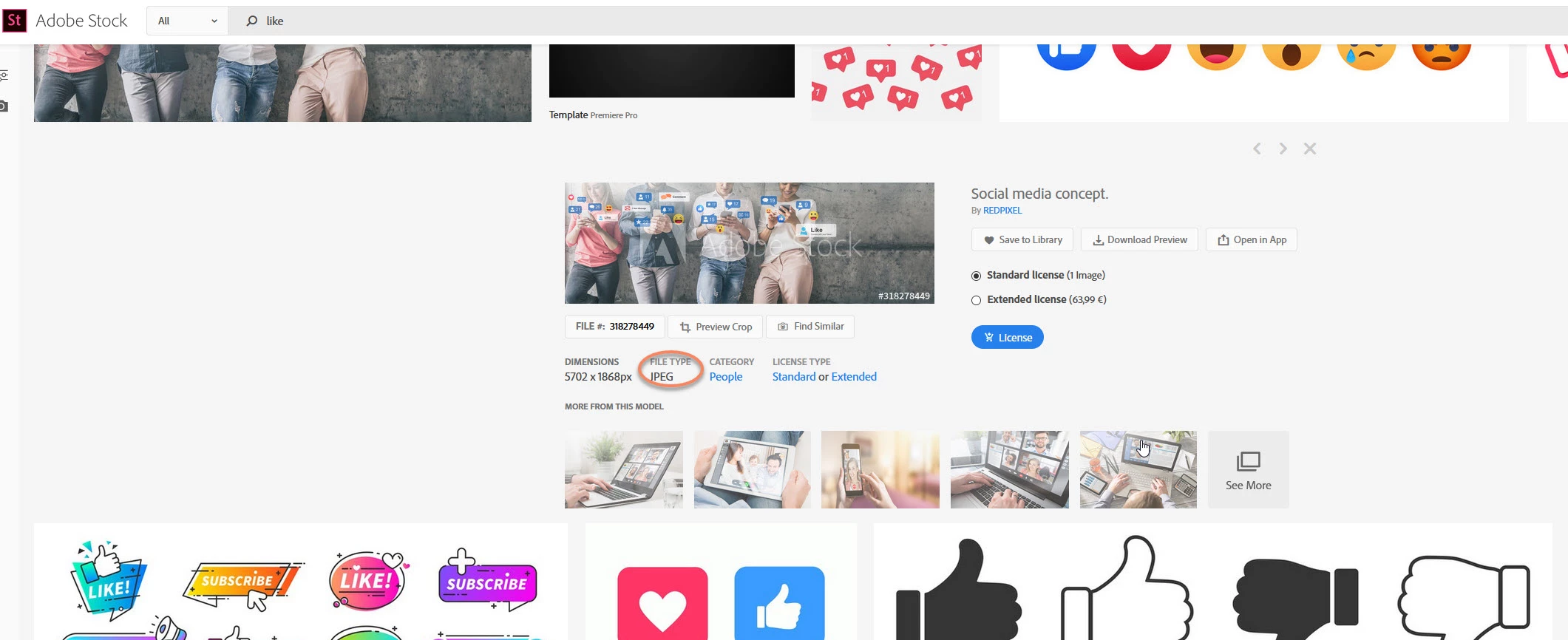
    You see the file format with the stock preview window:

    You don't see, however, if the file is an Ai or an EPS file as both are the same category.

    Ai/EPS files are vector files.


    For 3:

    You can open your files with any program you like, but Ai-vector files are especially snappy on the application, as the application must support the latest Adobe Illustrator file formats. The only application that does that is Adobe Illustrator. Some third p'arty applications support up to a certain flavour of files. So depending on the creation/Saving date of the file, it may or may not work with a third party program.


    1 reply

    twaritar3263062
    Participating Frequently
    November 8, 2017

    Hi Stefania,

    You can use the downloaded images freely as the images downloaded once remains forever in your license history.

    • Go to stock.adobe.com
    • Click on the license history

    Also, I would suggest you to go through Common Questions, Adobe Stock, https://www.adobe.com/content/dam/acom/en/legal/servicetou/Adobe_Stock_Terms-en_US-20170630_2200.pdf to understand better about the usage, terms and restrictions of Adobe Stock.

    Hope this information helps!

    Feel free to update this thread in case of any additional questions.

    Regards

    Twarita

    Participant
    May 5, 2020

    Hello Twarita, 

    I download licensed images to my computer but I do not know how to check their licenses. Some images were downloaded in JPEG format but there are on AI format. 

    1) How can I check license on downloaded images? 

    2) How do I know and choose format to download images?  

    3) Do I have to use any specific application(s) to open any license images? 


    Yours faithfully, 

    An 

    Abambo
    Community Expert
    AbamboCommunity ExpertCorrect answer
    Community Expert
    May 5, 2020

    For 1:

    From the image side of view you do not see the license type. You see it, however, in your License History: https://stock.adobe.com/Member/LicenseHistory.

    For 2:

    You see the file format with the stock preview window:

    You don't see, however, if the file is an Ai or an EPS file as both are the same category.

    Ai/EPS files are vector files.


    For 3:

    You can open your files with any program you like, but Ai-vector files are especially snappy on the application, as the application must support the latest Adobe Illustrator file formats. The only application that does that is Adobe Illustrator. Some third p'arty applications support up to a certain flavour of files. So depending on the creation/Saving date of the file, it may or may not work with a third party program.


    ABAMBO | Hard- and Software Engineer | Photographer