
Known Participant
August 4, 2020
Answered

Post has gone missing

  • August 4, 2020
  • 2 replies
  • 783 views

I recently posted on the forums about a problem with Adobe Stock images.


The iamges were said to have transparent backgrounds but, on downloading previews into Ilustrator and Photoshop, the images all had a checkerboard pattern which I could find no way to remove.


I received a number of helpful responses to the posting, although the central problem remains unreseolved.


But now the post has gone missing completely.


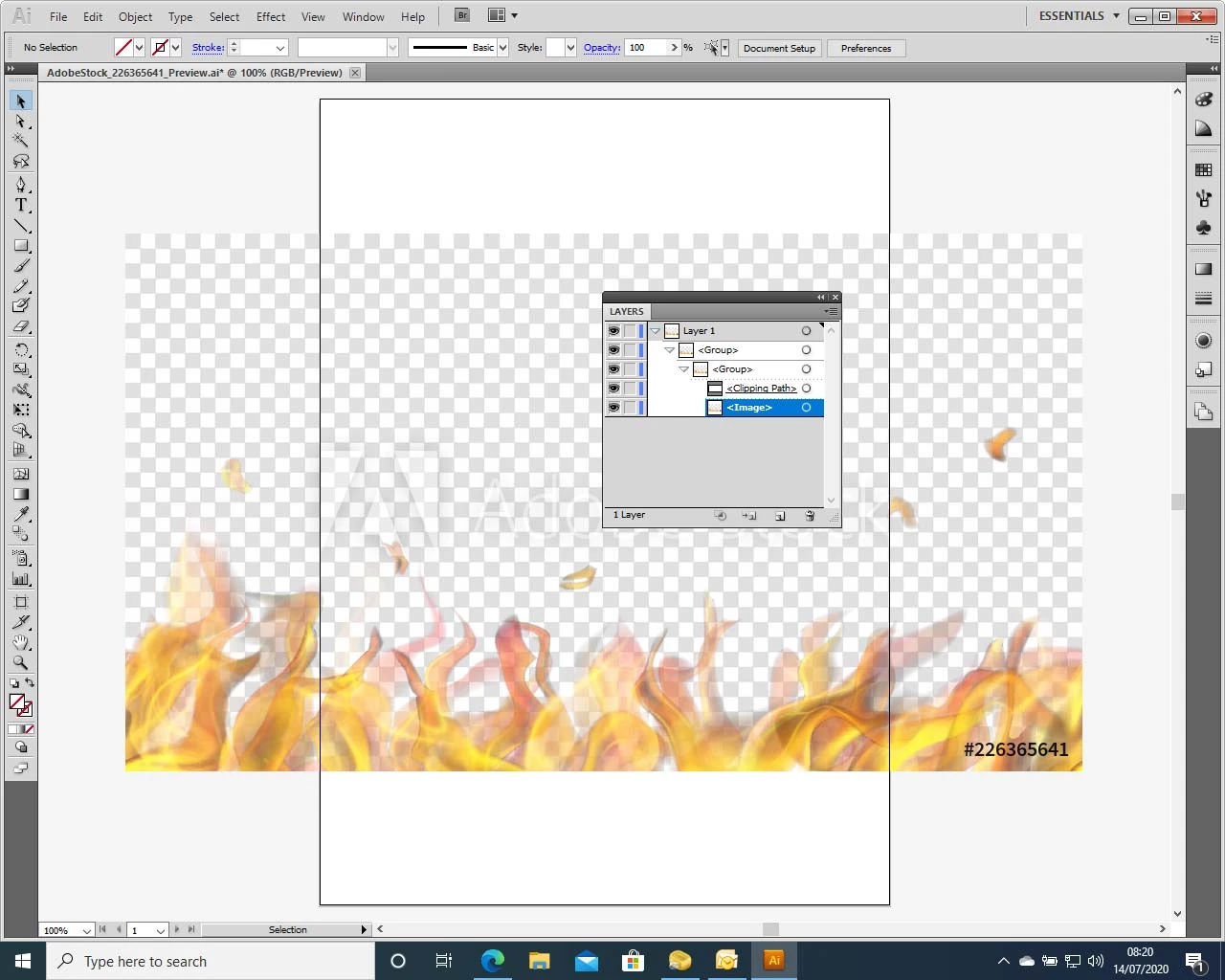
These are a couple of images which illustrate the problem: they show a downloaded proview of flames, said to have a transparent background, with the layers window showing there is no layer specifically for the checkerboard pattern which might have been turned off. 


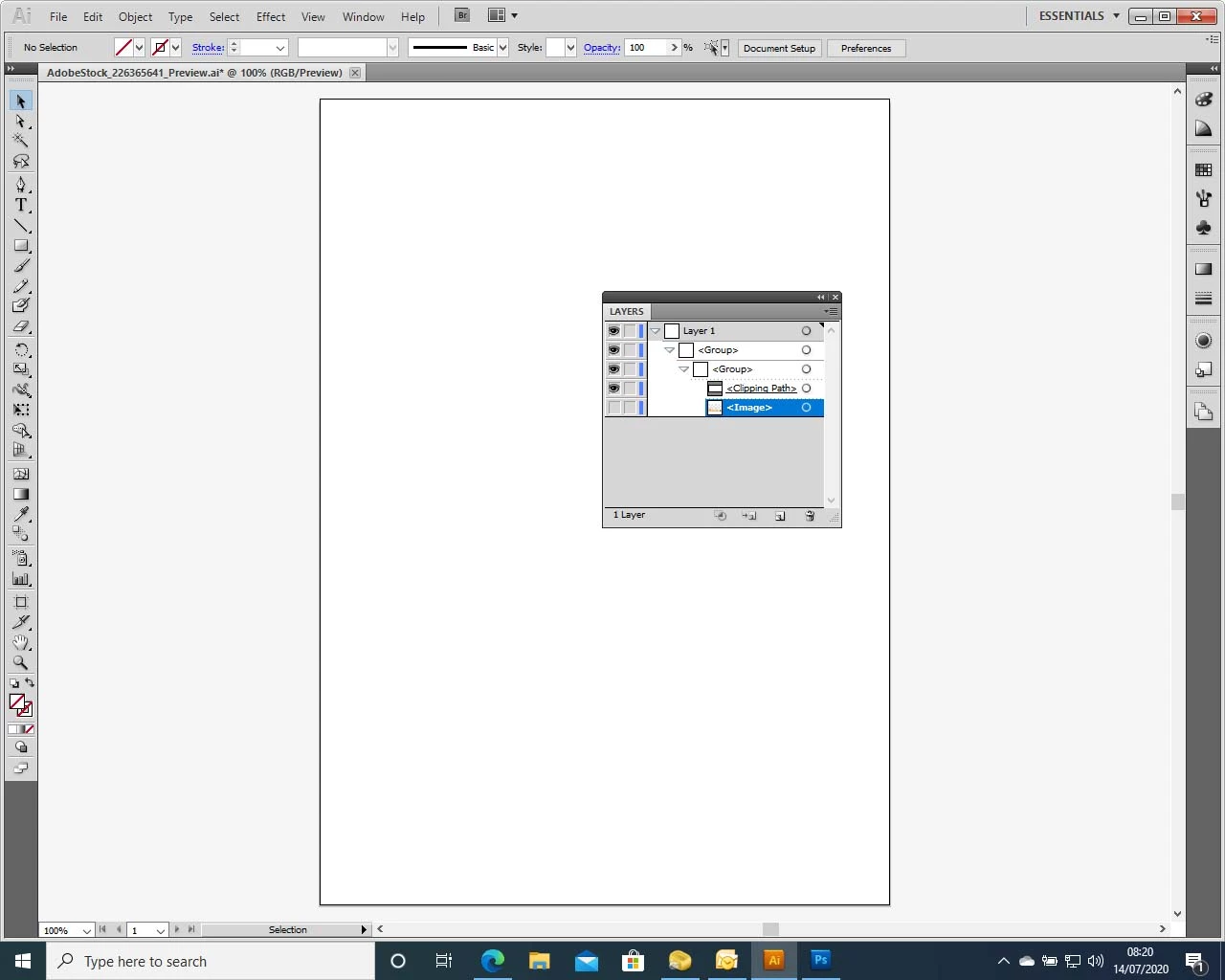
Turning off the only visable layers results in the entire image disappearing:


Any suggestions would be gratefully accepted.


And does anyone have any idea where that original post has gone?

This topic has been closed for replies.
Correct answer jane-e

Hi Chris,

I didn't notice the copyright watermark before, but I see it now. You downloaded the free preview. You need to purchase the image to get the proper editable Illustrator file.

~ Jane

2 replies

jane-e
Community Expert
Community Expert
August 4, 2020

Hi

Don't turn off the top level layer "Layer 1". I downloaded the file "226365641" to check it and see different layers than you have.

The Compound path on the background layer is the one that needs to be turned off.


~ Jane


Known Participant
August 5, 2020

Many thanks for your recent posting.


For some reason, we seem to have diferent layers showing for the same image.


The only layers I can find are those shown in the screen shot I showed earlier, ie : 


Group

    Group

    Clipping Path

    Image


There doesn't seem to be a Background layer at all.

jane-e
Community Expert
jane-eCommunity ExpertCorrect answer
Community Expert
August 5, 2020

Hi Chris,

I didn't notice the copyright watermark before, but I see it now. You downloaded the free preview. You need to purchase the image to get the proper editable Illustrator file.

~ Jane

Just Shoot Me
Legend
August 4, 2020

So people don't have to download the image you have attached to your post please Edit your post to remove the Attached screen shot and Include it in the body of the text of your post.

You do that by Clicking the "More..." link at the bottom of your post, Selecting "Edit Message" and then use the "Insert Photos" icon in the tool bar at the top of the Post/Reply/Edit dialog box like this.


Thank you.


I moved your post over from the poorly named Community Help forum, which is for getting help using this forum system, to a better forum.


I hope this helps. Best of luck to you.

Known Participant
August 4, 2020

Many thanks for your suggestion - I have edited the post as you suggest!

WendellaBee
Adobe Employee
Adobe Employee
August 4, 2020

You can see all of your posts from your profile page: https://community.adobe.com/t5/user/viewprofilepage/user-id/8987950