
Lance White
Participant
December 11, 2018
Answered

Seamless Texture

  • December 11, 2018
  • 2 replies
  • 280 views

I licensed this image: FILE #: 97081185

It wasn't until after the fact that I realized it is a JPEG file, not an AI. Am I missing something? How do I create a seamless pattern with this? The images have drop shadows over them, and the ones in the middle are TINY. What the heck? Please help.
    This topic has been closed for replies.
    Correct answer twaritar3263062

    Hi Lance,

    Thanks for reaching out to the Adobe Stock community.

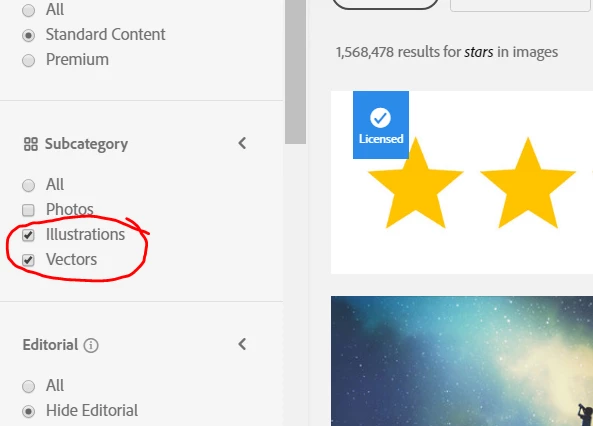
    I have checked the above file ( 97081185) and noticed that it is a JPEG file if you wish to only license Ai files, please filter your search on Adobe Stock website and select "Illustrations" or "Vectors" only as shown in the screenshot below:

    Feel free to update this thread in case of any additional questions.

    Regards,

    Twarita

    2 replies

    twaritar3263062
    Community Manager
    twaritar3263062Community ManagerCorrect answer
    Community Manager
    December 11, 2018

    Hi Lance,

    Thanks for reaching out to the Adobe Stock community.

    I have checked the above file ( 97081185) and noticed that it is a JPEG file if you wish to only license Ai files, please filter your search on Adobe Stock website and select "Illustrations" or "Vectors" only as shown in the screenshot below:

    Feel free to update this thread in case of any additional questions.

    Regards,

    Twarita

    Participant
    December 11, 2018

    Hello, this picture is not made by ai. Creating a seamless pattern may be achieved by means of professional textile or parametric software. I don't know what industry you are engaged in. I am very happy to communicate with you. You can contact me at xxxxxxxx Communicate.

    Removed Email address by Mod. Please use PM.