Participant
September 28, 2018
Answered

Search stock images by number

  • September 28, 2018
  • 3 replies
  • 14672 views

How do you search stock images by file number? I have cleared all the search filters and nothing is coming up for any of the files I'm looking for. Help!

Correct answer joon.Stock

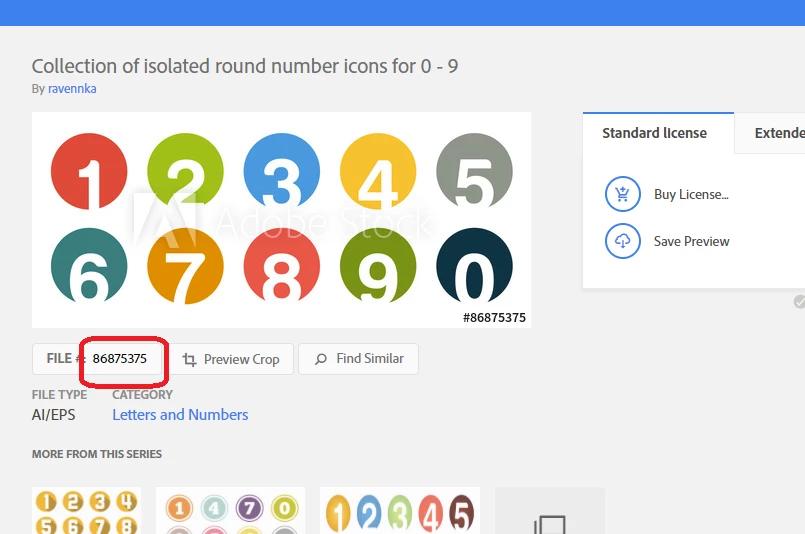
Hello Alec, you can simply enter file # in search keyword input area - just number portion of any assets.

Best regard,
3 replies

Participant
November 24, 2021

hello,  I downloaded an image preview from Adobe Stock in the last week (now 24 Nov 2021) I have searched by it's number and I can't find it. I've checked the image number stamped on the image. I've searched for the Artist @Ronash. Again nothing.


AdobeStock_458658221_Preview.jpeg. I need it for a client job and when I search the internet for the AdobeStock_458658221_Preview.jpeg it comes up on a a foreign website. 


Please help.


WendellaBee
Adobe Employee
Adobe Employee
November 30, 2021

I'm sorry, this file has been removed from the Adobe Stock site. You will need to choose another file.

joon.StockCorrect answer
Participating Frequently
September 28, 2018

Hello Alec, you can simply enter file # in search keyword input area - just number portion of any assets.

Best regard,

twaritar3263062
Participating Frequently
September 28, 2018

Hi Alec,

Thanks for reaching out to the Adobe Stock community.

Adobe Stock allows you to search for the file in many ways. You can type in a specific keyword on the search box to get the appropriate results or you may also enter the file number if you remember it.

To know more about the search options in Adobe Stock, please refer to Stock FAQ: What are the search options in Adobe Stock?

Hope this information helps!

Feel free to update this thread in case of any additional questions.

Regards,

Twarita