
dominikm61616765
Participant
May 7, 2018
Answered

Stock image download different than preview

  • May 7, 2018
  • 1 reply
  • 1066 views

Hi all,

I am interested in image number 22966689.

The image preview on the site shows a watermark but no other drawings inside the 4 images.
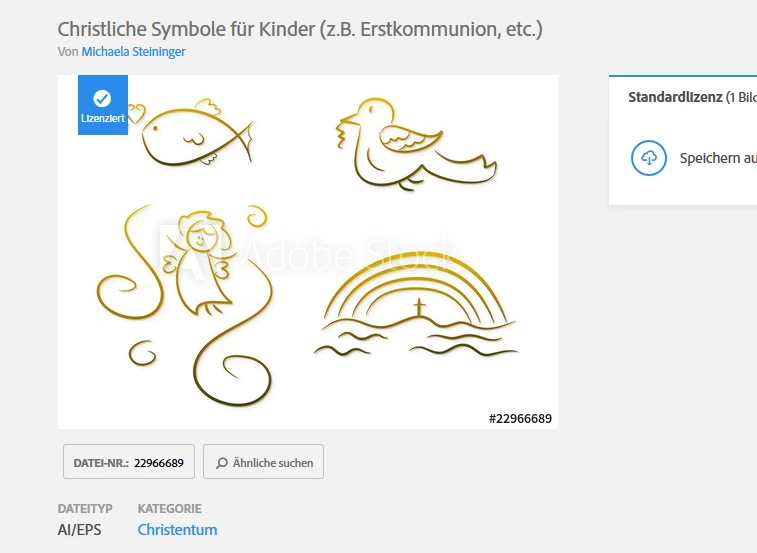
After downloading the Adobe Illustrater file, the image has drawings on top of all 4 images, which were not present in the preview.
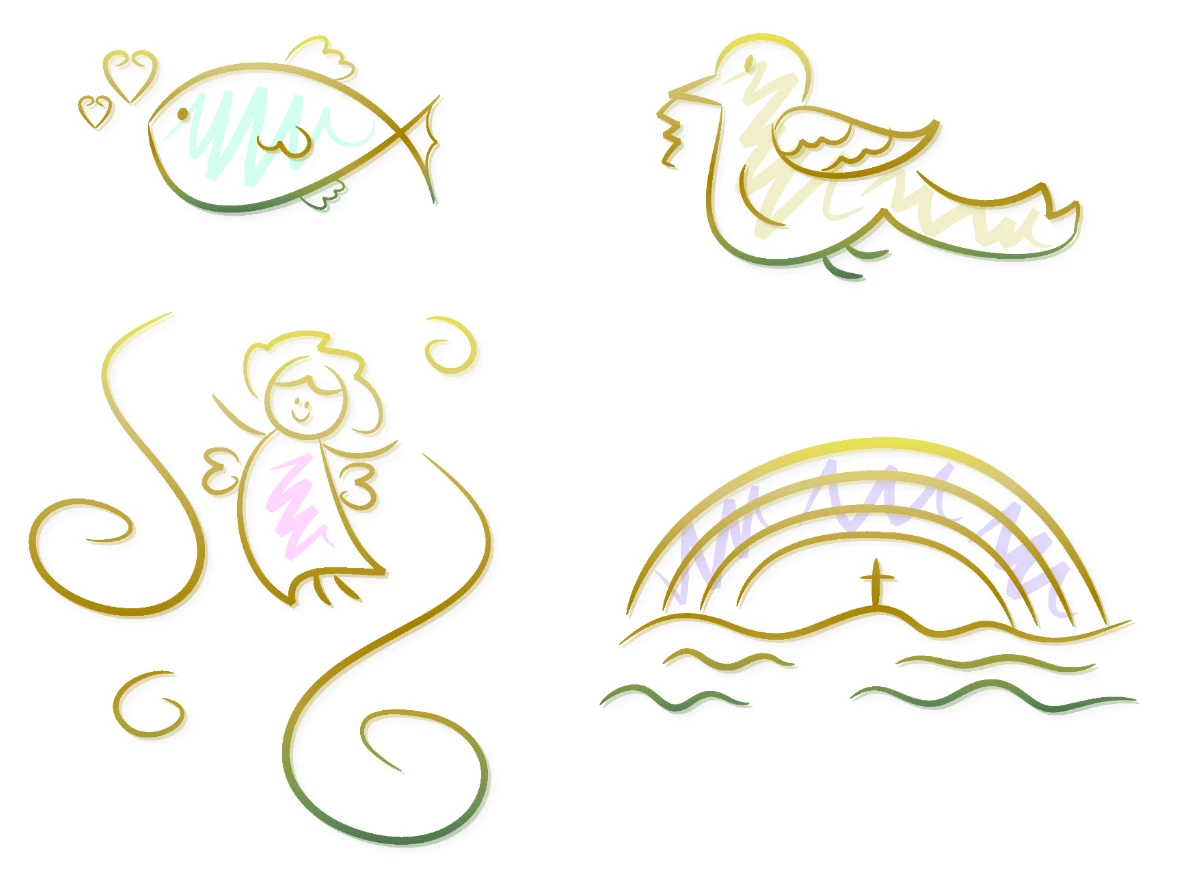
This is obviously no graphic card or monitor problem, as most lines are identical to the preview,
except the zig-zag drawings

Is there an issue with this image within the database?

Or is it the preview image which is wrong?

I would like to have the image as in the preview, without the additional drawings.

Just not sure if the issue is the preview or the downloaded image.

Any ideas?

This topic has been closed for replies.
Correct answer twaritar3263062

Dominik,

I have mentioned using Illustrator in my above post wherein you can delete/ remove the sublayers which contain the additional objects which you do not require.

If you do not have Illustrator, then as a workaround you may download the trial version of Illustrator(7days trial) and can remove the sublayers which you do not require in the file. After making the desired changes, please save your work.

You may use this link to download the trial version of Illustrator: Download a free trial or buy Adobe products | Adobe free trials & downloads.

If you still face troubles, please let us know so that we can further assist you.

Regards

Twarita

1 reply

twaritar3263062
Participating Frequently
May 7, 2018

Hi Dominik,

Sorry to hear that you are facing troubles with a Stock image.

I have downloaded and opened the file in Illustrator (22966689) at my end and I agree that the file seems a bit different from what it appears in the preview mode (the additional drawings on the image are not present in the preview mode).

Once you license the image, please go to the layer's panel and delete the sublayers with the objects. Then you can save it. Please see the screenshot below:

Feel free to update this thread in case of any additional questions.

Regards

Twarita

dominikm61616765
Participant
May 8, 2018

HI Twarita,

thanks for your answer.

You mentioned layer's panel. Where do I find this? On the Adobe Stock webpage (which I use now) or Photoshop? I want to use the image in a selfmade invitation. I don't have a sophisticated image editing tool like Photoshop.

Thanks and best regards,

Dominik

twaritar3263062
twaritar3263062Correct answer
Participating Frequently
May 8, 2018

Dominik,

I have mentioned using Illustrator in my above post wherein you can delete/ remove the sublayers which contain the additional objects which you do not require.

If you do not have Illustrator, then as a workaround you may download the trial version of Illustrator(7days trial) and can remove the sublayers which you do not require in the file. After making the desired changes, please save your work.

You may use this link to download the trial version of Illustrator: Download a free trial or buy Adobe products | Adobe free trials & downloads.

If you still face troubles, please let us know so that we can further assist you.

Regards

Twarita