


lwt89
Known Participant
March 11, 2024
Answered

Stop adobestock from syncing to library

  • March 11, 2024
  • 1 reply
  • 2784 views

Does anyone know how to stop adobestock from syncing the pics i download to my library? Everytime i download a photo, it appears in the Library with my other teammates. Annoys everyone as that Library gets clogged with stuff. I have to manually delete. Thanks!

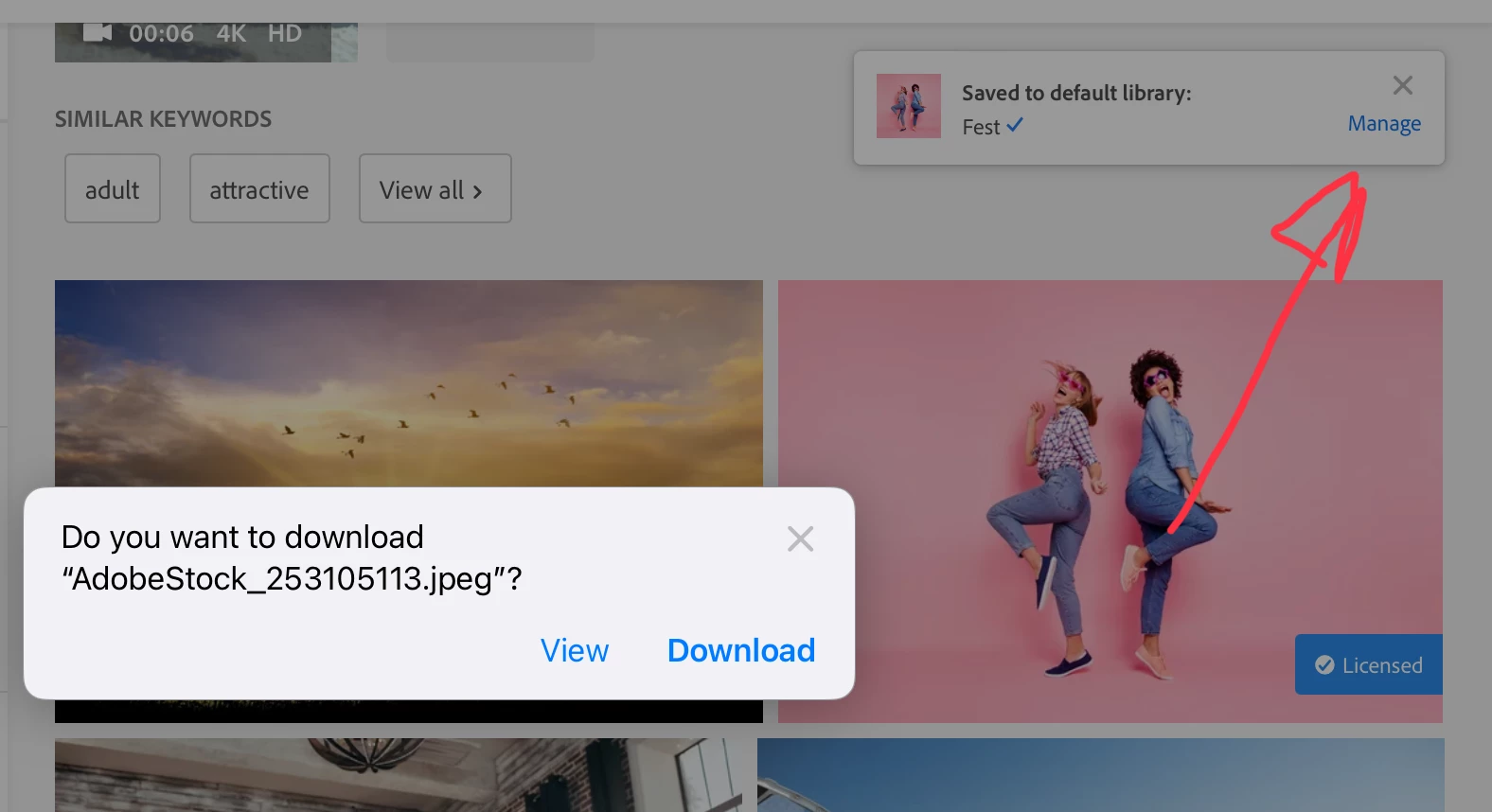
Correct answer Abambo

It pops up, when you licence an asset. 

You need to click "Manage".

1 reply

Adobe Employee
March 11, 2024

@lwt89 I believe what you are looking is the settings below. When the dialog "Saved to Library" pops up, click on it. It will bring up this dialog. Help it helps. 

-EB

lwt89
lwt89Author
Known Participant
March 12, 2024

im not sure where this dialog pops up. everytime i down an adobestock image to my desktop, it auto saves into my adobe library.

Abambo
AbamboCorrect answer
Adobe Expert
March 12, 2024

It pops up, when you licence an asset. 

You need to click "Manage".

ABAMBO | Hard- and Software Engineer | Photographer