
Participant
October 4, 2022
Answered

Video filter to exclude videos without audio

  • October 4, 2022
  • 3 replies
  • 445 views

I am currently trying to find a short video of a person talking to use as a test before some video is shot (for developing motion graphics). This is proving to be a painful search on Adobe Stock because there's no easy way to tell upfront what videos have audio or not. There should really be a filtering option to exclude videos that do not have audio. Also it makes no sense that videos without audio still have the audio control button showing up, this made me waste some time troubleshooting to see if maybe I was just having audio issues or if the audio was broken across Adobe Stock.


Thanks,

Alexa
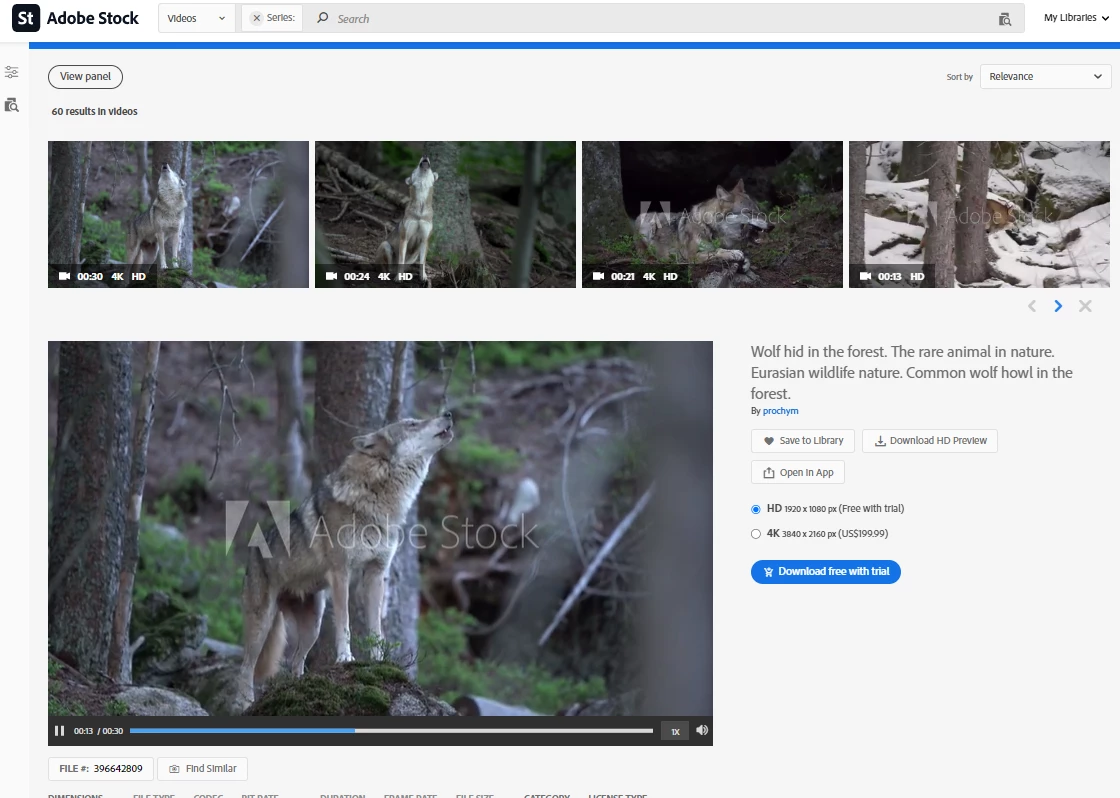
This topic has been closed for replies.
Correct answer joon.Stock

We don't currently have a way to filter them out, I will reach out to product team for this matter.  For now, I would like you to try to play preview thru details pane (where you click on thumbnail of video).


Best regards,

3 replies

Abambo
Community Expert
Community Expert
October 5, 2022

As you only require a test video, why not shooting your own video. You really only need a phone for doing that.

ABAMBO | Hard- and Software Engineer | Photographer
PaintedKitty
Community Expert
Community Expert
October 5, 2022

If you have Adobe Premiere? Shouldn't you be able to just dump the audio if you like?

Abambo
Community Expert
Community Expert
October 5, 2022
quote

If you have Adobe Premiere? Shouldn't you be able to just dump the audio if you like?


By @PaintedKitty

OP want's to select videos with audio.

ABAMBO | Hard- and Software Engineer | Photographer
joon.StockCommunity ManagerCorrect answer
Community Manager
October 4, 2022

We don't currently have a way to filter them out, I will reach out to product team for this matter.  For now, I would like you to try to play preview thru details pane (where you click on thumbnail of video).


Best regards,

Alexa5C0DAuthor
Participant
October 5, 2022

Thanks for sharing this with the product team, I currently just play the video preview but it's still a big waste of time having to start the preview for every video on the search results page just to figure out which ones have audio. And I discovered that even videos without audio have "audio" listed in the tags so that didn't help in trying to remove silent videos from my search.