
Participant
October 31, 2017
Answered

WTF search results

  • October 31, 2017
  • 4 replies
  • 814 views

You know, I really didn't want to address this publicly but it appears this was my only choice for contacting Adobe.

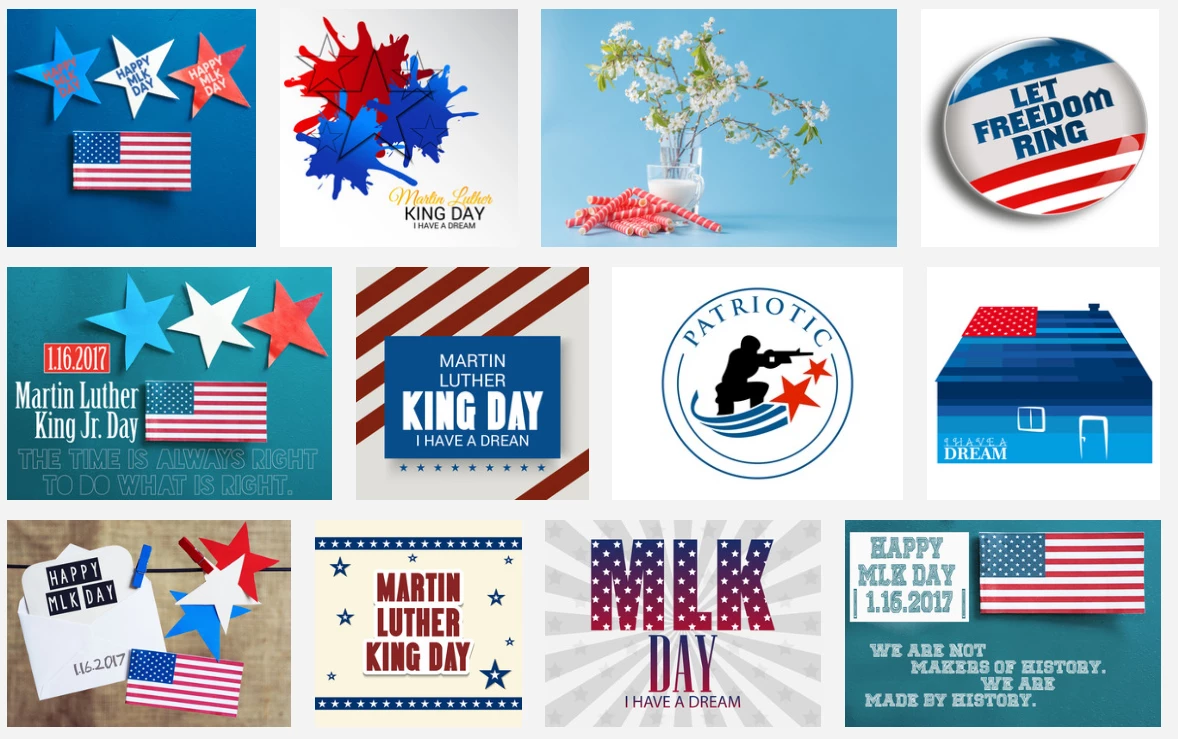
I'm working on an ad for a MLK event, so I search for "MLK". See anything that looks crazy inappropriate?
This topic has been closed for replies.
Correct answer joon.Stock

As to your reminder, we have successfully removed the subject image from your search.

Regards

Joon

4 replies

joon.StockCommunity ManagerCorrect answer
Community Manager
November 14, 2017

As to your reminder, we have successfully removed the subject image from your search.

Regards

Joon

WendellaBee
Adobe Employee
Adobe Employee
November 1, 2017

Hi Mike,

It would be helpful if you could provide the string you searched for to get your results.

EBQ

Participant
November 2, 2017

I literally searched for "MLK". I did it again today and it showed up on the third page.

Mlk photos, royalty-free images, graphics, vectors & videos | Adobe Stock

Community Manager
November 2, 2017

We will follow up and address an appropriate action on your search, thanks for informing.  Yes, I do also notice it on page 3 from search results.

jane-e
Community Expert
Community Expert
November 1, 2017

I am doing a search for MLK one day later and the offensive image does not show up in my search, so good reporting to the Adobe Stock team! Curious and amused about the strawberries, though...

Sheena Kaul
Community Manager
Community Manager
October 31, 2017

Hi Mike,

I apologize for the troubles that you have been facing with Adobe Stock searches.

The search results come up matching the keywords that you enter with the keywords that are provided by the Contributor with that file.

You might want to try out the filter options in the left pane to refine your search results.

Rest be assured, Stock team is definitely working on improving the searches constantly and I will pass on the feedback to them.

Regards,

Sheena