Answered
How can I update the keywords for an image file?
Hi, I have just had an illustration approved for sale by Fotolia however I would like to update the keywords. Is it possible to edit keywords of an image file?
Thanks, Charlotte

Hi, I have just had an illustration approved for sale by Fotolia however I would like to update the keywords. Is it possible to edit keywords of an image file?
Thanks, Charlotte
Hi Charlotte
You can change with Fotolia only the order of the keyword(s).:
-> go to: my account > Contributor Area - my files > all my uploaded files
-> search your favorite content (ID)
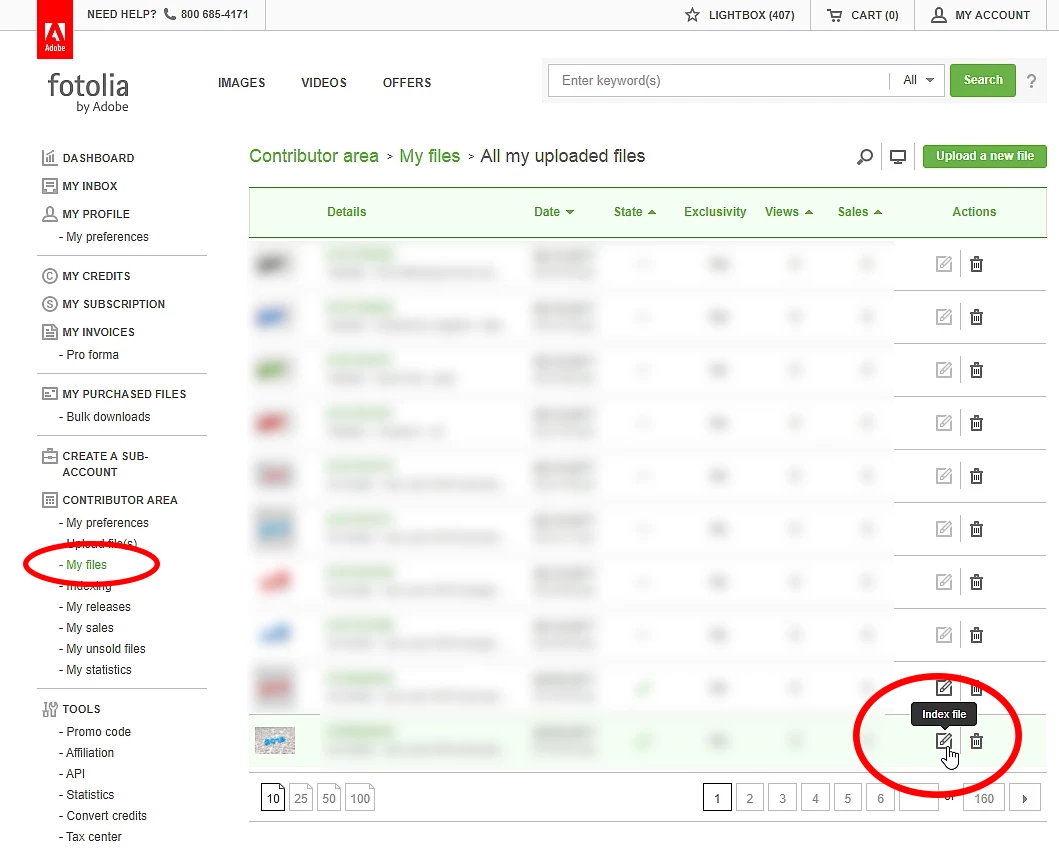
-> click on "Index file"
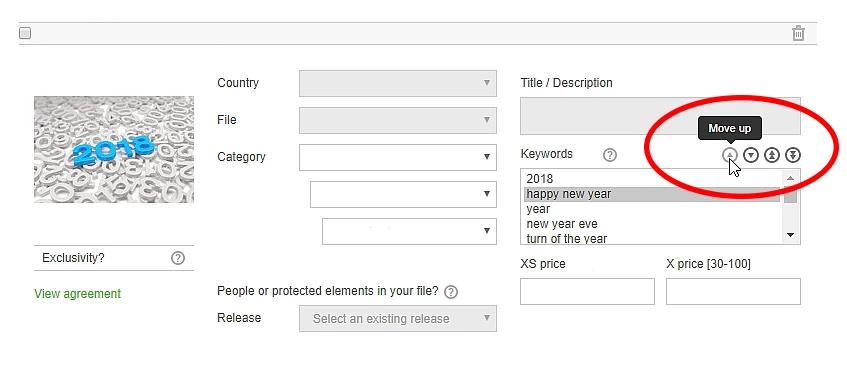
-> select keyword(s) and click "move up" or "move down" or "move to top" or "move to bottom"
___________________________________________________________________________________
___________________________________________________________________________________
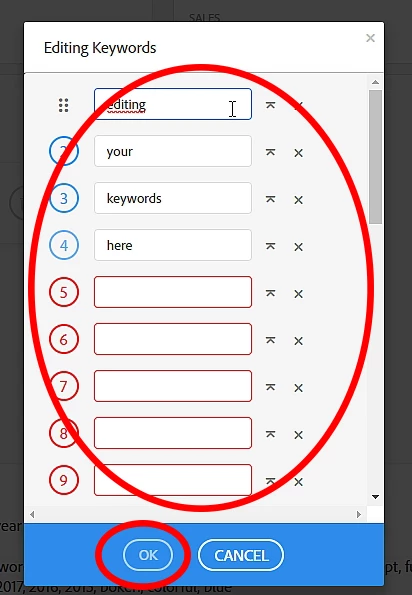
You can sort and editing keywords in AdobeStock:
-> go to: AdobeStock Contributor - Portfolio
-> search your favorite content -> click
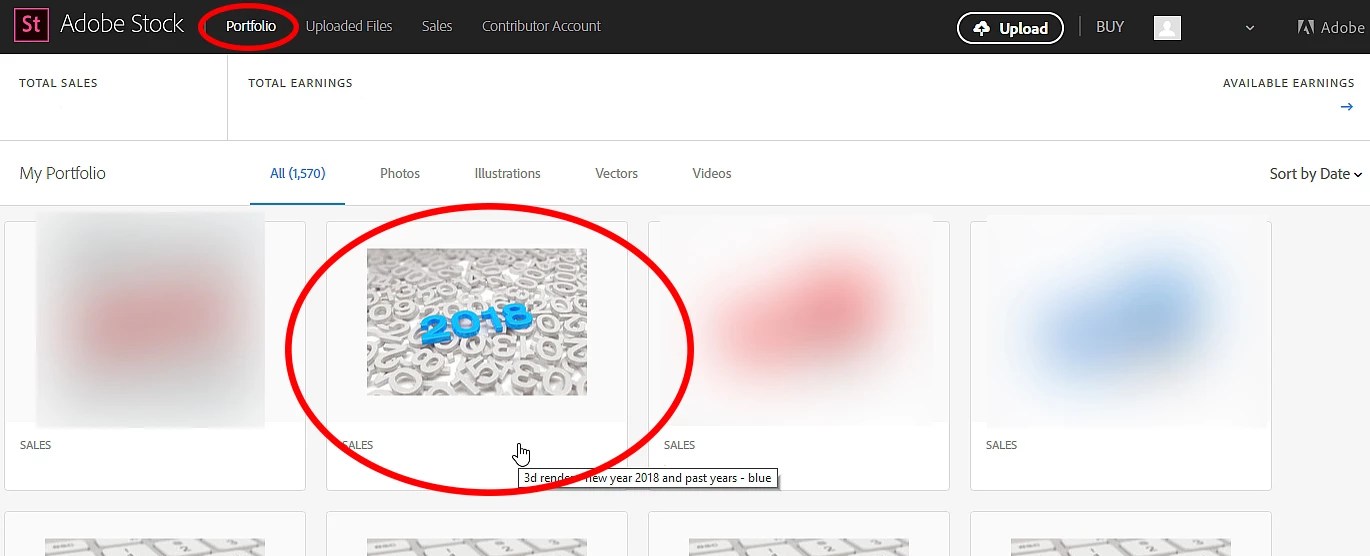
-> Keyword - click on the blue pencil
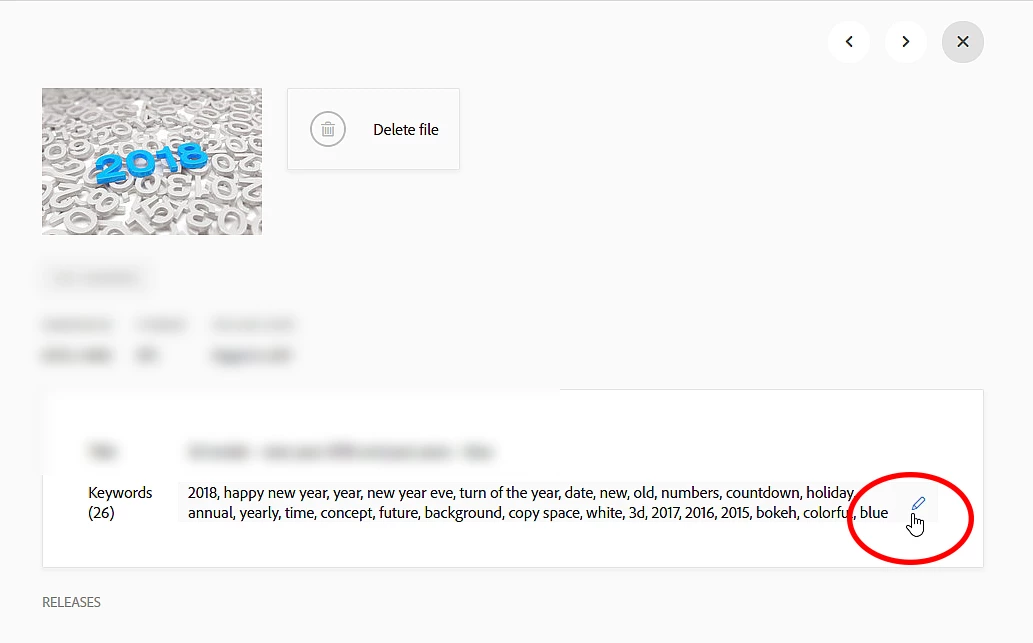
-> editing keywords and click "OK"
best regards
Mario
Already have an account? Login
Enter your E-mail address. We'll send you an e-mail with instructions to reset your password.
 AdChoices