The-Hobby-Snapper
Participating Frequently
March 25, 2019
Answered

Photo rejected after request for model release

  • March 25, 2019
  • 2 replies
  • 4673 views

Hi,

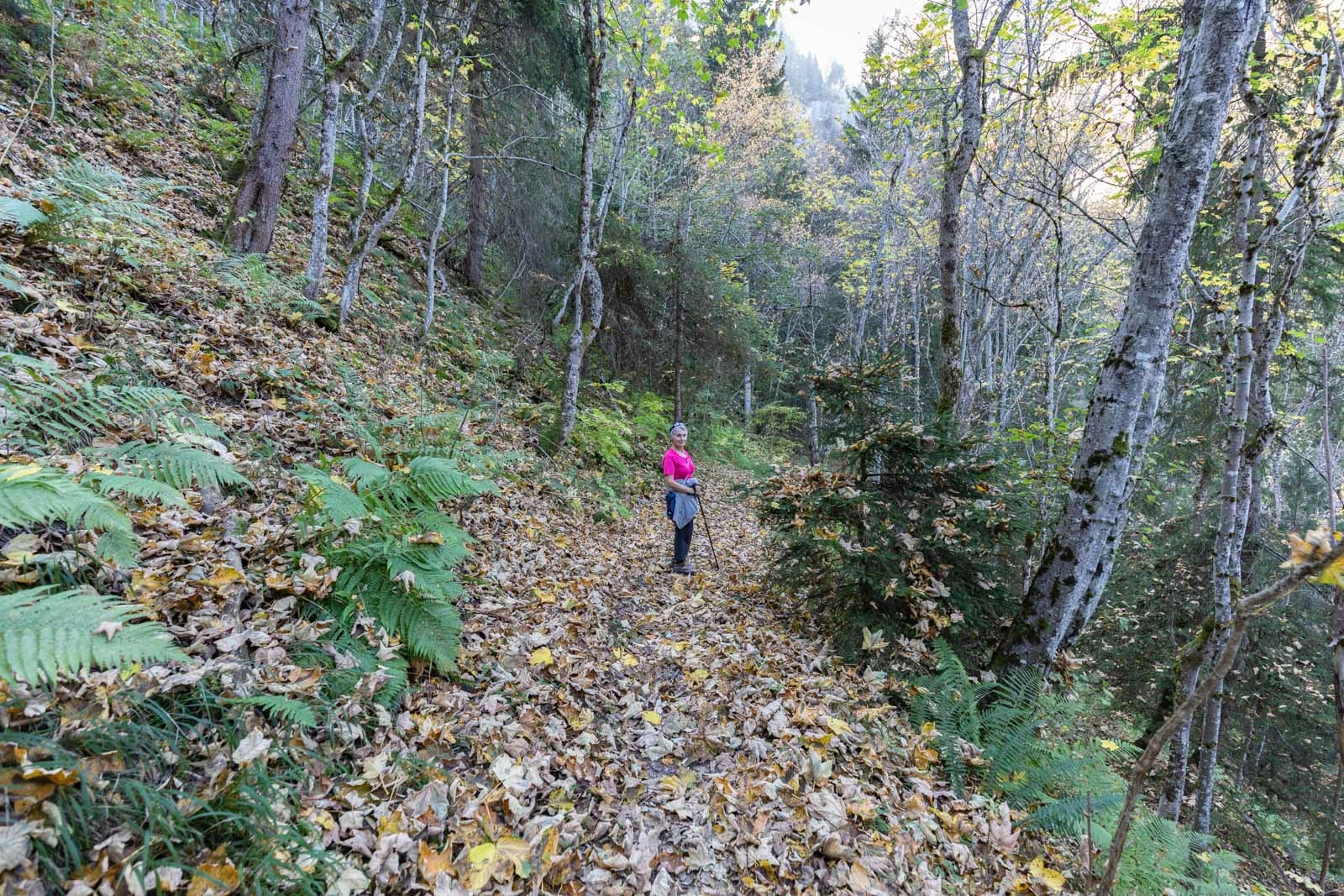
I submitted the image below a week or so ago.

The photo was initially moved to the 'Reminder' section and a Model Release was requested.

I completed a model release form and submitted it (my first ever model release form...).

The photo was rejected again due to a problem with the model release form. No information was provided as to why the form was rejected!!

On reading through the model release form that I had originally submitted, I noticed that I had made a mistake with one of the dates I had entered so I corrected this and re-submitted.

Today I received an email informing me that the photo has been rejected due to "Non Compliant Content ".

I would be very interested to know why the photo/model release has been rejected so that I don't make the same mistake again.

Can anybody advise please?

Thanks

Ernie

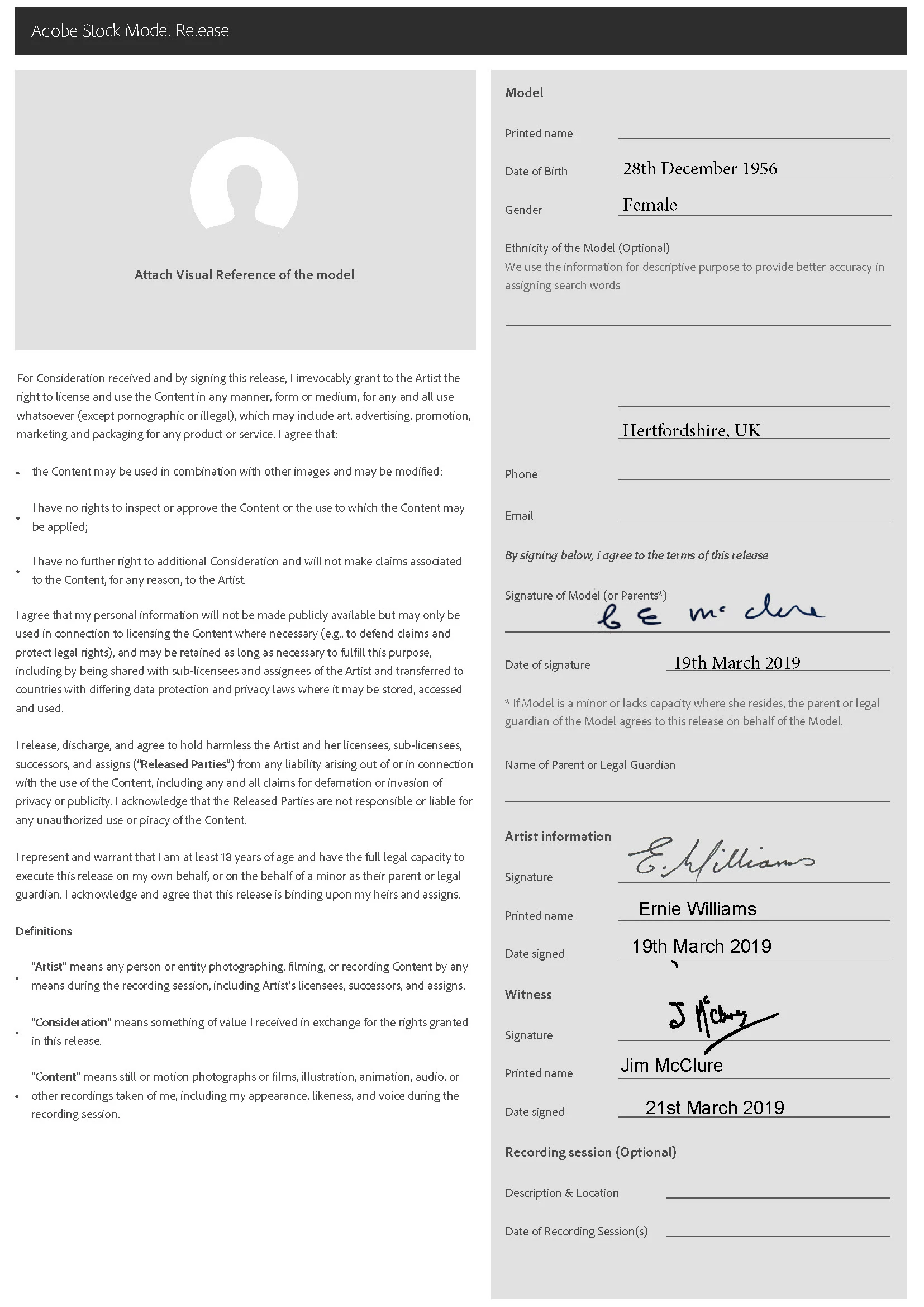
EDITED to add copy of the model release form with personal details removed
This topic has been closed for replies.
Correct answer jacquelingphoto2017

Hi Hobby-Snapper

  1. It doesn't matter when and where you complete the release form. The signing is the critical aspect. All the dates have to match. A witness on any form should be one who knows for sure that the signature(s) that belongs to the relevant signee(s) is such. I hardly walk with my releases forms except of course I'm going far and equip myself for the eventuality. Otherwise, I prepare the form after selecting and doing the necessary correction then return for the signature(s). For new models I'll have the photo uploaded and untagged, for many days sometimes, until I return to get the form(s) signed. The good thing about it is that once a release is accepted, you use the same release for the relevant model for subsequent, or multiple photoshoots. It is quite difficult to decide not to take photos that require releases. Many of the best shots you'll get will have recognizable people and/or places in them.
  2. The information is there on the form to attach a photo of the model. On the release form at the top left in the blank area it says, "Attach Visual Reference of the model". You just need to attach right there a copy of the same photo you are uploading.

Like any other organization, Adobe has their way of doing things. Handling millions of photos on a daily basis, reviewing promptly, and as accurate as it is done is not and easy task. So the forums are provided so that experienced volunteers like myself can assist to relieve the workload. In the mean time you are provided with minimal information, and directed to where you can get more detailed info, the forum. While we cannot answer all questions, we are able to answer most based on our experience, and seek answers for those questions we cannot.

Another thing, it is imperative that the correct answers of these forums be so correctly marked. The information here is left for the benefit of others who like yourself seek answers.

If you have not done so as yet, please read through all the information, and sub-info of the following links:

tagproducts_SG_STOCK-CONTRIBUTOR_i18nKeyHelppagetitle

Model release and protection guidelines for Adobe Stock

Regards

JG

2 replies

jacquelingphoto2017
Community Expert
Community Expert
March 26, 2019

Hi Hobby-Snapper

The issue is with the dates. The witness should be present witnessing the signing of the model and yours. All three should be done at the same place and time. That is how the legal system works. Therefore if the witness date is different, then this would make the release invalid. Hence you need to have all three dates as the same March 19, 2019. Correct that and resubmit your photo. If there's no other issue it will be accepted.

I take it that all the other information was correct.  And also make sure a photo of the relevant model is attached at the top left of the form. If you want to make sure, do-up a fake form and upload here for us to check.

Regards

JG

The-Hobby-Snapper
Participating Frequently
March 26, 2019

HI JG,

Thank you for the information, I think you have answered my question.

1) I completed the Model Release retrospectively, not on location

2) I was not aware of the requirement to provide a photo of the model with the form.

I just wish Adobe had provided me with their definitive reasoning for rejecting my submission at the point of the rejection!!

I think in future I will just steer clear of submitting anything that may remotely require a model release!!

jacquelingphoto2017
Community Expert
Community Expert
March 26, 2019

That's OK. But consider this:

I as a model (especially as a non-professional one) could be OK with a specific shoot or series of shoots. I give therefore my OK and sign the model release. With that release, all other pictures that were taken in the past or are taken in the future are automatically released for publishing on Adobe stock.

That for sure is not quite the aim of the release. I as a photographer would be well advised to ask the model release for each shoot you do (not each picture!) and keep that with my documents. I wouldn't upload pictures where I would not have some kind of release. We do that for employee shoots that we intend to use in our publications. With GPDR it's now even required to have that form by hand.

For professional models you will have a contract in which you will state the aim of the shooting, the scope of use etc. Therefore a model release is enough as long as you do a contract for each shoot.

If you are located in Europe at least, it is highly recommended to do good contracts and model releases.


Hi Abambo

In the case of contracted models, shoots would be in the scope of your personal contract with the model, however there's complexity with your explanation. We are supposed to be doing real life activity photography, not studio, a sequence of shoots can be at the same place but different locations, or the same location different days, or same day different places as in the case of road trips, or a photo that was taken last year, but choose to upload this year. For a remote institution to know the difference it would be difficult. That would be asking for a release for each image, and for the photographer asking permission to upload each images you take. So one release, one permit and that's sufficient.

Regards

JG

joanH
Inspiring
March 25, 2019

Hello Hobby-Snapper. I would like to have a satisfying informative answer for you but I do not. I do have my similar experiences and also those of many colleagues. We all have had quite a few of these experiences in the early days of our offerings to stock and the reviewers. Not Fun!

First of all, I personally recommend that you make the face of the model unrecognizable; show back of head, hair or cast a shadow over the face. Then resubmit it. Caution, if it is NOT accepted then, there might be other errors found. If it is a good clear picture with no person identified, you will not need the release form. Examine your work at 200% enlargement before sending it - this will reveal any other problems like noise and logos.

As for the release process, we have had good and not so good experiences using the offered process and system sent by Adobe. I avoid all model releases if I can. I am an illustrator and will rarely need one with my original artwork. However, funny thing, if my art is too realistic or too good, Adobe asks me if it is my own work by requesting a created original art release form.

No, this is not all there is to this but this is a fairly fast way to know why rejection happens and how to get your art accepted. More information for your benefit at this link. Let me know how this goes. Best regards, JH

Property release and protection guidelines for Adobe Stock is also an important document to read through. Property release guidelines will link you to "Known Image Restriction".

Property release and protection guidelines for Adobe Stock should give you a clearer understanding of what is required. Known image restrictions will give you a more comprehensive knowledge of what is not accepted, and with other's, what composition is accepted.

The-Hobby-Snapper
Participating Frequently
March 25, 2019

Thanks for the advice

I would be very interested to know why, after requesting a model release form and my submitting a signed release form, the photo was rejected? I would understand if the photo been rejected in the first instance for some technical/artistic reason but it wasn't.

joanH
Inspiring
March 25, 2019

Well, Hobby-Snapper- the first model release is something you as the creator must know about and faithfully supply. If you do not send one with the first offering all hope of stock acceptance is gone. If your release was improperly filled out, that is non-compliance - conformance with a legal regulation set by Adobe. Adobe is moving to protect us all from copyright infringements on the open world markets.  These copyright regulations are only getting  more complex and stringent.  First things first. Get your releases early - copy the Adobe forms and carry them with you for shoots. Regards, JH