
Known Participant
August 3, 2023

Painter won't load materials into my library

  • August 3, 2023
  • 17 replies
  • 2398 views

HEllo,


I copied some downloaded materials into my assets folder and when I opened Painter I got this message regarding several materials that the program didn't import. 
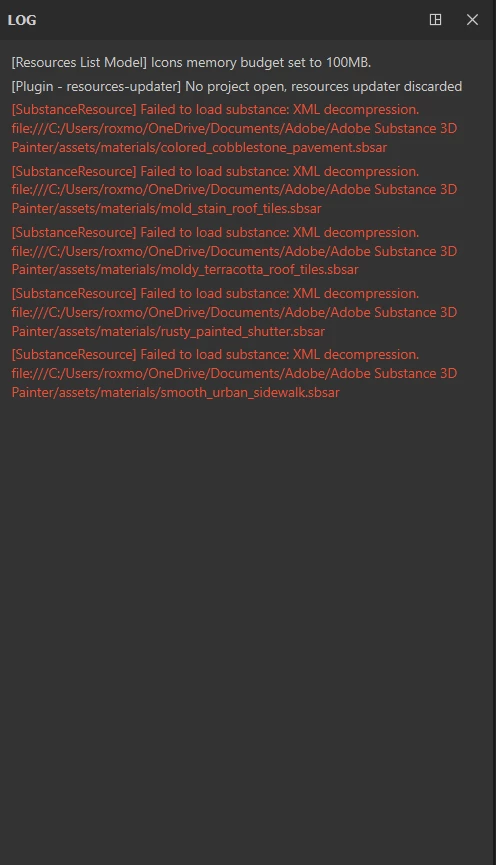
 

I copy the assets in the same folder I've always used : \Documents\Adobe\Adobe Substance 3D Painter\assets\materials

17 replies

davescm
Community Expert
Community Expert
August 8, 2023

Your welcome. Enjoy using the materials.

Dave

RoxanaMDAuthor
Known Participant
August 8, 2023

Oh, ok, sorry. Thought there's another way. Thanks again for everything.

davescm
Community Expert
Community Expert
August 8, 2023

It depends on your browser settings. I use Firefox and have it set to 'always ask' for the download folder.

Dave

RoxanaMDAuthor
Known Participant
August 8, 2023

Ok, it seems to work just fine now. Thank you!

I have one last question. In order to save the materials directly to my new location, I had to change the downloads destination folder and not everything I donwload are materials and assets from Adobe and so I want to keep my original destination. Question: is there another way to download assets from the Substance 3D collection so that it gets saved directly in my library?

davescm
Community Expert
Community Expert
August 8, 2023

Hi

If you have that third location already, set it as the default in Painter's preferences then close and restart Painter.

Now download the files again from 3D assets, directly to the materials folder in that location (rather than to another location and move them). They should appear in the shelf once the download is complete.


Dave

RoxanaMDAuthor
Known Participant
August 8, 2023

I don't understand what that means. Did I not create one when I talked about adding a third location in my computer? I'm confused. Can you walk me through the steps?

davescm
Community Expert
Community Expert
August 8, 2023

H

You sent me the links, by PM, each of which took me to the asset in the Adobe 3D assets library. I downloaded the materials directly to my default library location and they work fine here


I'm not sure what else to suggest apart from adding a local library location , setting it to default, restarting Painter then downloading again directly to that location.


Dave


davescm
Community Expert
Community Expert
August 8, 2023

I wonder if the assets are corrupt. Can you post a link to one, PM me if you prefer.

Dave

RoxanaMDAuthor
Known Participant
August 8, 2023


I still get this message. Maybe I'm doing something wrong when I load them.

RoxanaMDAuthor
Known Participant
August 8, 2023

Ok, I added a third location, copied the assets there and also added it in my Library Locations in Painter. Going back to that panel, it is still set to OneDrive and the folder I created is no longer there.