Participating Frequently
April 27, 2023

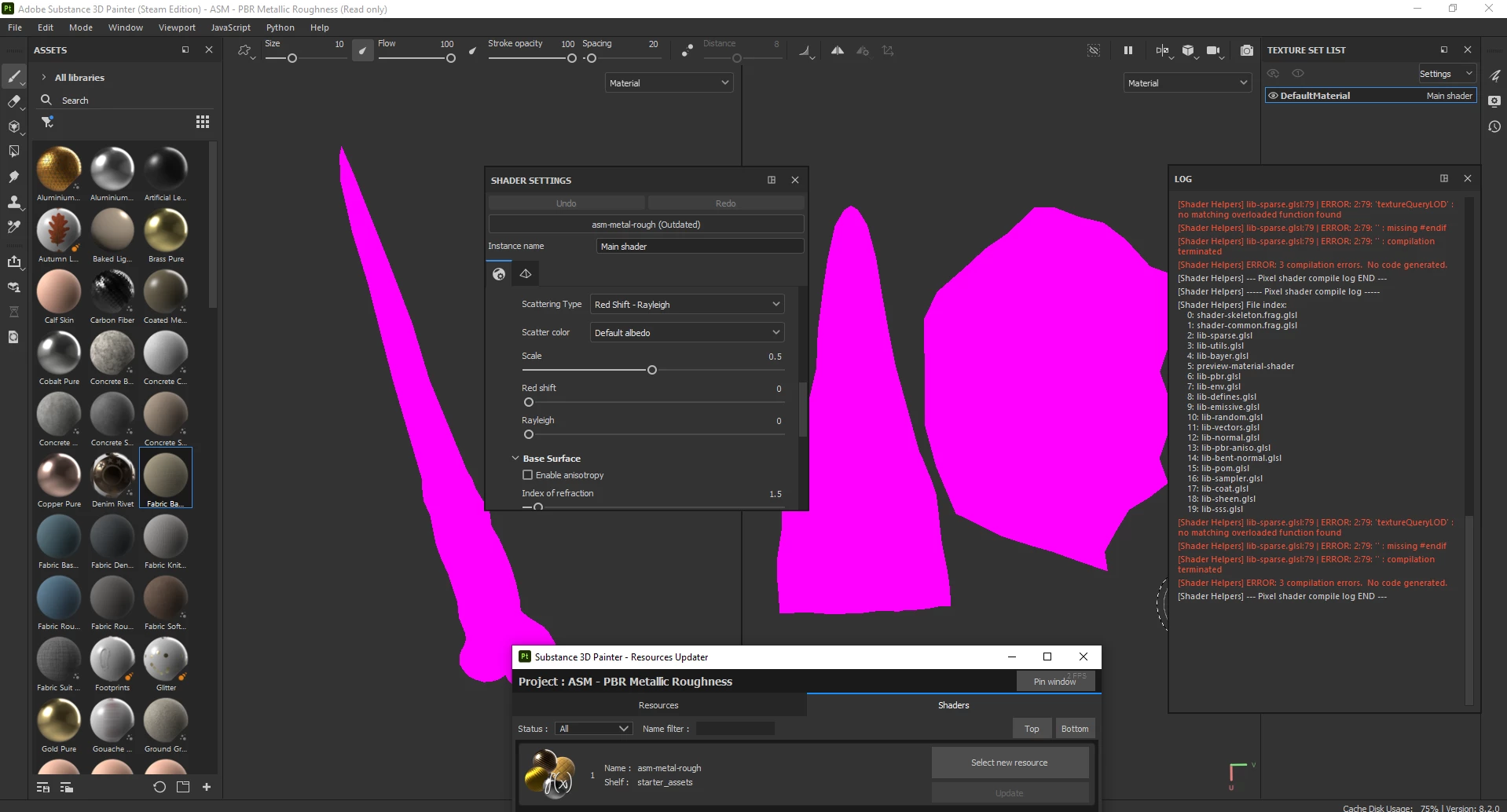
Pink material, shader helpers errors

  • April 27, 2023
  • 7 replies
  • 838 views

Hello, after uploading a 3D object, it turns pink, although I updated the materials, this problem still persists, what can I do?

7 replies

mayroxoiAuthor
Participating Frequently
May 2, 2023

oh, I forgot to add a screenshot that it works in version 8.1.1

mayroxoiAuthor
Participating Frequently
May 2, 2023

I have a screenshot of version 8.1.1 in my steam account and I can try version 7.4.3 without private beta code and it worked if I can run the application on version 8.1.1 everything will work fine the only problem is beta code is required for version 8.1.1 can you give me this beta code?


and sorry for my bad english in advance

Cyril Dellenbach
Community Manager
Community Manager
May 2, 2023

Every project is different and the specs being under the minimum requirement (The AMD APU are great, but still no dedicated GPU) doesn't mean an issue will appear every time you open Substance 3D Painter, but honestly the pink shader is one of the most common behavior with under minimum requirement systems. Therefore, if you already updated outdated resources and try to remove unused resources, I am afraid I can't do much more.


With that being said, I'll still check your issue with the team, there maybe is something I missed.


Best regards,


Cyril Dellenbach (Micro) | QA Support Artist | Adobe
mayroxoiAuthor
Participating Frequently
May 2, 2023

I was using this program before and it never gave such errors and it was quite enough on my computer and I still use enough apu 5600g and there is no problem on my computer, the problem is in the application, more precisely in the steam version, I downloaded this program as a trial and looked to see if it gives this error, it did not give such an error.

Cyril Dellenbach
Community Manager
Community Manager
May 2, 2023

Unfortunately, your specs are below the minimum system requirements for Substance 3D Painter (no dedicated GPU) and this can result with a lot of various problems, like the purple shading issue you're encountering.


With that being said, we can try several things to optimize the project, but with no guarantee that will work. While creating a project, make sure your Document Resolution is 1024 or below, but not above. I'd advise you to avoid the UV Tile workflow as much as possible and to deactivate the Temporal Anti-Aliasing under the camera settings.


I hope this will help with your projects, but I am afraid I cannot do much more.


Best regards,


Cyril Dellenbach (Micro) | QA Support Artist | Adobe
mayroxoiAuthor
Participating Frequently
May 2, 2023

(Since this place does not support txt format, I will have to convert it to a link and post it.)
My export log url:
https://sendeyo.com/get/d/62e84aa23f

Cyril Dellenbach
Community Manager
Community Manager
April 27, 2023

Hi @mayroxoi,


Thanks for the message.


Would you mind sharing your log (help > export log…), so I may take a deeper look?


Best regards,


Cyril Dellenbach (Micro) | QA Support Artist | Adobe