Exit
  • Global community
    • Language:
      • Deutsch
      • English
      • Español
      • Français
      • Português
  • 日本語コミュニティ
  • 한국 커뮤니티
0

texture export error

Explorer ,
Jul 28, 2023 Jul 28, 2023

I'm not sure where the problem is. I've exported textures, baked maps look good and all, but after importing in Unreal Engine text looks like it has warp on it.
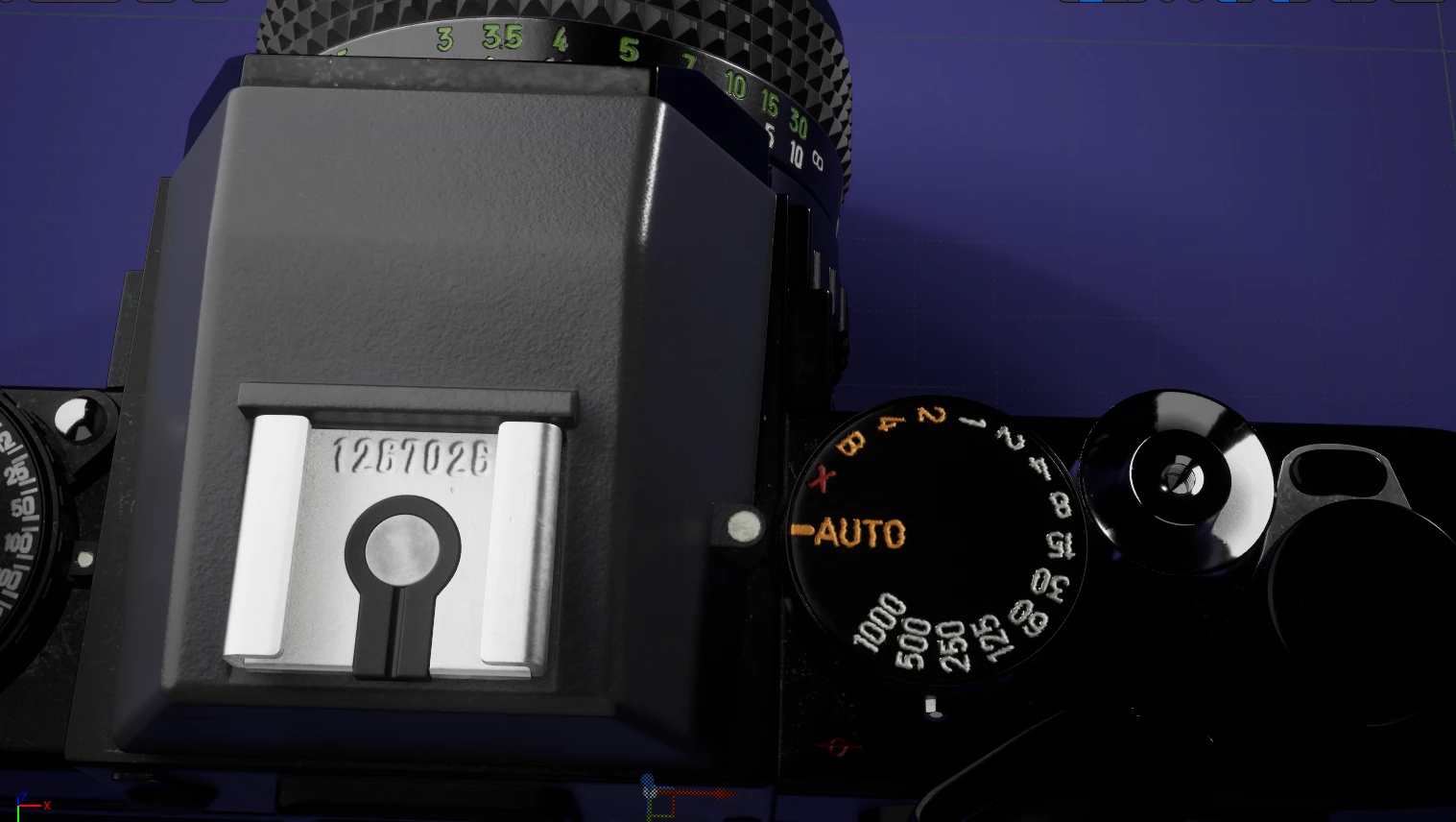
Ilia5C31_0-1690607224061.png


Here how it looks on Painter:

Ilia5C31_1-1690607343500.png


Is that a mesh error? Texture maps error? UE bug?

Bug Unresolved
TOPICS
Bugs & Crashes , Discussion
332
Translate
Report
Community guidelines
Be kind and respectful, give credit to the original source of content, and search for duplicates before posting. Learn more
community guidelines

correct answers 1 Correct answer

Explorer , Jul 31, 2023 Jul 31, 2023

Thank you for your reply.

It looks like this was an UE issue. I've messed with the mesh settings a bit, and now it looks normal.

I've checkd these two settings. 

Ilia5C31_0-1690797513856.png


 Which one fixed it I'm not sure. But here how it looks now.

Ilia5C31_1-1690797536910.png


Translate
3 Comments
Explorer ,
Jul 28, 2023 Jul 28, 2023

That's how normal looks. It doesn't look warped.

Ilia5C31_0-1690607489162.png


Translate
Report
Adobe Employee ,
Jul 31, 2023 Jul 31, 2023

Hi @Ilia5C31,


To cover all the possibilities, I advise you first to export your mesh triangulated (File > Export mesh...) from Substance Painter.

When you import a mesh inside Substance 3D Painter, it automatically triangulates the mesh in the backroom, therefore some visual issues may happen when you apply your textures on a model with a different triangulation orientation (Considering Unreal Engine automatically triangulates all the meshes).


This could also simply be an Aliasing issue, so check your UE parameters. From the screenshot sent, your normal map seems very sharp (this is maybe due to the screenshot itself), you may want to blur this layer a little, in order to see if it helps in Unreal Engine.


Best regards,


Cyril Dellenbach (Micro) | QA Support Artist | Adobe
Translate
Report
Explorer ,
Jul 31, 2023 Jul 31, 2023
LATEST

Thank you for your reply.

It looks like this was an UE issue. I've messed with the mesh settings a bit, and now it looks normal.

I've checkd these two settings. 

Ilia5C31_0-1690797513856.png


 Which one fixed it I'm not sure. But here how it looks now.

Ilia5C31_1-1690797536910.png


Translate
Report