


Inspiring
December 20, 2023
Answered

Missing Seams on Hard Edges - How to Fix Baking?

  • December 20, 2023
  • 1 reply
  • 8810 views

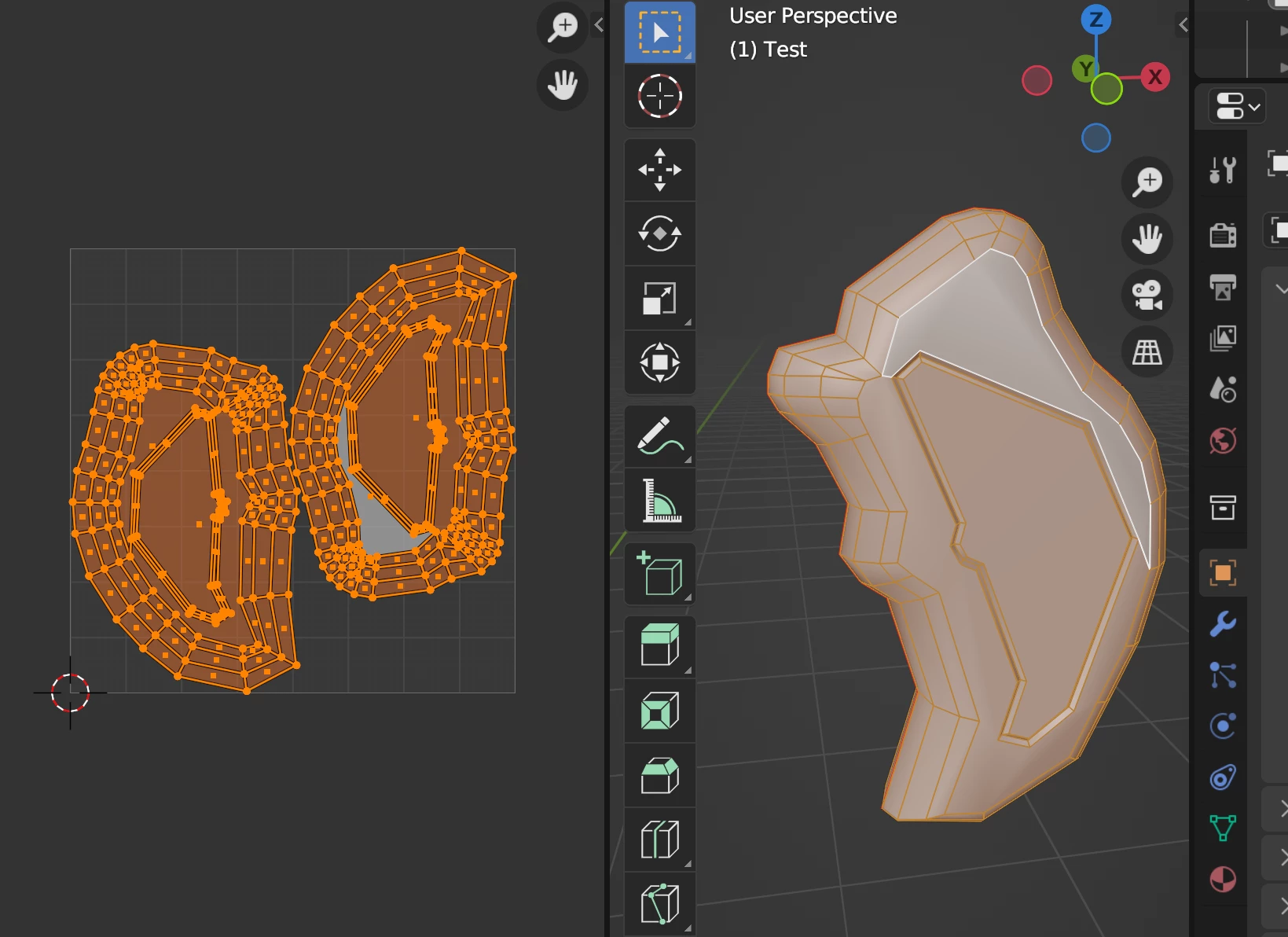
I have a simple test mesh created with Blender. UVWs are unwrapped, with only one seam.
 

After importing it into Substance Painter, I can see in the Baking Preview the UV Seams. Especially, the Missing Seams on Hard Edges. Please see the screenshot below.
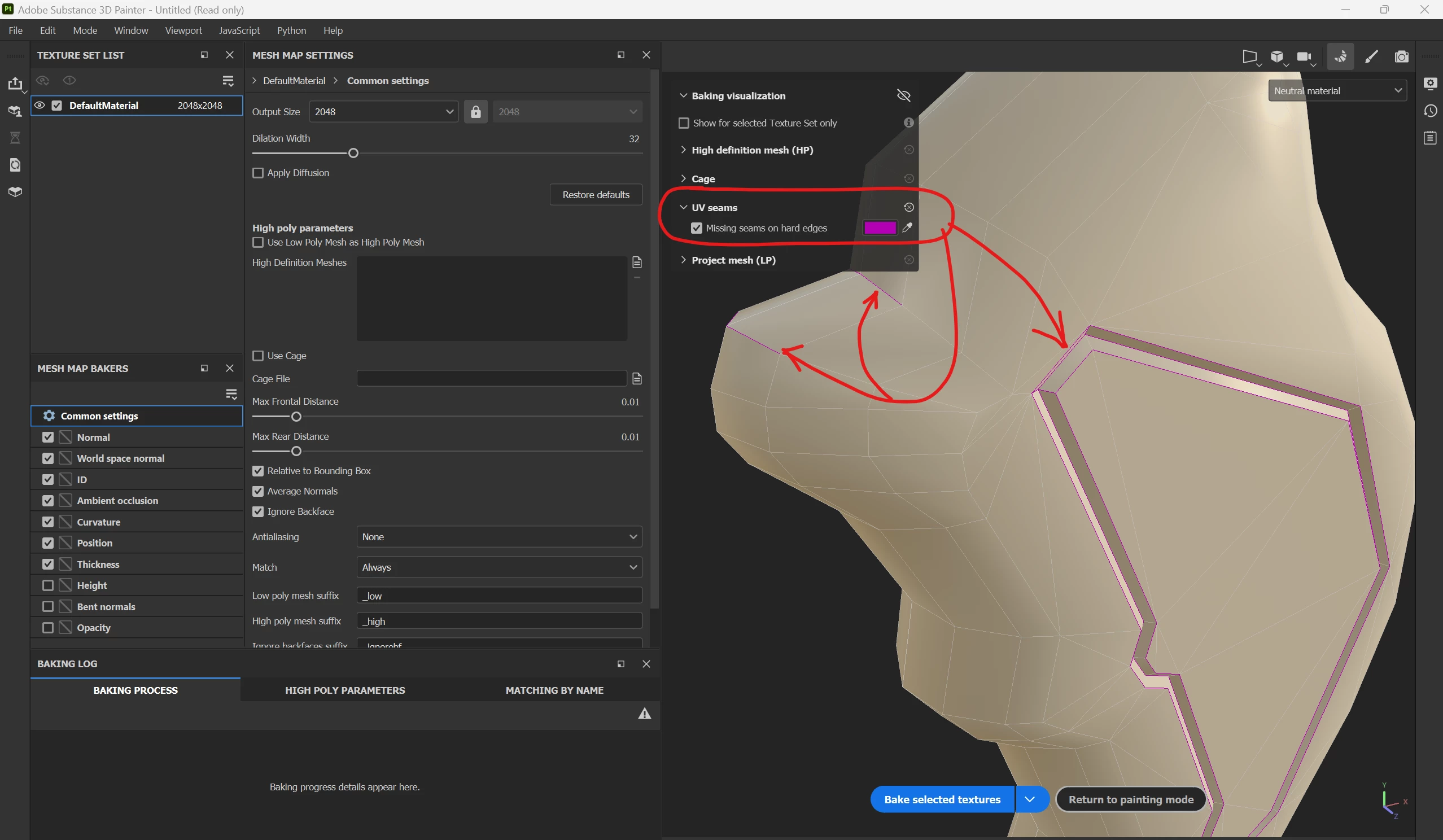
After baking the low poly mesh, I have no issues, and everything seems to be fine.

Now, I am adding a sculpted high-res mesh done with Zbrush, to smooth normals and perhaps add additional details. However, just by adding the new high-res mesh for baking, I am running the issue, to see edges on seams.

The interesting part is the fact, that there are no seams. The UVW Map has only two islands, with one continuous seam.

There are no matching errors, and adjusting the Max Frontal Distance or Rear Frontal Distance doesn't seem to be necessary at all.
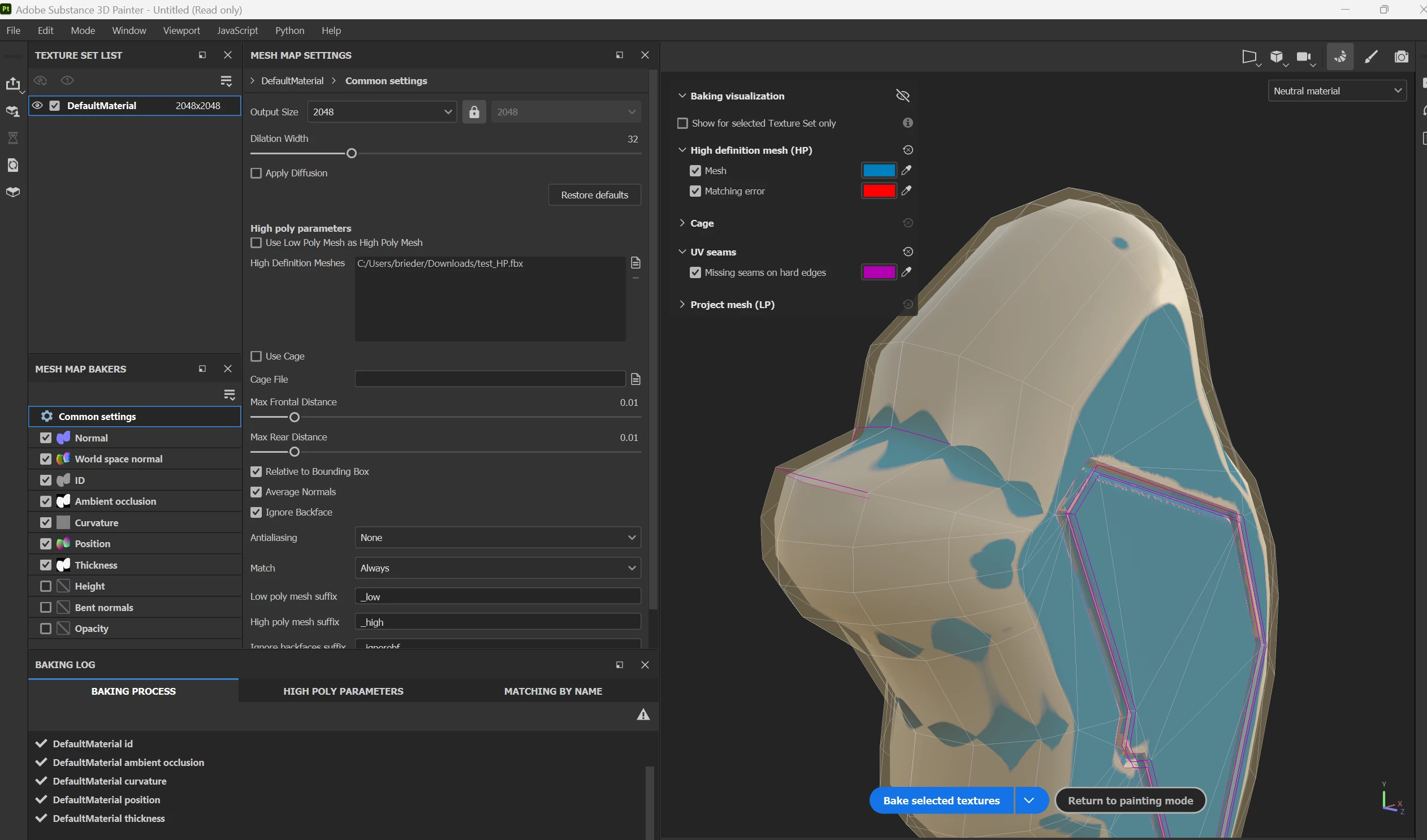
 

However, when the bake is done I am getting nasty bakes, especially on the areas, in which Substance Painter indicates Missing Seams on Hard Edges.
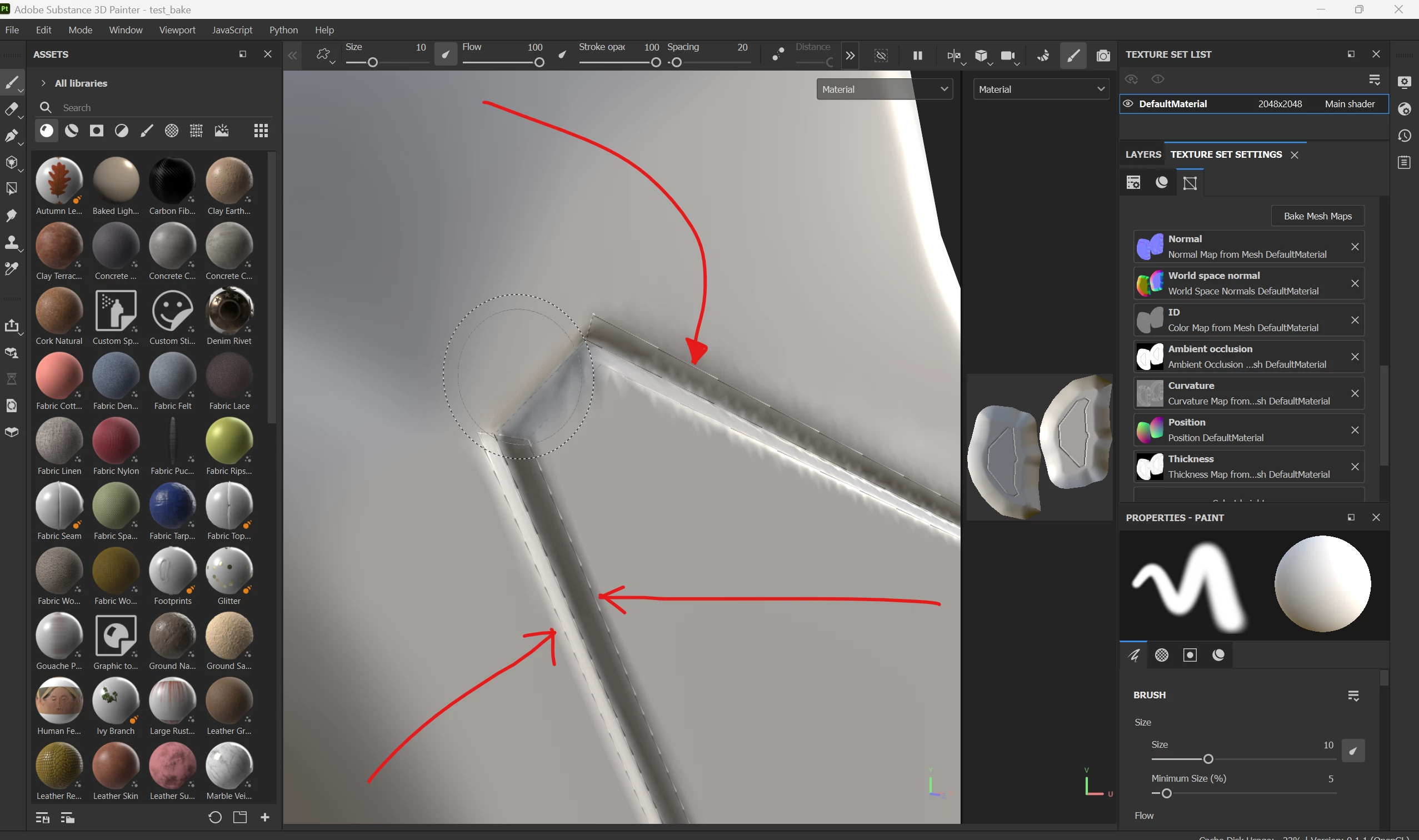
 

Not sure how to resolve this and what I am missing here?
Thanks for any ideas on getting this fixed.

Please find attached:

  • Low Poly Mesh.fbx
  • High Poly Mesh.fbx


This topic has been closed for replies.
Correct answer PixelFun

Hi Cyril,

yes, I agree with you 100%. That's what I did. But when exporting the .fbx file from Blender (I removed all marked sharp edges and exported the .fbx file) - for some reason, Substance Painter still showed the hard edges I posted above.

Are there any specific Blender Export options I have to consider, so the marked sharp edges are gone for real, and Substance Painter will not pick them up again?

It's odd. But again, just to clarify. Yes, I removed all marked sharp edges in Blender and exported the .fbx file.


okay, a quick note here:
I imported the .fbx file again, this time into Blender 4.0 and did the same.

Select all Edges --> and I removed all marked sharp edges.
Exported again, and this time all the sharp edges are gone.

Not sure if this was a Blender 3.6 Bug. Can't tell, but it finally worked.
Thx a bunch for your help Cyrill, appreciate it!

Happy Holidays and keep rocking,
cheers

1 reply

Cyril Dellenbach
Community Manager
Community Manager
December 21, 2023

Hi @PixelFun,


Thanks for the message and all the details.


This is due to how the Normal from the Low Poly will impact the baking. If you have a sharp Normal defined by a single edge, and a baking process that will try to smooth that sharp edge, it can result with a visible seam.


I can see on your Low Poly that you've added sharp edges (cyan lines). I advise you not to. This way, the Normals of the mesh will be more compliant at baking, and the result should be far better.


Alternatively, and as mentioned by Substance Painter, you can add a seam on hard edges of the UV map (that's why the warning is named "Missing seams on hard edges").


Let me know if you need further clarifications.

Cyril Dellenbach (Micro) | QA Support Artist | Adobe
PixelFunAuthor
Inspiring
December 21, 2023

Thank you Cyril,


well, I was testing the pudding now again, by removing all marked sharp edges inside Blender. Exported the result of the Low_Poly Mesh. But same issue.

Please find attached the LowPoly Mesh, with the hard edges removed.
To my surprise, Painter still marks hard edges. 

see screenshot below, after removing hard edges within Blender, Painter still marks those edges as hard!


Not sure what I am missing here now?
I attached the .fbx that has clearly no hard edges marked anymore.


PixelFunAuthor
Inspiring
December 24, 2023

In the share 3D file, the model still has edges marked as Sharp.


The goal is to completely remove the sharp edges (CTRL + E > Clear Sharp), so the normal will be more compliant when baking.


Regards,


Hi Cyril,

yes, I agree with you 100%. That's what I did. But when exporting the .fbx file from Blender (I removed all marked sharp edges and exported the .fbx file) - for some reason, Substance Painter still showed the hard edges I posted above.

Are there any specific Blender Export options I have to consider, so the marked sharp edges are gone for real, and Substance Painter will not pick them up again?

It's odd. But again, just to clarify. Yes, I removed all marked sharp edges in Blender and exported the .fbx file.