


Skuggasveinn
Participant
February 5, 2022
해결됨

Substance painter throws an error on startup and then exits

  • February 5, 2022
  • 1 답변
  • 1991 조회

This is a new install of the program, I just subscribed to the plan today.

I even cleaned out all the Adobe products from the computer and then reinstalled everything from the Creative Cloud Desktop app. 

All other Adobe programs are working fine, Photoshop, Substance Designed etc, this is a specific issue with Substance Painter.

.
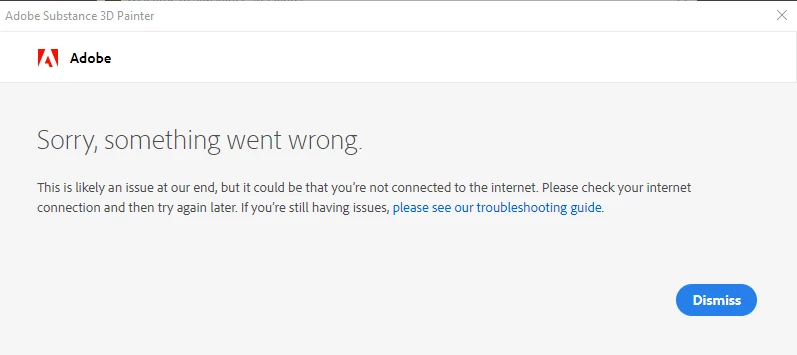
I have been google-ing my butt off, this is not the TLS issue that popped up a few monthts ago, my OS is win10 fully updated using update browsers and fully supports TLS 1.2, all drivers are up to date. 

I've tried everything that I can think of short of reinstalling windows, and I would really really not go down that road if that is possible. Attached is the Substance painter log file.

The only thing I can think of is that I used to subscribe to Substance Painter back before Adobe bought Allegorithmic, and just substance painter. I used the same email address then as my Adobe ID is has been using for years, since my problem is so specific to this application I thought I would mention if this is some backend account issue.


Any help would be appreciated

이 주제는 답변이 닫혔습니다.
최고의 답변: Skuggasveinn

Hi.

Thanks for the reply Cedric.


This worked ! changing just the regional format (not the contry or region) allows me to open the app successfully 🙂

I experemented around with this, turns out that its the format of the system date/time seems to be the issue here.

If the format of date/time is mounth.day.year / AM PM time (the default English United State format) then everything opens up successfully.

If the format of date/time is day.mount.year / 24hours (regional format for many EU countries ) the above error will pop up and the program will exit. All other Adobe programs that I have access to seem to be fine with what ever system time format I choose, but Substance Painter is not.

Perhaps you could log this as a bug ?, it really should not matter what format people choose to display date and time on their systems, but I can clearly understand how something like this can happen when validatating licenses on program startup.

Again, thanks for pointing my down the currect path to getting painter up and running, have a great day.


1 답변

Skuggasveinn
Skuggasveinn작성자답변
Participant
February 7, 2022

Hi.

Thanks for the reply Cedric.


This worked ! changing just the regional format (not the contry or region) allows me to open the app successfully 🙂

I experemented around with this, turns out that its the format of the system date/time seems to be the issue here.

If the format of date/time is mounth.day.year / AM PM time (the default English United State format) then everything opens up successfully.

If the format of date/time is day.mount.year / 24hours (regional format for many EU countries ) the above error will pop up and the program will exit. All other Adobe programs that I have access to seem to be fine with what ever system time format I choose, but Substance Painter is not.

Perhaps you could log this as a bug ?, it really should not matter what format people choose to display date and time on their systems, but I can clearly understand how something like this can happen when validatating licenses on program startup.

Again, thanks for pointing my down the currect path to getting painter up and running, have a great day.


GeoffroySC
Community Manager
Community Manager
February 7, 2022

Thank you for your feedback it seems that you found how to finally fix this issue, I forward this to the dev team and create a bug ticket.


Hi,

Is it something you can reproduce systematically? 

I tried reproducing it on my machines and couldn't reproduce the issue.

Could you share a step by step of what you did in order to help other users with this issue and allow me to try and reproduce the problem for finding a permanent solution. 

Thank you,

Kind Regards,

Geoffroy SC