Participant
July 24, 2023
Answered

Wierd artifacts in Substance 3d Painter

  • July 24, 2023
  • 2 replies
  • 3119 views

     Hello, everybody. 

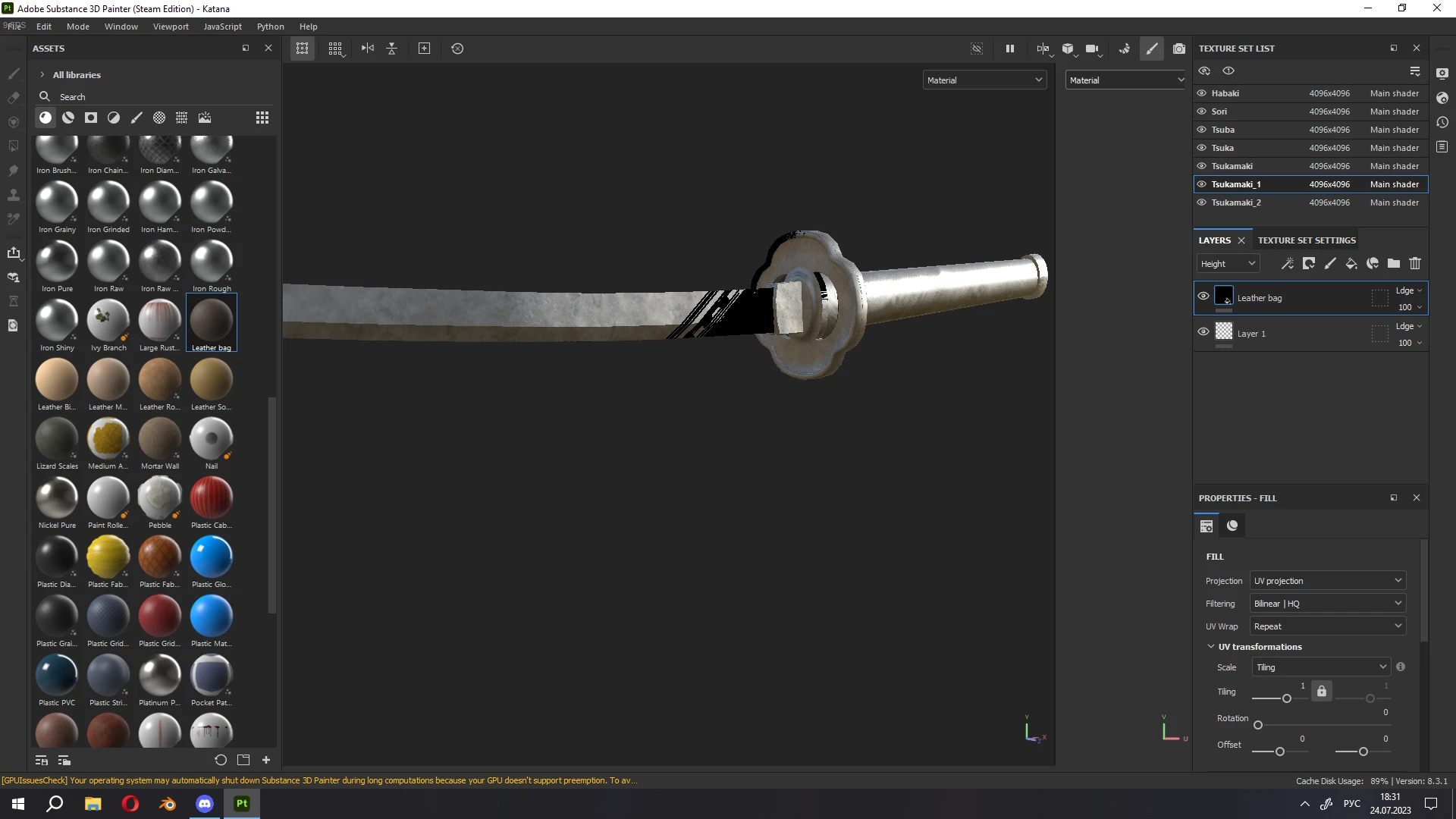
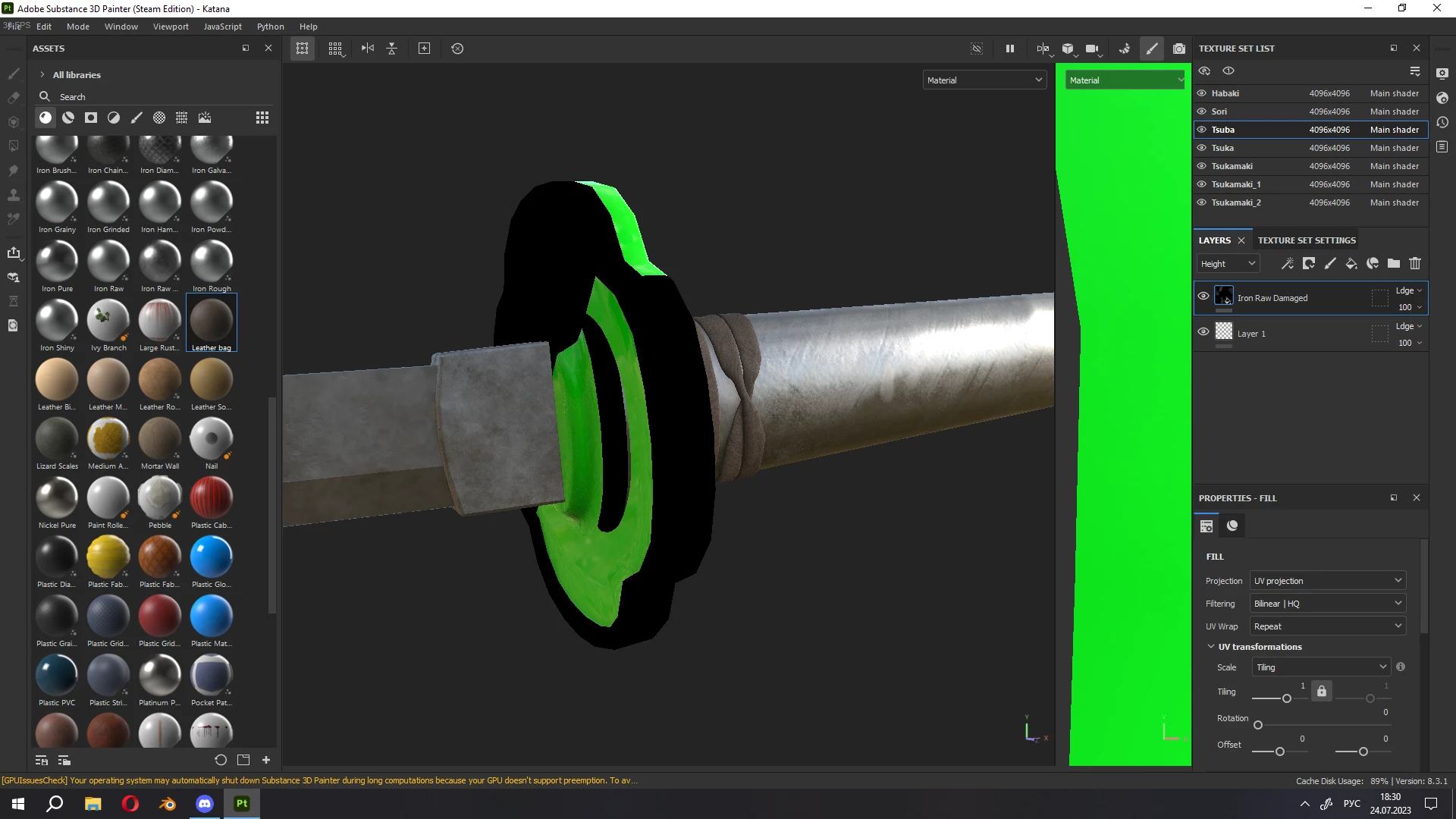
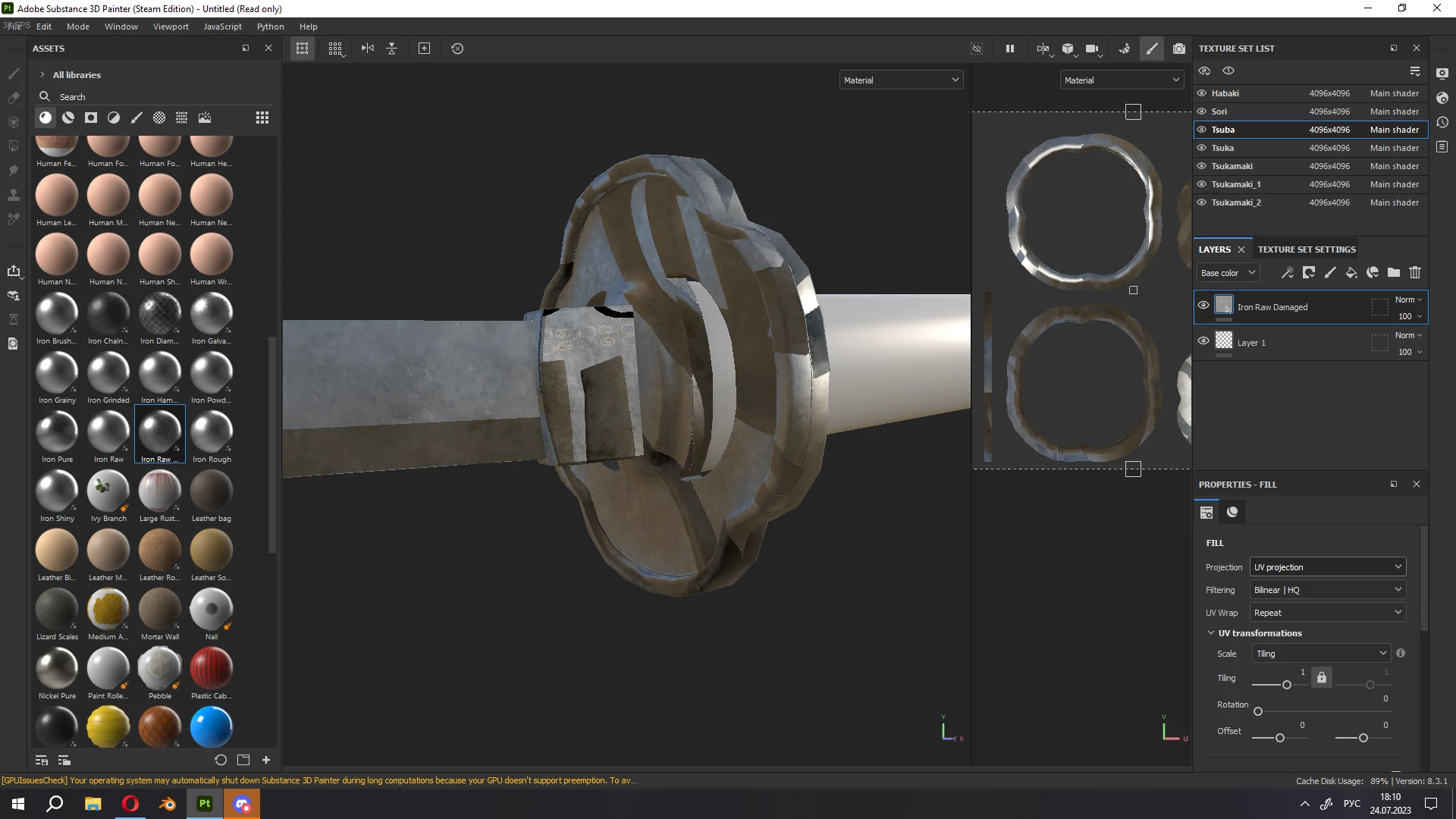
     I want to ask you for help. Not so long ago I started using Substance Painter, so I don't understand a lot. At first everything went well, I finished two projects, but the last one caused a lot of problems. Starting with crashes, which is not as problematic as the constant appearance of artifacts.
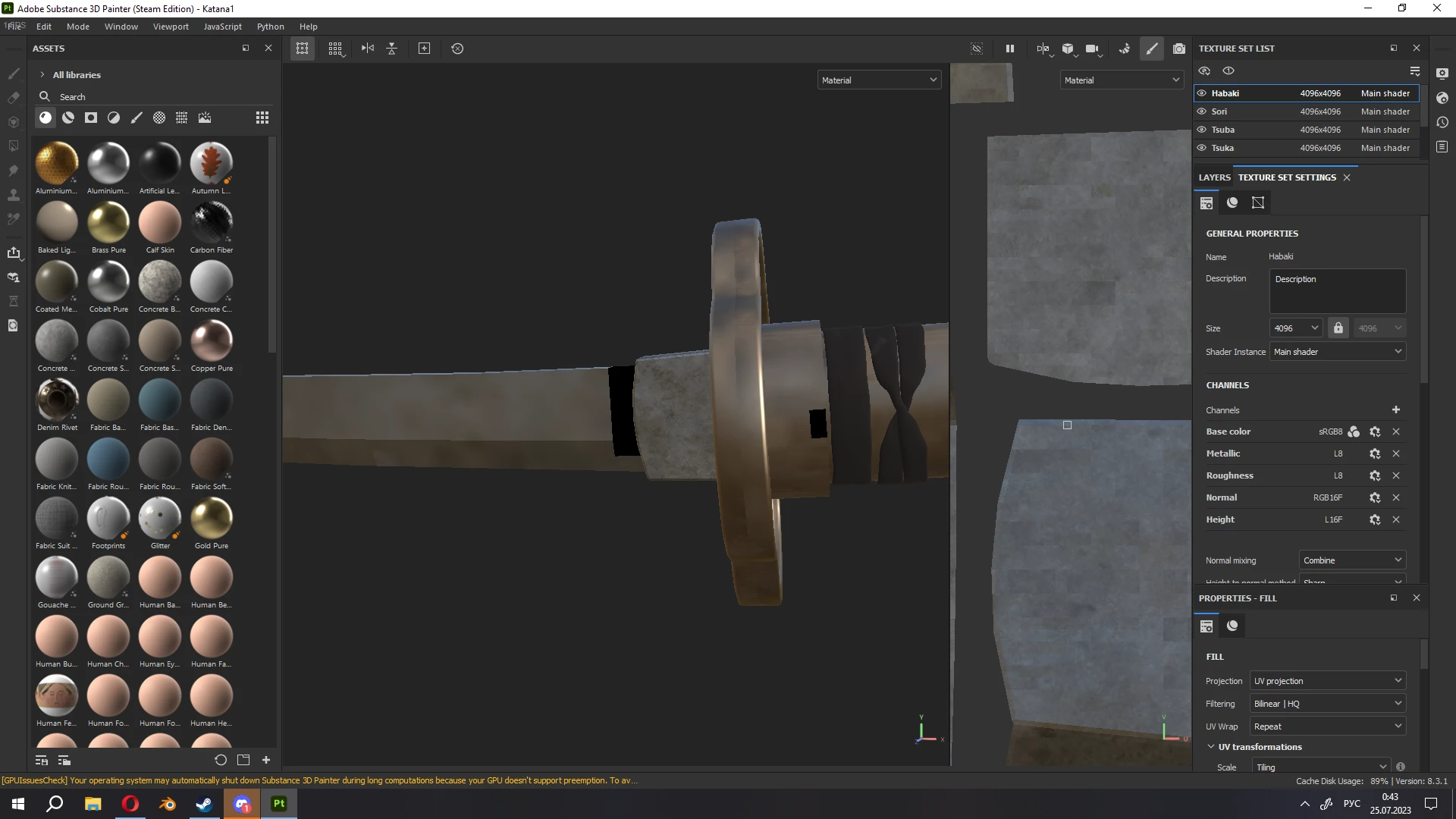
        Beginning from the very start of the program, as in the screenshot above, where the textures are in very low resolution, until I change the resolution to any other (although it was originally 4096 by 4096) and ending with artifacts during the work itself.
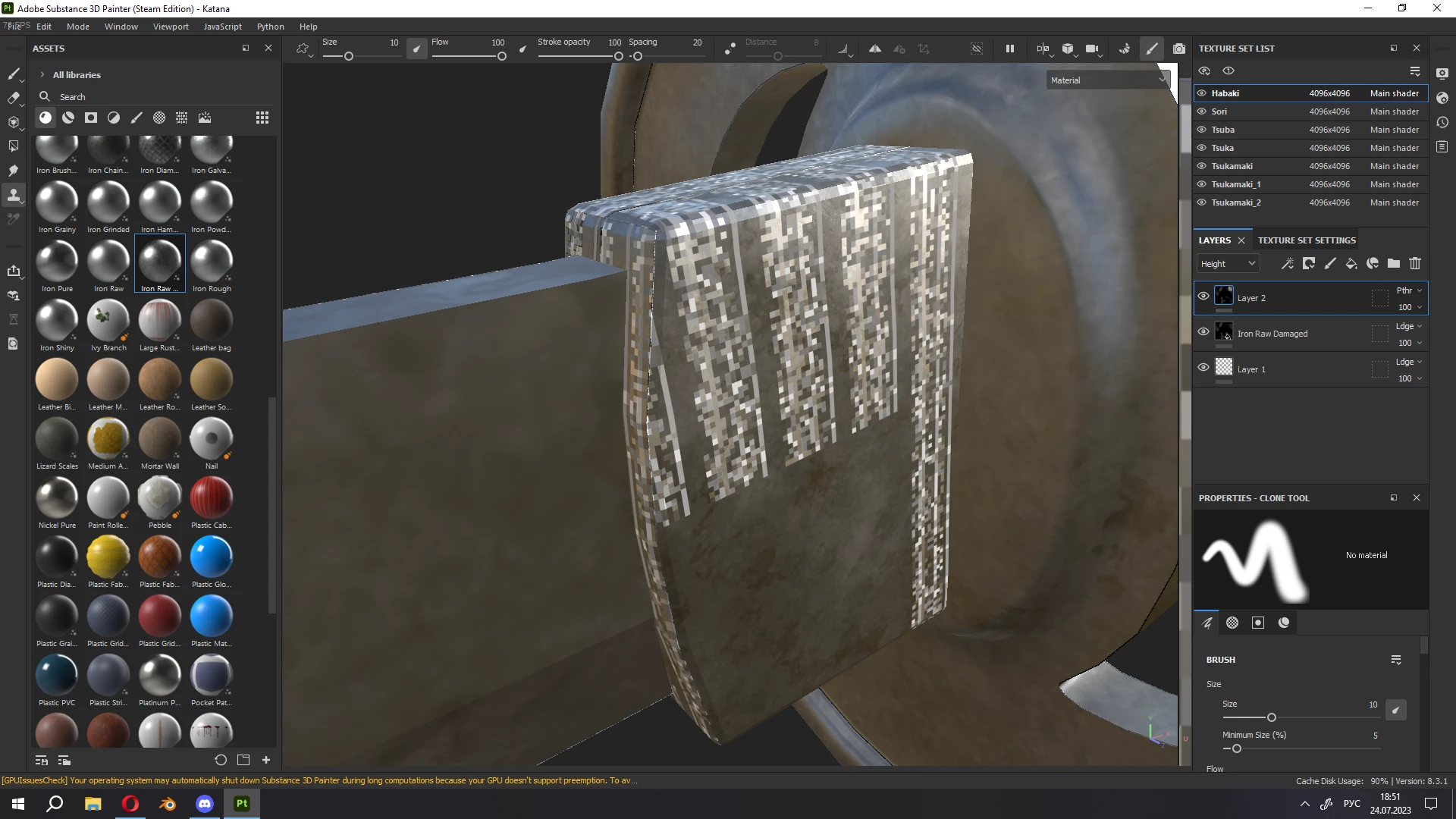
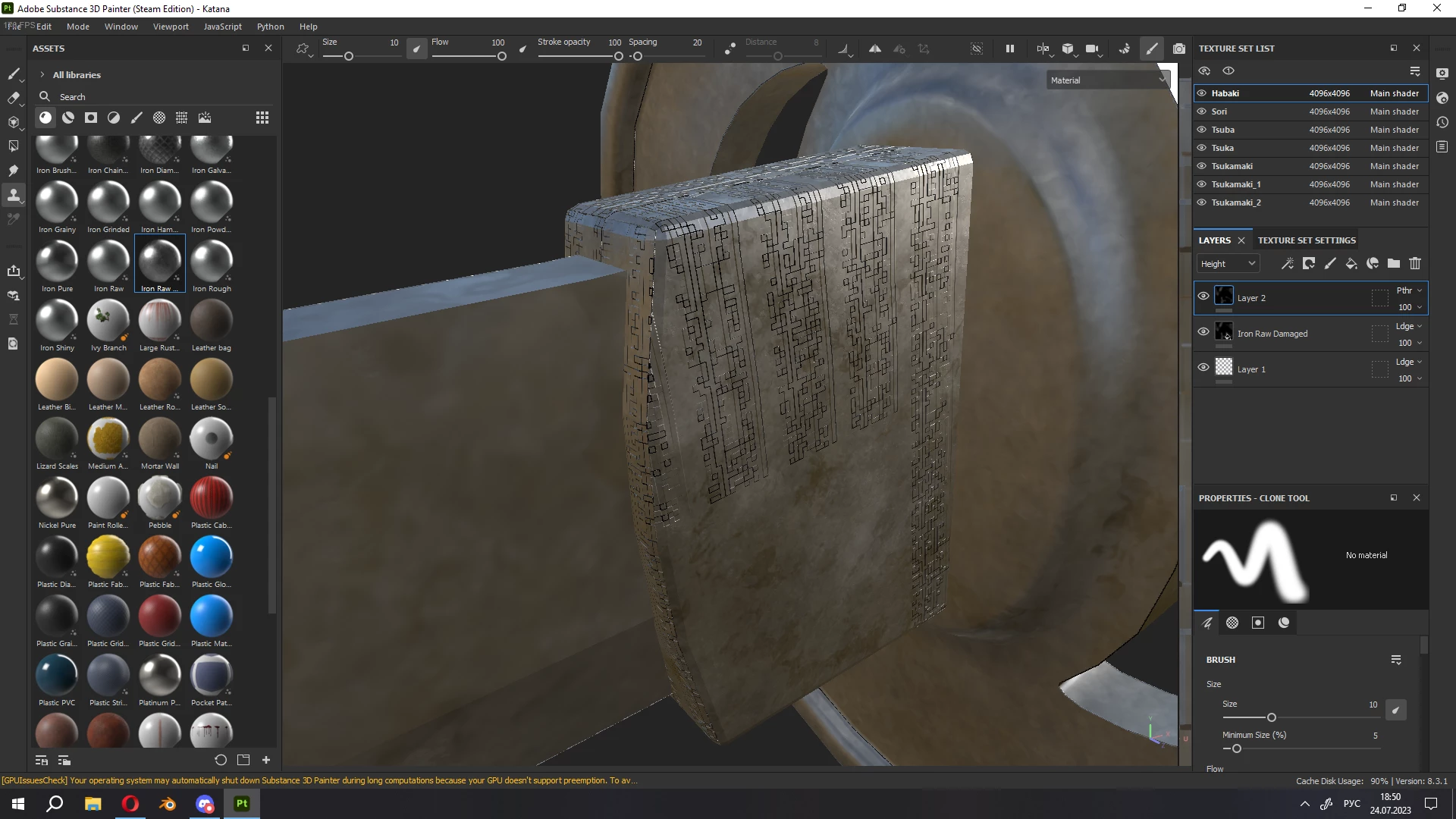
Artifacts appear absolutely randomly, they can change their form from a simple turn of the camera and any manipulations with the interface.
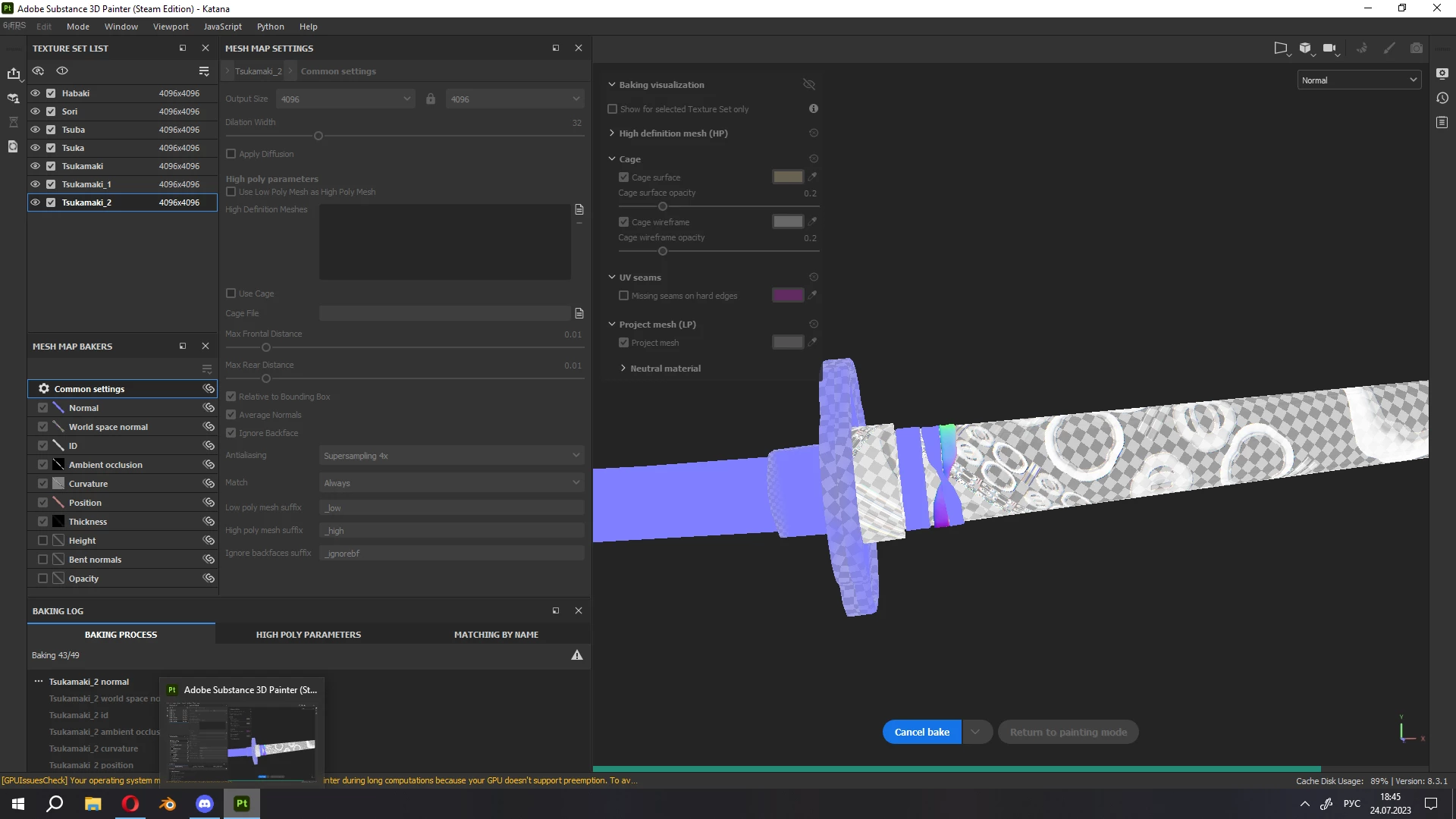
I also had problems with texture baking, as in the screenshot above.


      Creating a new project does not help, the problems remain, I did the export from Blender according to the Adobe guide on Youtube. All hope for your help.


This topic has been closed for replies.
Correct answer Cyril Dellenbach

Hmmm, the latest drivers could very well be the issue. We know we have conflicts between some AMD GPU latest drivers and Substance Painter (a conflict that should be solved at 9.0.1).

https://community.adobe.com/t5/substance-3d-painter-discussions/weird-graphical-glitches-on-textures-in-the-viewport/td-p/13940212

https://community.adobe.com/t5/substance-3d-painter-bugs/amd-radeon-pro-23q2-cards-drivers-are-broken/idi-p/13868239


Try to rollback version and let me know if it works.


2 replies

Cyril Dellenbach
Community Manager
Community Manager
July 25, 2023

Hi @Георгий31275344wy7e,


Thanks for the message and for sharing the mesh!


I don't see anything problematic on your mesh, but I'd love to take a look at your log (Help > Export log...), so I could dig deeper into the issue. Would you mind to also send it here?


Best regards,


Cyril Dellenbach (Micro) | QA Support Artist | Adobe
Participant
July 25, 2023

Hi, Cyril
    Here's log file you asked for. By the way, Painter says my graphics card doesn't support preemption. I don't know if it may help to solve a problem, but I  have Radeon RX 5700XT graphic card. Maybe, the problem lies in this area. (Also, I have the latest drivers and software installed)
     Many thanks for helping me.


Cyril Dellenbach
Community Manager
Cyril DellenbachCommunity ManagerCorrect answer
Community Manager
July 25, 2023

Hmmm, the latest drivers could very well be the issue. We know we have conflicts between some AMD GPU latest drivers and Substance Painter (a conflict that should be solved at 9.0.1).

https://community.adobe.com/t5/substance-3d-painter-discussions/weird-graphical-glitches-on-textures-in-the-viewport/td-p/13940212

https://community.adobe.com/t5/substance-3d-painter-bugs/amd-radeon-pro-23q2-cards-drivers-are-broken/idi-p/13868239


Try to rollback version and let me know if it works.


Cyril Dellenbach (Micro) | QA Support Artist | Adobe
Participant
July 24, 2023

Forgot to write, after exporting the textures, I still have a solid square texture without UV markup. Screenshot attached