


Participating Frequently
May 3, 2025 9:10 PM UTC
Question

UE5 Substance Source Materials - Pitch Black!

I am using UE5 5.5.4, | Substrate Materials activated within the Project settings.

Why are the Substance Source Materials pitch black and not useable?

Please see image screenshot below:
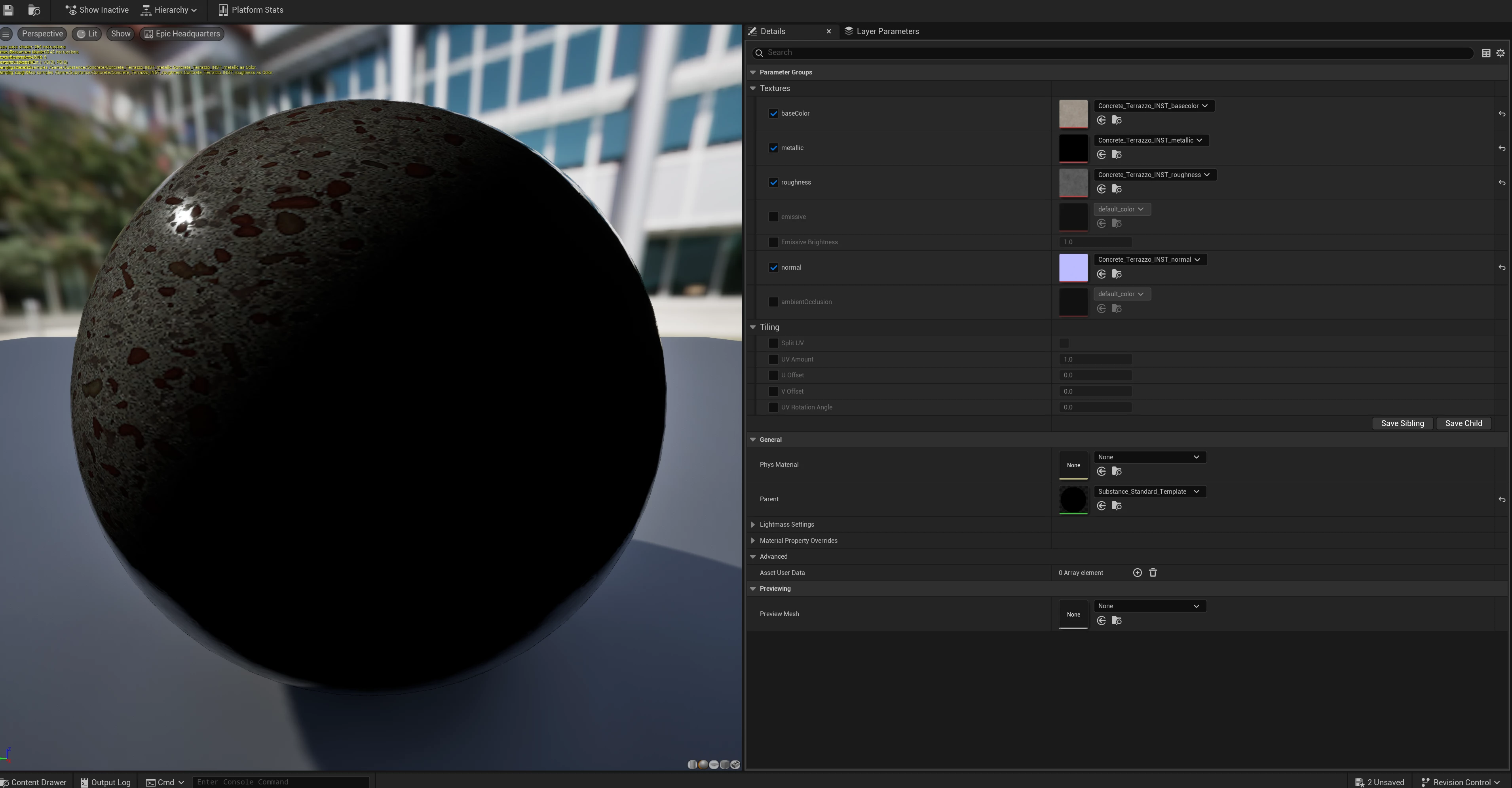
 

This happens, when I activate "Substrate" Materials within my Project Settings.
Ecen after verifying the UE5 Install and the Unreal Engine Substance Plugin. Same issue.


  • What's causing it?
  • How to fix it?
  • How to avoid it?


Thanks for any ideas, thoughts and fixes!

7 replies

Participating Frequently
May 7, 2025 6:09 PM UTC

Anyone from the Adobe Substance Team?
Thanks a bunch!

Translate
Adobe Employee
May 7, 2025 10:13 PM UTC

Hi @bromampfer , I it looks like this is happening when "Substrate" is enabled because that feature also replaces nodes in our material templates. If you navigate through the material hierachy to see the parent material, you will notice that instead of the usual Substance template node, you will now see that new "Substrate shading models" node, followed by our previous template.


We will have to look at a permanent fix for this, but in the mean time the workaround I found it to select the final Substance node and enable "Use material attributes". After saving, the material should appear as expected again. See screenshot.


Cheers,

Aldo

Translate
Participating Frequently
May 7, 2025 11:23 PM UTC

Thank you sooo much, appreciate it!!!!

Translate