
Participant
January 17, 2023
Answered

Decals added to glass is visible on the inside

  • January 17, 2023
  • 3 replies
  • 677 views

Hello 


I'm having an issue that is frustrating me quite a bit - I am using stager to render out some product images and most of the labels are on vials of glass material.  However when i apply a decal it is visible on the inside aswell (mirrored as if the label was see through).  Anyone have a solution for the decal to just be visible on the outside of the surface?  All searches i see wis about decals on solid surfaces which is a non issue in this regard.  Adding a render to show what i mean.  
Anyone have a suggestion?  
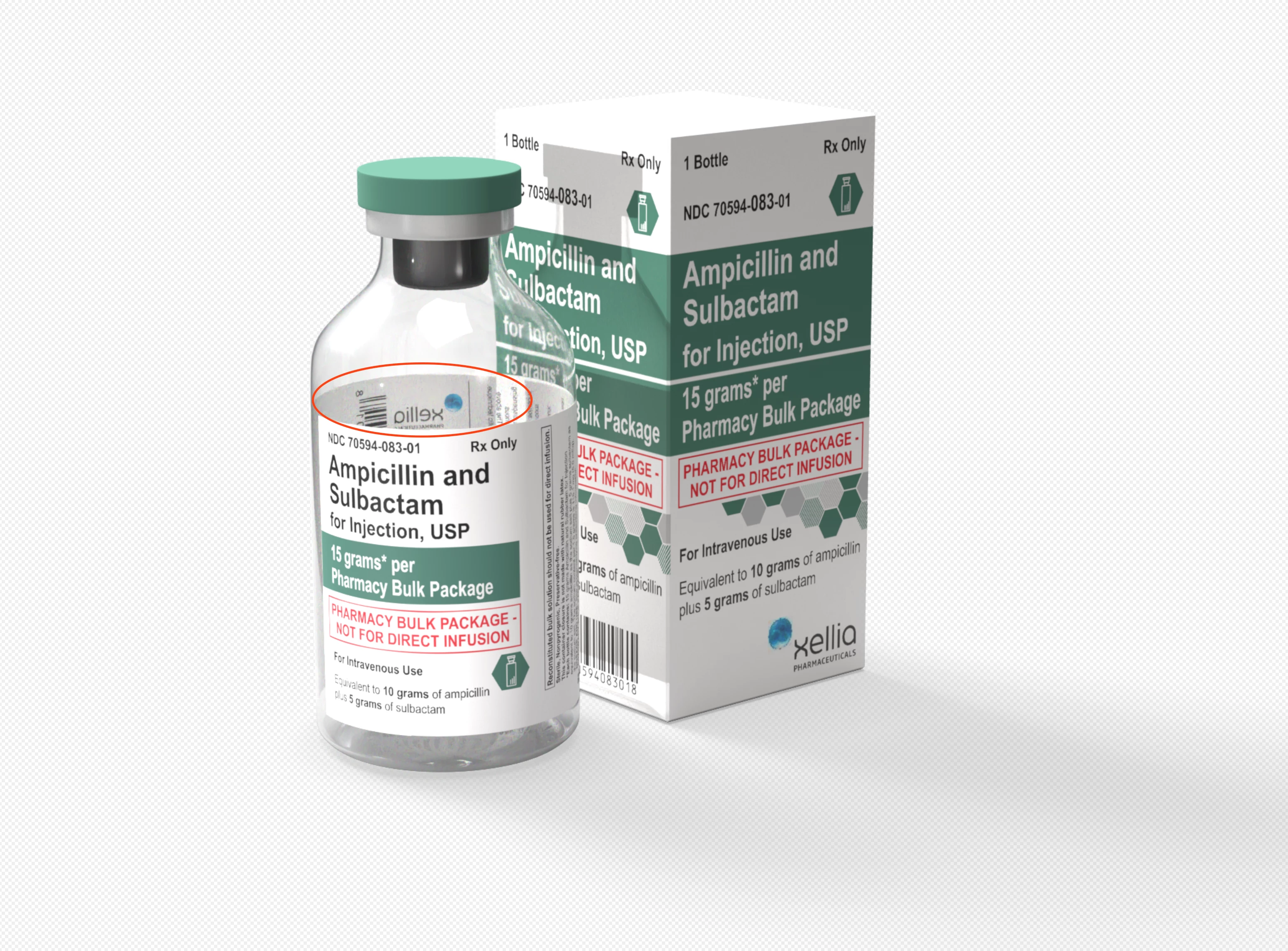
This topic has been closed for replies.
Correct answer JMathews

Hm... Interesting use case!  I tried a few work arounds but haven't found a way this works in our system the way it's currently implemented.  One thought could be to just render a version with a blank label, and composite that part, but I get it's tedious.

3 replies

Known Participant
February 14, 2023

Greetings!  Bottom Line: I made a 'partial cylinder' extrusion from an Illustrator obj(see in the pics) that was a 'partial' circle to attempt to match the width of my label. Using this I put this object 'in the bottle' blocking the back of the label decal.

Drop me  a note if you have any questions...

FreimenAuthor
Participant
February 15, 2023

@markl78029787  Yep. thats what i figured aswell. was hoping to avoid doing this step though as the labels vary in size and this just gets tedious over time.  I was hopiong for just a setting to stop the software to ignore that the label is on a solid colour as this would be a more logical way to handle decals on a transparent surface - but i guess the software is just not there yet.  What i ended up with doing was to make the glass in the vial thicker and have refraction help me out in making the see through label less stand outish - plus the vials look much nicer with some volume in the glass walls.  

JMathews
Community Manager
JMathewsCommunity ManagerCorrect answer
Community Manager
January 20, 2023

Hm... Interesting use case!  I tried a few work arounds but haven't found a way this works in our system the way it's currently implemented.  One thought could be to just render a version with a blank label, and composite that part, but I get it's tedious.

Adobe Principal Product Manager, 3D & Immersive
Ares Hovhannesyan
Community Expert
Community Expert
January 21, 2023

I think we can remove artifact in Ps file. That also can be a solution

Ares Hovhannesyan
Community Expert
Community Expert
January 17, 2023

IMHO that tsn\t a bug. I have the same result. It depends how rendering working with transparent pixels in Stager. Trying to find a solution. 

FreimenAuthor
Participant
January 18, 2023

Yeah.  I dod not think it was a bug - i was more leaning towards me missing something. 😅.  And it is quite time consuming if i have to make a mesh to solidify as the papwer label on the glass.  It's quite annoying that it treats all decals this way.  (i have a solid white as base colour on the decals.)