
Participant
March 13, 2022
Answered

How to make realistic shadow effects when putting rendered furniture over a JPG background

  • March 13, 2022
  • 2 replies
  • 549 views

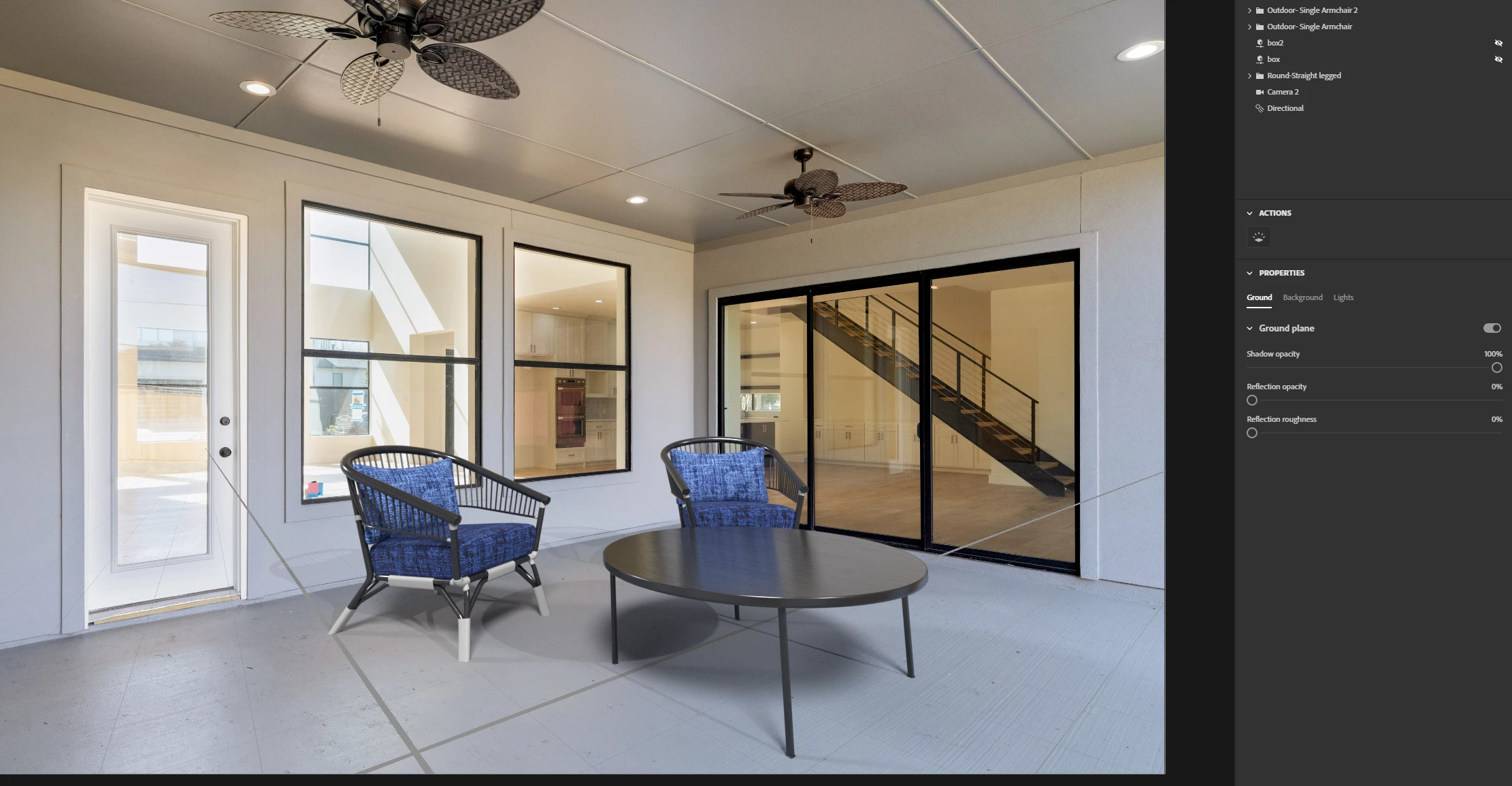
Hey, I've been trying to stage furniture over empty photos used for real estate listings. Is there a way to make the shadows act as if there was a wall behind them without actually putting in a 3D rendered wall? See below, theres a picture of an outdoor scene I was working on. The shadows act as if theres just flat ground behind them because the scene isn't aware of the wall in the background photo. Any solutions?


This topic has been closed for replies.
Correct answer JMathews

Hi @Tbangs !  This isn't possible yet.  It's often achieved with something called 'shadow catchers'.  This is placeholder geometry like a plane that's positioned where the wall is and has a special material that lets it receive shadows and is great for compositing.  It's something we'd love to do, but isn't possible yet.


Right now what you maybe could do would be to put an actual 3D plane behind the chair in the same place as the floor and wall.  Then in Photoshop after you render you could try to composite the wall and the plane together a bit better since the 3d render and background image are separate layers in the PSD export.

2 replies

JMathews
Community Manager
JMathewsCommunity ManagerCorrect answer
Community Manager
March 14, 2022

Hi @Tbangs !  This isn't possible yet.  It's often achieved with something called 'shadow catchers'.  This is placeholder geometry like a plane that's positioned where the wall is and has a special material that lets it receive shadows and is great for compositing.  It's something we'd love to do, but isn't possible yet.


Right now what you maybe could do would be to put an actual 3D plane behind the chair in the same place as the floor and wall.  Then in Photoshop after you render you could try to composite the wall and the plane together a bit better since the 3d render and background image are separate layers in the PSD export.

Adobe Principal Product Manager, 3D & Immersive
Ares Hovhannesyan
Community Expert
Community Expert
March 14, 2022

For now please try different and multilights to achive that effect.