
Participant
June 25, 2022
Question

Images not appearing on material

  • June 25, 2022
  • 1 reply
  • 715 views

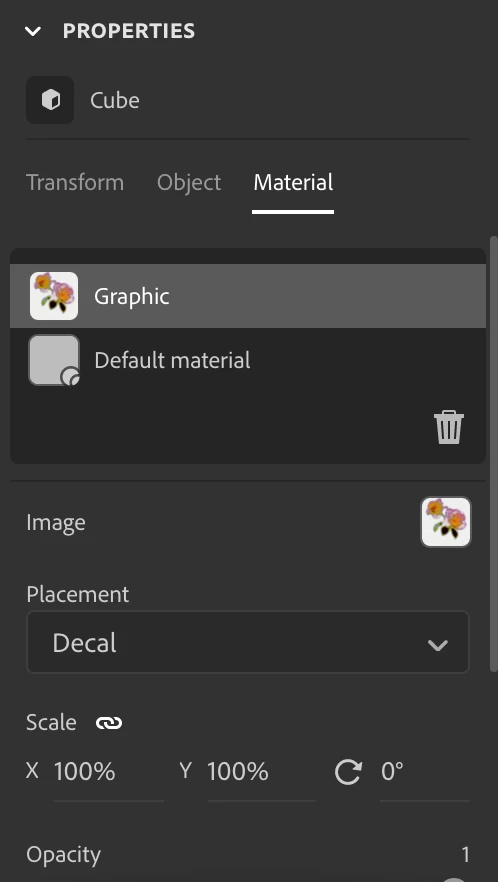
I'm trying to place an image on my surface material but once it's placed I can't see it. I converted it to a standard model and everything and the image is on the property panel but nowhere to be seen on the material.

Is there anything I can do to fix this? 

Thanks 🙂 
This topic has been closed for replies.

1 reply

Ares Hovhannesyan
Community Expert
Community Expert
June 25, 2022

It happens when imported material has structure that is not understandable by Stager. Try in Stager to 

1. Generate UV  map 

2. Export UV's

Is your imported object created via another 3d app? 


Alexandre Becquet
Community Expert
Community Expert
June 27, 2022

Yes, often you need to generate Uv's map. Like @Ares Hovhannesyan said this should be the solution but if you still stuck we are here 😉

Ares Hovhannesyan
Community Expert
Community Expert
August 26, 2022

I'm experiencing a simliar problem. When I place an image onto an object - the object just turns black. I tried different images - and different standard objects. I also generated the UV maps with no results. Do you have any further suggestions? 


Can you share image to test or stager file via cloud?