
Answered
Download Team Project
Hi
Is it possible in the Team Project file to download after complete the project, or we can upload my project file in Team Project?

Hi
Is it possible in the Team Project file to download after complete the project, or we can upload my project file in Team Project?
Hi -
You can convert any Team Project into a stand-alone Premiere Pro project file using the following menu command from the EDIT -> Team Projects main menu:
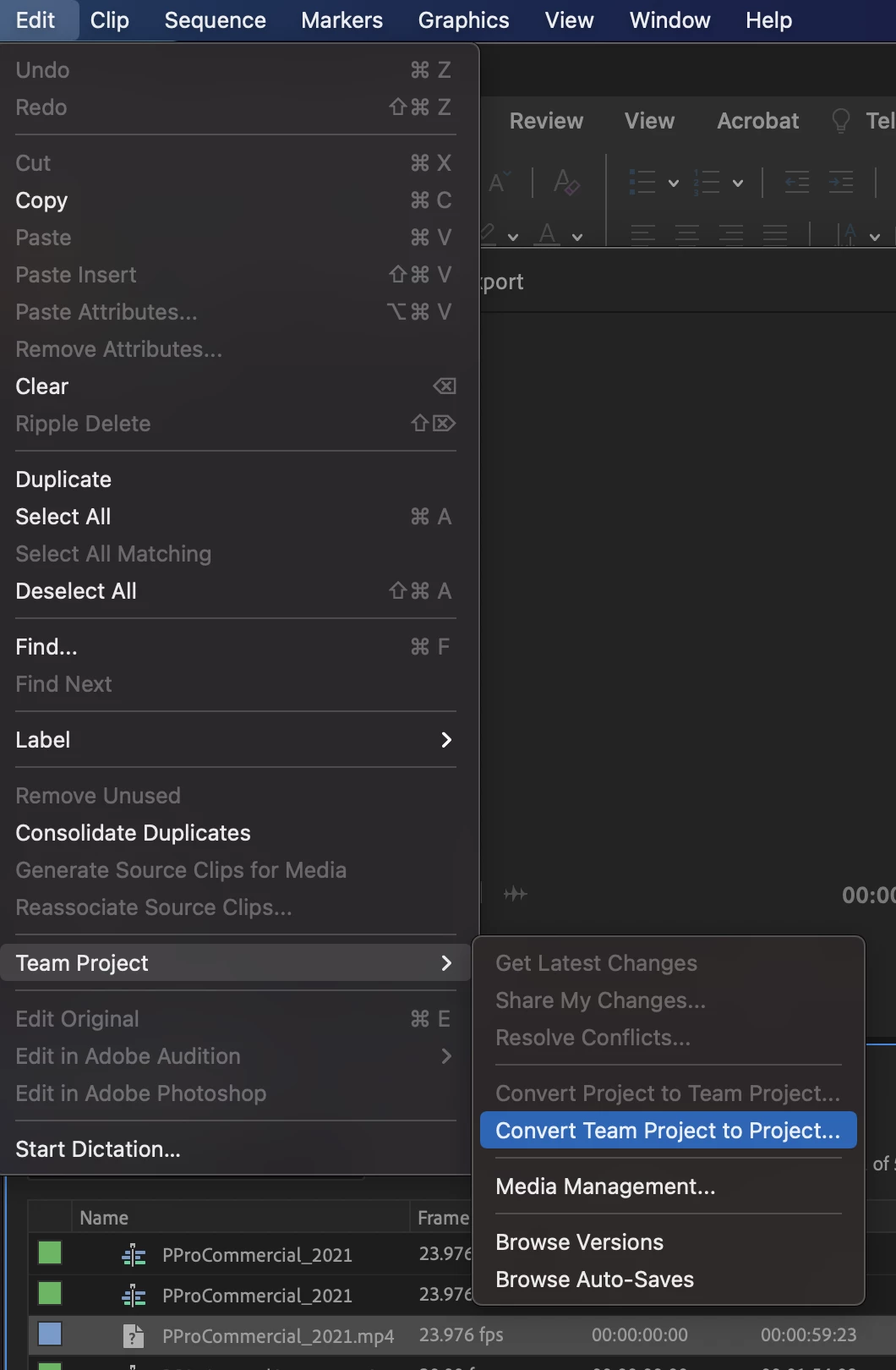
This will generate a local copy of your team project. At this point that local project file will be a regular Premiere Pro project file and will not have any collaboration capabilities or connection points.
In a similar manner, you can convert an existing Premiere Pro project file into a Team Project to gain the collaboration capabilities by loading the project and selecting the menu option immediately above the one pictured above: "Convert Project to Team Project". Please note that once you convert a local Premiere Pro project into a Team Project, any project changes you make to the Team Project will NOT update your local Premiere Pro project (and vice-versa). At this point in time the two project types are not connected and will be treating uniquely for all operations.
Hope this helps!
Regards,
Michael
Already have an account? Login
Enter your E-mail address. We'll send you an e-mail with instructions to reset your password.
 AdChoices